
 Share
Share
 Print
Print
|
|
|
|
|


From the Purchase Order Detail, General tab, users can select the World Part Locator  button to query the WPL marketplace in order to help fulfill the part requirement. Through TRAX's World Part Locator, TRAX operators can connect seamlessly to a global marketplace of part suppliers through a business-to-business interfacing system. For more information refer to the World Part Locator.
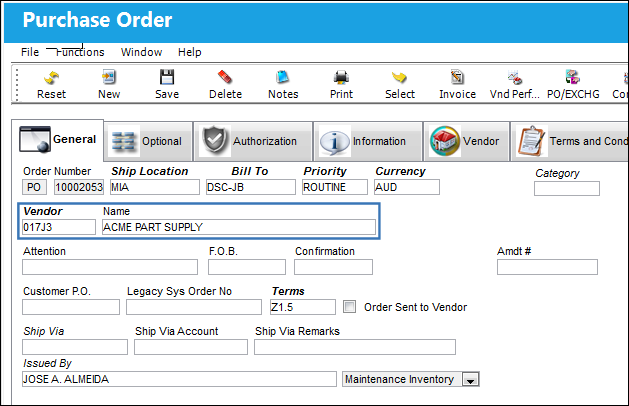
The following P/O is created from the Purchase Order window for the below vendor.
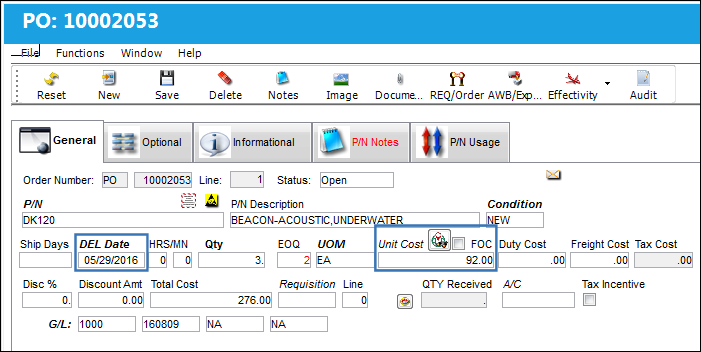
From the P/O detail, the following part is ordered. Notice the Delivery Date and the Unit Cost. The World Part Locator button is selected to query for the order vendor's WPL pricing options.
The World Part Locator window pops up as follows. Notice that the Cost and the Lead Days are preferable from the WPL for the same vendor. As such, the user can double-click on the entry to have the P/O detail reflect this WPL entry.
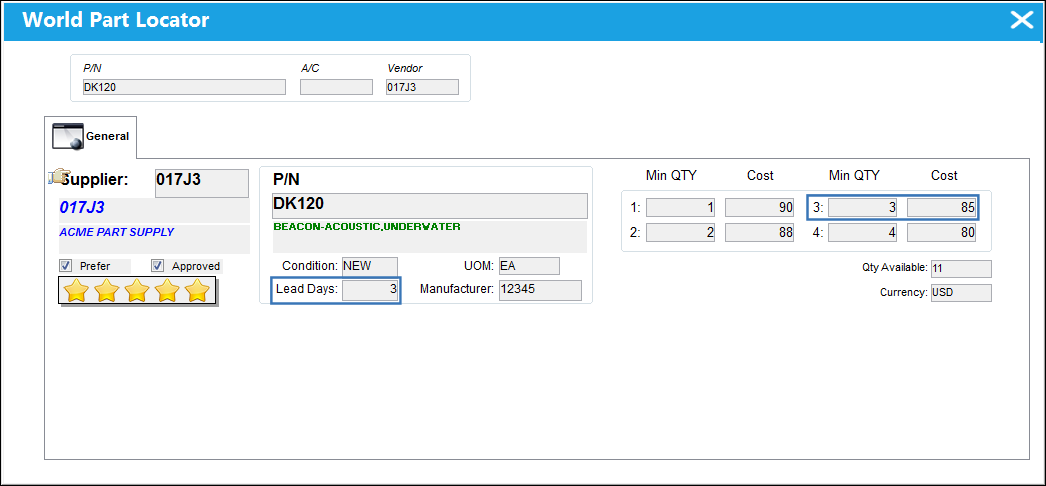
The WPL button from this P/O Detail accesses the WPL in query mode. Therefore only information for the P/O header's vendor will appear. To view other vendor options from the WPL and to create Purchase Orders directly from the WPL, refer to the World Part Locator window via the Inventory module.
If the P/O header's vendor does not have the required part (or interchangeable) in the WPL, then the World Part Locator window will not display results from this button in P/O detail.
Because the WPL offer was selected, notice that the Delivery Date was updated to reflect the Lead Days and the Unit Cost was updated to reflect the Min QTY/Cost of the WPL offer.
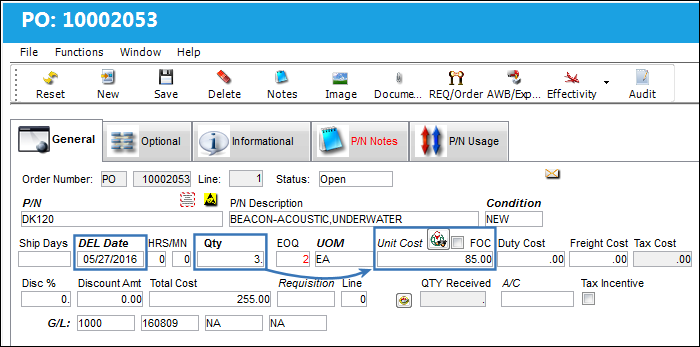
If the offer in the WPL is not preferable, then the WPL window can be exited without affecting the P/O detail.
When the WPL offer is selected, the application will interface with the World Part Locator system. As such the World Part Locator Messages button will be available to view all messages sent/received via the interfacing system. For more information refer to the World Part Locator Messages Button.
Share
Print
|
©1997-2026 Trax USA Corp. All rights reserved. This manual may not be copied, photocopied, reproduced, translated, or converted to any electronic or machine-readable form, in whole or in part, without prior written approval from Trax USA Corp. |
 |