
 Share
Share
 Print
Print
|
|
|
|
|


A/C Master, General Tab
From the A/C Master, General tab, users can enter general information for a new or existing aircraft record such as the aircraft's name, type/series, service status, etc.
Select the New  button to enter a new aircraft.
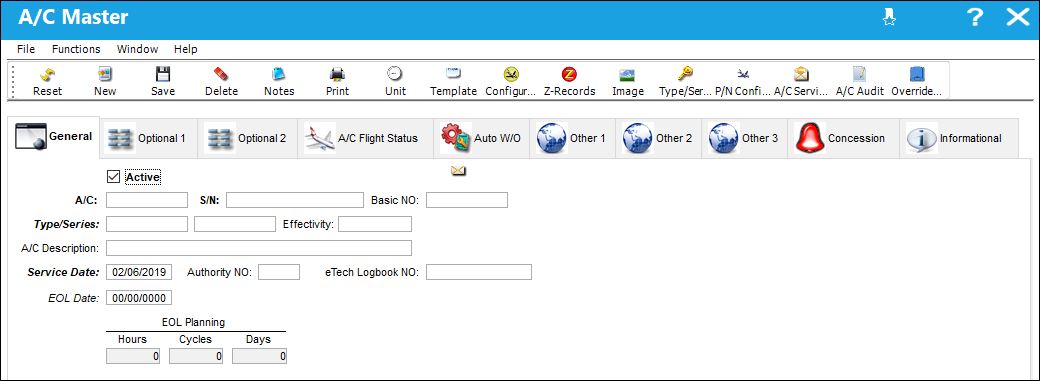
The following information/options are available in this window:
_____________________________________________________________________________________
Active checkbox
Check this box to indicate that this A/C is currently active (in use) on the system. When deselected, the Aircraft is in 'Inactive' status. The 'Active' text is displayed in red and the aircraft cannot be linked to new transactions or records (e.g., Work Orders, Defect Reports, etc.). A hard warning will prevent users from creating records for Inactive Aircraft.
A/C
The individual aircraft tail number.
S/N
The Aircraft's Serial Number which is provided by the manufacturer. This serial number is like a registration number, but it is not dependent on a country code and therefore never changes.
Basic NO.
The Basic Number of the Aircraft.
Type/Series
The Aircraft Type and Series/Fleet assignment.
Usually, the A/C Type and Series are mandatory fields. This field is populated in accordance with Switch  ATATYPESER.
Effectivity
The Effectivity of the Aircraft.
A/C Description
The Description of the Aircraft.
Service Date
The Date when the aircraft was taken into service by the current owner/operator (previous flight log hours and cycles can be loaded via the 'z' log).
Authority NO.
The Aviation Authority Reference Number.
EOL Date
End of lease date.
eTech Logbook NO.
The eTech Logbook number associated with the aircraft S/N. This field is auto-generated once the record is saved.
EOL Planning Hours/Cycles/Days
Maintenance responsible by lease provider after EOL date.
_____________________________________________________________________________________
Effectivity, Basic No., Previous A/C, and Authority No., are manufacturer's numbers taken from the A/C data plate.
 Deleting A/Cs With Dependencies:
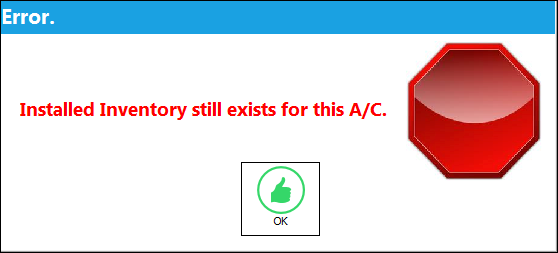
Users cannot delete aircraft that have dependencies such as E/Cs, or installed inventory. If the user attempts to delete an A/C that has a dependency, the following hard warning will prevent them from continuing with the transaction.
Share
Print
|
©1997-2026 Trax USA Corp. All rights reserved. This manual may not be copied, photocopied, reproduced, translated, or converted to any electronic or machine-readable form, in whole or in part, without prior written approval from Trax USA Corp. |
 |