
 Share
Share
 Print
Print
|
|
|
|
|


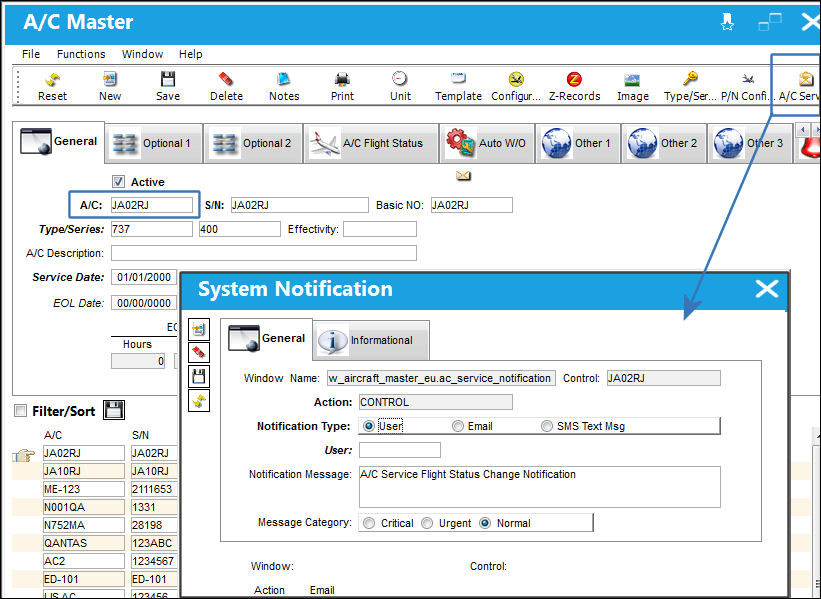
The A/C Service Notification  button of the A/C Master window allows users to create a notification list that alerts the listed users/user groups whenever the selected Aircraft has its flight status changed (i.e., taken out of service). The A/C can be placed out of service through the A/C Out of Service
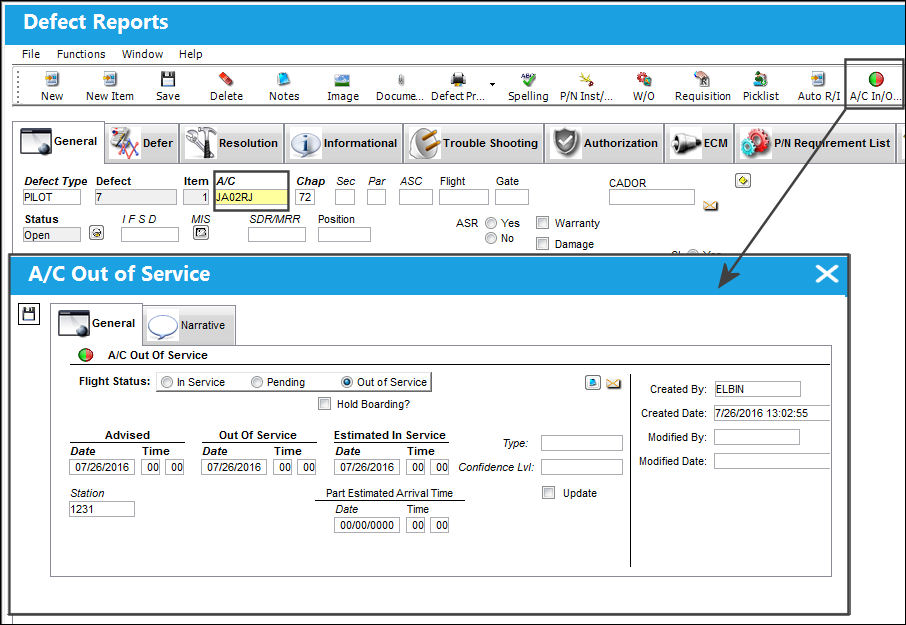
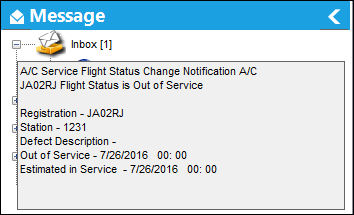
  button available in the A/C Controller Panel, the Work Order window, and Defect Reports. Once the status is changed, a message is sent along with the status details. These details include the associated Work Order or Defect Report Description, the Aircraft, Station, Out of Service date/time, and Estimated In Service date/time.
From the System Notification window, a system notification can be configured to send a notification to specified users whenever any aircraft has its flight status changed. This notification is called 'AC SERVICE NOTIFICATION'. For more information refer to the System Notification window via the Settings Training Manual.
For example, notice that the A/C Service Notification button is selected for the following Aircraft. For this example, an email and a TRAX username is entered.
Now from the Defect Report window, the A/C In/Out of Service button is selected. Notice that the Flight Status is changed to Out of Service.
Once saved, the below notification is sent to the users listed in above.
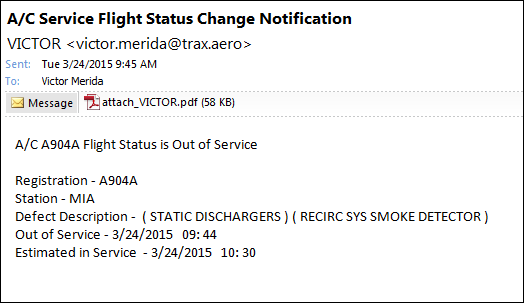
The following email was also sent.
Share
Print
|
©1997-2026 Trax USA Corp. All rights reserved. This manual may not be copied, photocopied, reproduced, translated, or converted to any electronic or machine-readable form, in whole or in part, without prior written approval from Trax USA Corp. |
 |