 Download Online Help
 Print
|
|
|
|
|


Select the A/C P/N Transaction Tab to view the information for any transaction that have been conducted involving the P/N.
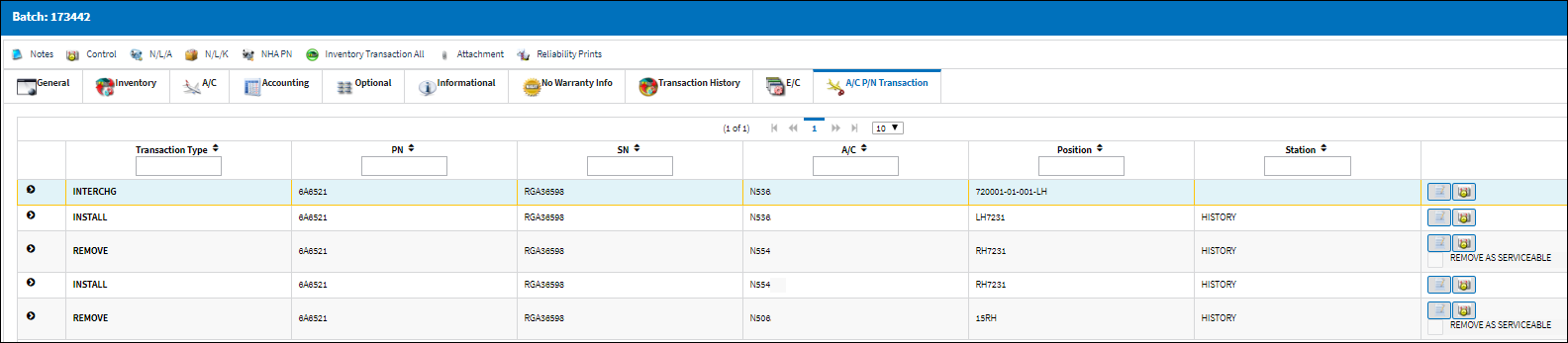
The following options/information is available in this window:
_________________________________________________________________________
P/N
The Part Number reference for the aircraft part. The part number that was initially installed.
S/N
The Serial Number for the specific serialized part. The serial number that was initially installed.
Position
The Position of the item that was initially installed.
Audit  button
Select the Audit button to view any changes that have been made to the part via the Technical Records/Update/A/C P/N Transaction Supervisor.
INT/INST
Initial Install.
Schedule radio button
Select this radio button if this is a scheduled component change.
Un/Schedule radio button
Select this radio button if this is an unscheduled component change.
Swap radio button
Select this radio button if this component change is a result of a swap.
Reason Category
Reason for part number transaction.
Date
The Date of the transaction (on the aircraft).
Tag No.
The tag number associated with the part.
W/O
The Work Order used to categorize, manage, and schedule work requirements for aircraft maintenance.
Task Card
The Task Card / Job Card that details the scheduled maintenance work.
Location
The Location for maintenance events, inventory stores, orders, transactions, or training events.
A/C
The individual Aircraft tail number.
T/C P/N
This is the Part Number required. A part number may be specified only one time per Item Number. However, the same part number may be specified on each unique item number if needed.
T/C S/C
This is the Part Number Serial Number the Task Card was used for on the Work Order.
_________________________________________________________________________
Download Online Help
Print
|
©1997-2018 Trax USA Corp. All rights reserved. This manual may not be copied, photocopied, reproduced, translated, or converted to any electronic or machine-readable form, in whole or in part, without prior written approval from Trax USA Corp. |
 |