
 Share
Share
 Print
Print
|
|
|
|
|


Picklist Detail Batch Change  button allows the user to change the batch and/or serial number. Select the Picklist Detail Batch Change button.
 Note: In Trax Version 15 and other later releases, the Picklist Issue Selection window will provide details of each Picklist for the selected location. The user is able to select the Expand
  button to view the details of the selected Picklist. The user can transfer Picklists, assigned or pick the Picklist and print Tags or Barcode Labels from the details in this window. For additional information, refer to Picklist Issue Button [V15], via Inventory Transaction.
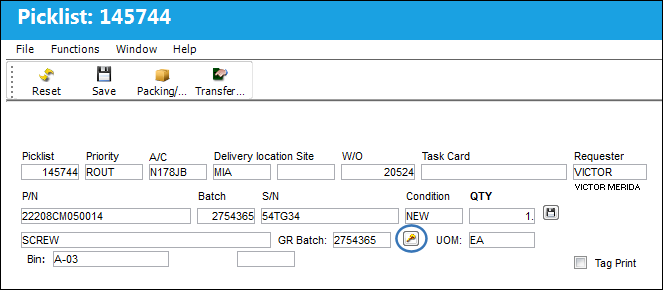
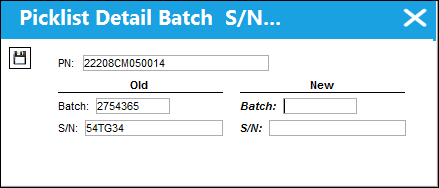
The following window will appear to make the necessary changes:
The S/N field only appears if a serialized part has been selected.
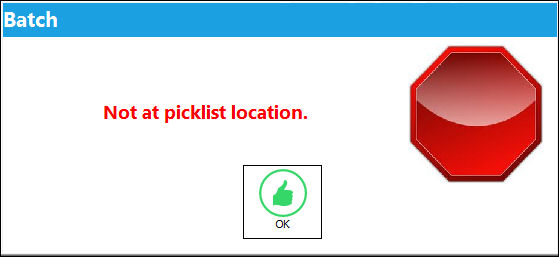
If the user tries to change the New Batch Location to a location that is different from the Delivery location, the user will receive the following error:
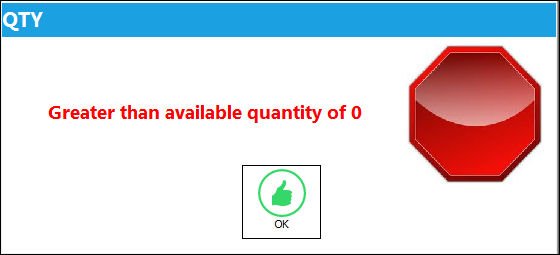
If the user tries to select a New Batch Number with a different quantity than the existing quantity, the user will receive the following error:
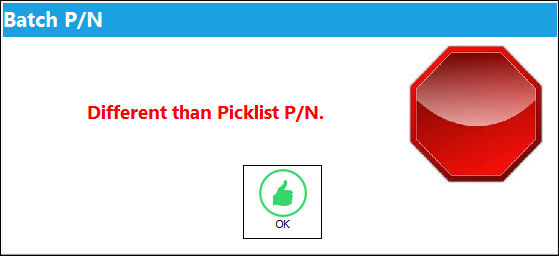
If the user tries to select a New Batch Number with a different Picklist P/N than the existing Picklist P/N, the user will receive the following error:
Share
Print
|
©1997-2026 Trax USA Corp. All rights reserved. This manual may not be copied, photocopied, reproduced, translated, or converted to any electronic or machine-readable form, in whole or in part, without prior written approval from Trax USA Corp. |
 |