
 Share
Share
 Print
Print
|
|
|
|
|


After selecting the Issue  button, the Picklist information is displayed. From this, the quantity being issued is populated along with the option to generate a print through the Tag Print checkbox.
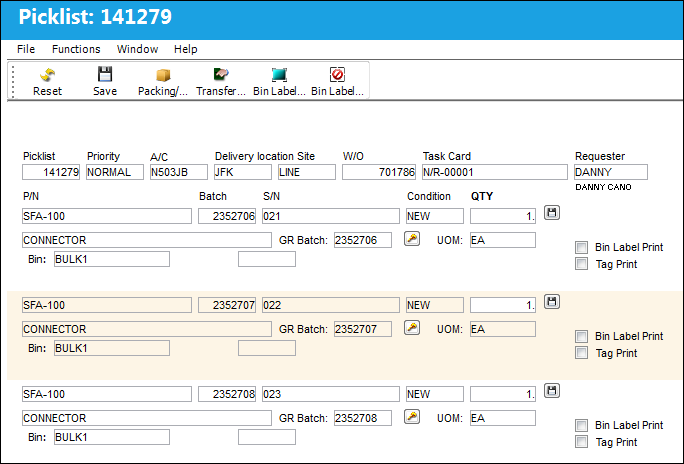
The following information/options are available in this window:
_____________________________________________________________________________________
Picklist
List of reserved components for a maintenance event or for transfer.
Priority
The level of importance placed on the need for a part. Notification based on the requisition priority may be defined by location. These codes are defined in the Priority System Transaction Code.
A/C
The individual aircraft tail number.
Delivery Location
The location to which the part(s) is being delivered.
Site
The site the part/picklist is going to.
W/O
The Work Order used to categorize, manage, and schedule work requirements for aircraft maintenance.
Task Card
The Task Card / Job Card that details the scheduled maintenance work.
Requester
User who requested the picklist.
P/N
The Part Number reference for the aircraft part.
Batch
The inventory number that is currently associated with a part or group of parts. A part's Batch number can change after various types of transactions take place.
S/N
The Serial Number for the specific serialized part.
Condition
The condition of the part.
QTY
The number of parts for the transaction.
P/N Description
The description of the part.
GR Batch
The original inventory number assigned to the part or group of parts when initially introduced/received into inventory. This number will remain the same for a part even if/when the part's Batch number changes.
Picklist Detail Batch Change  button
Picklist Detail Batch Change button allows the user to change the batch and/or serial number. For additional information, refer to the Picklist Detail Batch Change Button.
UOM
The unit of measure. This will default if associated with a Part Number as defined in the P/N Master. Transactions for parts can be conducted in a different UOM than defined in the P/N Master. However, upon receiving the UOM, conversion will automatically adjust the quantities, providing that the conversion rate is defined in the UOM System Transaction Code (via Setting/Explorer/System Transaction Code).
Bin
The specific storage bin within the inventory location.
Company
The company the Picklist was created for.
Bin Label Print checkbox 
Select this checkbox to print the bin label for a batch at the time of Picklist Issue. This will allow for the traceability once the batch has been Picklist Issued to the technician. The user can also utilize the Bin Label Select All  /Deselect All
  buttons to help facilitate this process. See below for more information on these two buttons.
Note: This functionality is a customized modification and may not be available for your company.
Tag Print checkbox
Select this checkbox to have the tag print display after the batch is issued.
Bin Label Select All button
Click on this button to auto select all Bin Label Print checkboxes. This will allow the user to print all Bin Labels for each batch in the Picklist.
Note: This functionality is a customized modification and may not be available for your company.
Bin Label Deselect All button
Click on this button to auto deselect all Bin Label Print checkboxes. This will allow the user to manually select which batch(s) a Bin Label will be printed for.
Note: This functionality is a customized modification and may not be available for your company.
_____________________________________________________________________________________
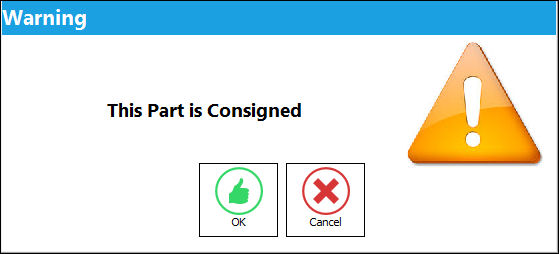
Issuing a Consigned Part Message:
If issuing a Consigned Part, the following soft warning will appear. For detailed information, refer to Issuing Consigned Inventory via the Inventory Training Manual.
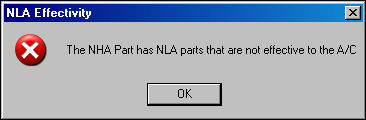
APU NLA Effectivity Warning:
If the user attempts to issue an APU part where the APU is effective to an aircraft, but it's NLA does not have effectivity, the system will display the following error:
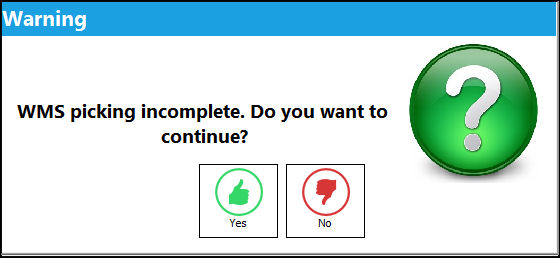
WMS (Warehouse Management System) Warning:
If the part being picklisted is Automated Warehouse capable, the location is an Automated Warehouse, and all quantities have not yet been retrieved, the following warning will appear:
Picklist in Use:
If the user attempts to issue a picklist that is in use, the following information box will appear indicating that the Picklist is locked.
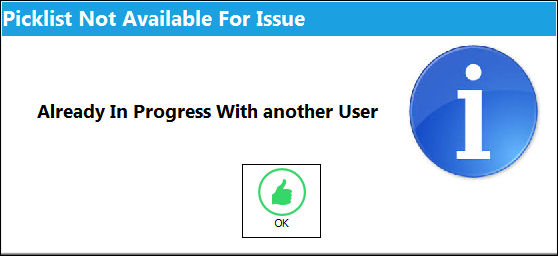
The following buttons offer additional functionality:
- Picklist Detail Batch Change button
- Packing/Shipping button
 Share
Print
Share
Print
|
©1997-2026 Trax USA Corp. All rights reserved. This manual may not be copied, photocopied, reproduced, translated, or converted to any electronic or machine-readable form, in whole or in part, without prior written approval from Trax USA Corp. |
 |