
 Share
Share
 Print
Print
|
|
|
|
|


The Prox Card  button is displayed in the detail of the Picklist Issue window. After entering the required quantity for the Picklist and saving, the Issue To pop-up is displayed. The Prox Card button will be available.
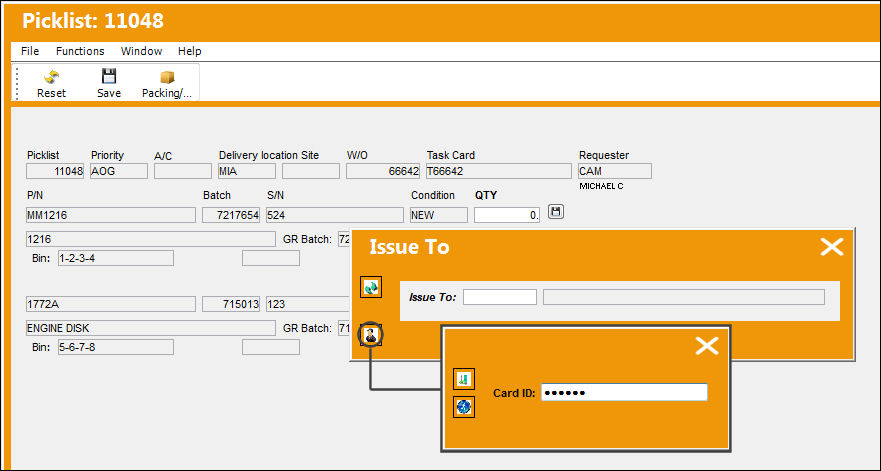
The user must have their Proximity credentials set up in the Employee Master in order for the system to detect their badge ID for the manual issue. For additional information on how to set this up, refer to the Enroll Badge Button, via the Employee Master Buttons of the Settings Training Manual.
After entering the employee's Badge ID number, the Issue To field becomes mandatory.
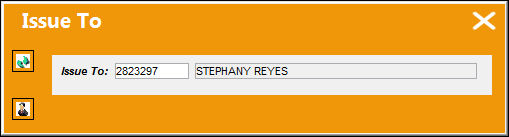
The Prox Card button is also available, via Prox Card Button, via Manual Issue Button.
Share
Print
|
©1997-2026 Trax USA Corp. All rights reserved. This manual may not be copied, photocopied, reproduced, translated, or converted to any electronic or machine-readable form, in whole or in part, without prior written approval from Trax USA Corp. |
 |