 Download Online Help
 Print
|
|
|
|
|


BINCATLINKPNCAT - Bin Category in Bin Master linked to P/N Category
Bin Category in Bin Master linked to P/N Category
Affected Window: w_system_tran_code
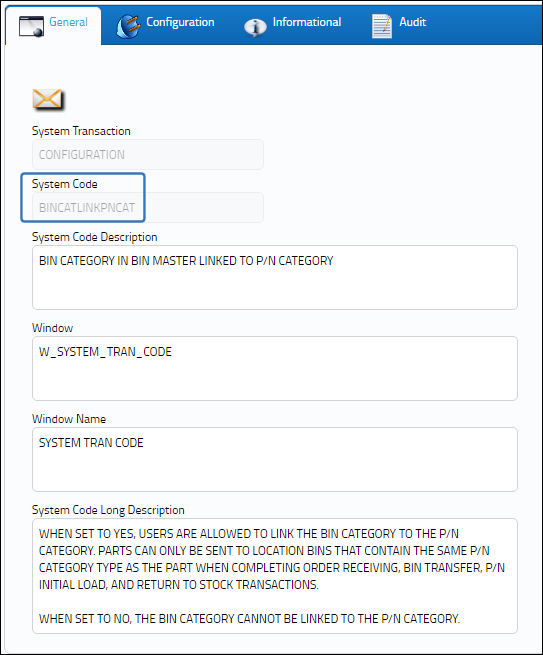
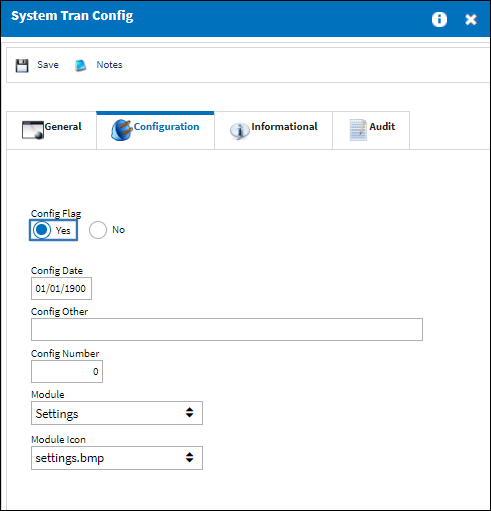
Switch Set to Yes:
When set to Yes, users are allowed to link the Bin Category to the P/N Category. Parts can only be sent to Location Bins that contain the same P/N Category Type as the part when completing Order Receiving, Bin Transfer, P/N Initial Load, and Return to Stock transactions.
Notice that the Bin Category via the Bin Master window is linked to the BIN/CATEGORY Transaction Code. This Bin Category tran code contains the P/N Category Type radio buttons which are linked to the P/N Transaction radio buttons of the PNCATEGORY transaction code. The following Bin Category and the P/N Category tran codes are both set to 'Serialized.'
The following Bin Category and the P/N Category tran codes are both set to 'Consumable.'
When a Bin Transfer is created, for example, the P/N Category of the part being transferred is validated against the Bin Category of the Location Bin.
The following Bin Transfer contains a Serialized part. When it is transferred to a Bin that contains a Bin Category that is not Serialized, the following error message appears.
When a serialized Bin is entered for the Bin Transfer, users are allowed to complete the transfer.
Alternatively, the following Bin Transfer contains a Consumable part. When it is transferred to a Bin that contains a Bin Category that is not Consumable, the following error message appears.
When a Consumable Bin is entered for the Bin Transfer, users are allowed to complete the transfer.
Hazardous Material checkbox:
This switch also affects the Hazardous Material and Climate Controlled checkboxes of the Bin Master window.
Notice that the Hazardous Material checkbox is selected via the Bin Master. For this setup, the Bin Category must be set to 'None.'
The following Bin Transfer contains a Hazardous Material part. When it is transferred to a Bin that contains a Bin Category that is not set to 'None,' the following error message appears.
When a Bin set to 'None' is entered for the Bin Transfer, users are allowed to complete the transfer of the Hazardous Material part.
Climate Control checkbox:
Now notice that the Climate Controlled checkbox is selected via the Bin Master. For this setup, the Bin Category must be set to 'None.'
Note: Climate Controlled parts are set up via the P/N Master, Inventory tab.
The following Bin Transfer contains a Climate Controlled part. When it is transferred to a Bin that contains a Bin Category that is not set to 'None,' the following error message appears.
When a Bin set to 'None' is entered for the Bin Transfer, users are allowed to complete the transfer of the Climate Controlled part.
Switch Set to No:
When set to No, the Bin Category cannot be linked to the P/N Category.
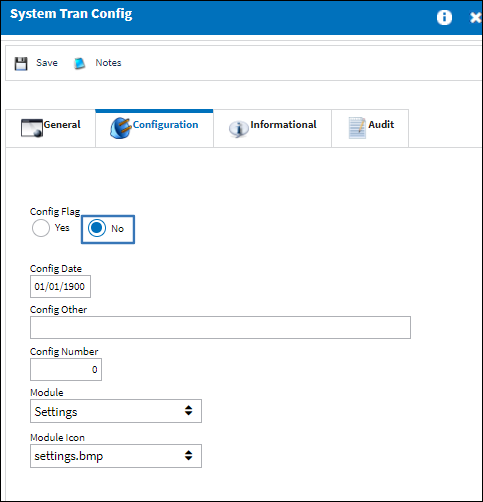
Notice from the Bin Category transaction code that the P/N Category Type radio buttons are not available. This removal keeps users from linking Bin Categories to P/N Categories.
Download Online Help
Print
|
©1997-2018 Trax USA Corp. All rights reserved. This manual may not be copied, photocopied, reproduced, translated, or converted to any electronic or machine-readable form, in whole or in part, without prior written approval from Trax USA Corp. |
 |