Download Online Help Print

Previous Topic

Next Topic

Book Contents

Book Index

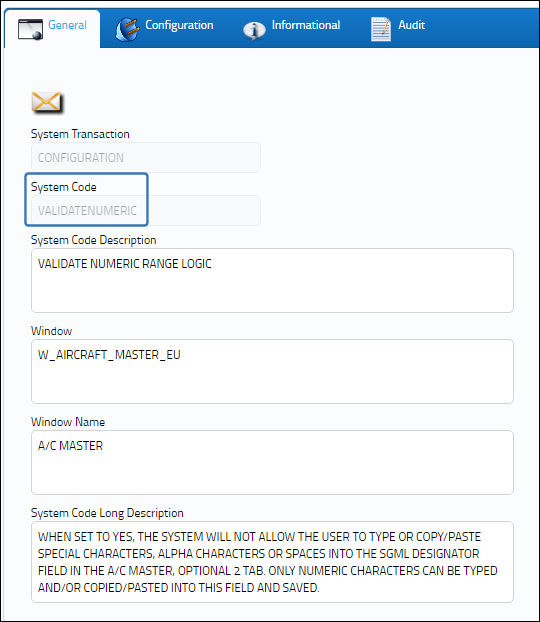
VALIDATENUMERIC - Validate Numeric Range Logic

Validate Numeric Range Logic

Affected Windows: w_aircraft_master_eu

VALIDATENUMERIC1


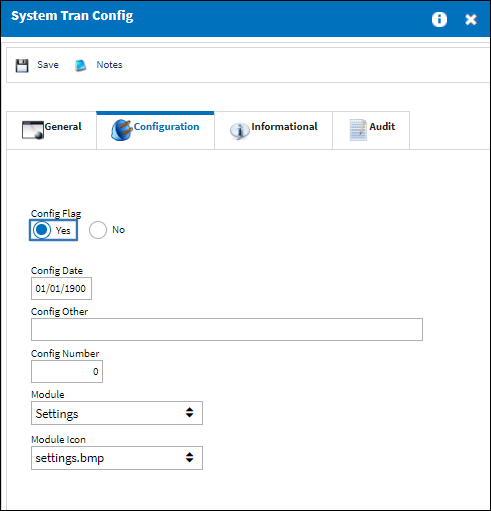
Switch Set to Yes:

When set to Yes, the system will not allow the user to type or copy/paste special characters, alpha characters or spaces into the SGML Designator field in the A/C Master, Optional 2 tab. Only numeric characters can be typed and/or copied/pasted into this field and saved.

eMRO_Settings_Yes


Copy the highlighted selection which contains special characters, alpha characters and spaces.

Paste the copied selection into the SGML Designator field in the A/C Master, Optional 2 tab.

Notice that while the special characters, alpha characters and spaces cannot be seen in the SGML Designator field, there are place holders for them. Only the numeric characters are visible in this field.

The system will not allow the user to save the record with the SGML Designator populated with special characters, alpha characters and spaces.

Once these are removed, the record can now be saved.


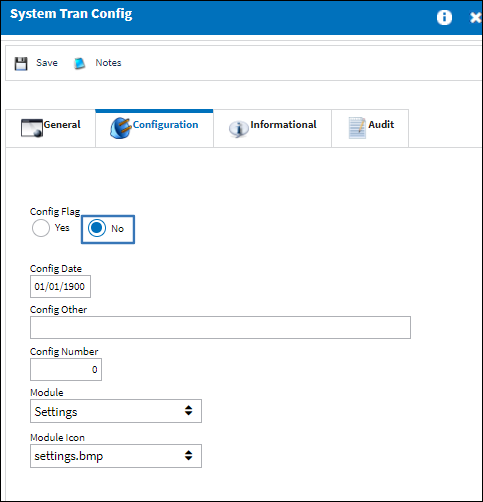
Switch Set to No:

When set to No, the system will not allow the user to type special characters, alpha characters or spaces into the SGML Designator field in the A/C Master, Optional 2 tab. The user can copy/paste special characters, alpha characters, spaces as well as numeric characters into the SGML Designator field and save the record.

eMRO_Settings_No

Copy the highlighted selection which contains special characters, alpha characters and spaces.

Paste the copied selection into the SGML Designator field in the A/C Master, Optional 2 tab.

Notice that while the special characters, alpha characters and spaces cannot be seen in the SGML Designator field, there are place holders for them. Only the numeric characters are visible in this field.

The user is able to save the record with the special characters, alpha characters and spaces.

See Also

Settings Switches

ACFIELDS - A/C Master Make Line No. and Variable Engineering No. (fields) Mandatory

ACTIONPRIORITY - ROS Action Code Priority

ACWGTRAN - Update Config Number for the A/C weight Values History

ATATYPESER - A/C Type/Series ATA Specification Applicability

AUTOAUTHPNSWCONF - Auto authorize P/N Software Configuration

BINCATLINKPNCAT - Bin Category in Bin Master linked to P/N Category

CHOMITPN - Characters to Omit in P/N

CUSTOMNOTIFIC - Customize Recurrent Items Alert Notifications

DEPMNTMD - Make Depreciation Month or Code Mandatory for Rotable and Repairable Parts

DOTNETPFDFJOIN - .NET Framework PDF concatenation

EMAILPN - P/N Interchangeable, Send E-Mail for All Transactions

ETOPSRECNOTIF - Display ETOPS Notification in Extended Format

FINSYSCT - Vendor Master Make Financial Sys Country (field) Mandatory

FINSYSSITE - Vendor Master Make Financial Sys Site Code (field) Mandatory

FINSYSVEND - Vendor Master Make Financial Sys Country (field) Mandatory

GRAVELCONTROL - Gravel Ratio applied for Aircraft Landing on an Unpaved Runway

I_EMPPOS - Employee Position

I_ENAML - Employee Name

JAVAHEAP - Allows User to Set the Maximum Java Heap Size in MB

KFACTROL - Carrying Cost Factor for EOQ Calculation

LOCKDEFAULTLOGIN - Default Login Method Set in INI File

LOCVEND - Vendor Location (field) Mandatory

MELVIAREV - Update MEL Via Revision

NWPNAUTH - New P/N to Authorization

OEWUPD - Operating Empty Weight Auto Update

ONSTPAUTH - One Step Authorization for P/N

OVRPREFERVEN - Override Preferred Vendor When Manufacturer is Updated

PNACCONF - Display Hard Warning Message Upon Deletion of P/N A/C Configuration

PNCATCHN - Allow P/N Category Change without Validation of the Invoice Status

PNDNTSHW - P/N Control Do Not Cascade Show On Report Checkboxes

PNINMFMN - P/N Control Do Not Cascade Show On Report Checkboxes

PNSOFTAUTH - P/N Software to Authorization

PNVENDPOPREF - Multiple P/N Vendors Cannot be Preferred and Have Same Condition

PNVENDROAUTLOC - Auto R/O By Location

PNVENDROPREF - Only Allow One Preferred Vendor for P/N Repair Capability

PN_NHA_EFF - Enable P/N NHA Effectivity Validation

PRINTBARCODE - Print Barcode Scan Interface Sequence and Flag

PROCONTLNHA - Update Prorated Control Initial Times at Schedule Change

REOREQ_1 - Inventory Levels of min/max/reorder of 1/1/1. Reorder Qty of 1

RFACTROL - Replenishment Cost Factor for EOQ Calculation

RSTROREPCD - Links Auto Reset on R/O to Repair Code

SHLFRMV - Remove Shelf Life Expiration

SKILLDEFECT - Allow the Exclusion of Certain Skills from Appearing in the Skills

SSVIAFV - System Ship Via From Vendor Instead of Tran Code

SUPERSEDPN - Superseded By Interchangeable Validation

SYSTRANCDBUF - Use System Category Edit Buffer Control

VALLICDATE - Validate License Date

VATMNDTRY - Vendor Master Make V.A.T. (field) Mandatory

VATVALIDATE - Validate V.A.T. in Vendor Master window

VNDPRCTCATOF - Protect Vendor Q/A Checkboxes

WALLPIN - PIN required at Completion step in W/O Task Card Assignment Workshop

WOCONSUMBC - Enables/Disables Barcode in W/O Control Summary Print

Top of Page Download Online Help Print