 Download Online Help
 Print
|
|
|
|
|


NWPNAUTH - New P/N to Authorization
New P/N to Authorization
Affected Window: w_pn_master_eu
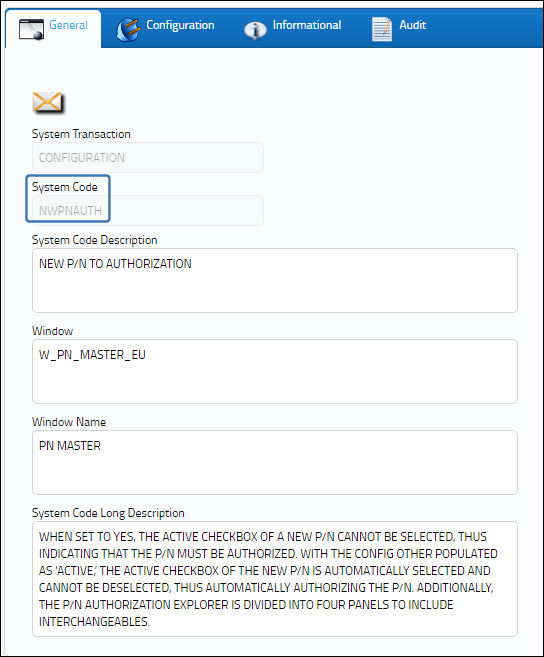
The setting of 2 switches, NWPNAUTH and ONSTPAUTH, determine how the system functions when new P/Ns are created.
NWPNAUTH |
ONSTPAUTH |
Result: |
N |
N |
When creating a new P/N, the Active checkbox can be selected or deselect by the user. Whether the P/N Category has authorization steps or not the new PN will not require authorization. The P/N Authorization Explorer window will display as one panel. |
N |
Y |
When creating a new P/N, the Active checkbox can be selected or deselect by the user. Whether the P/N Category has authorization steps or not the new PN will not require authorization. NWPNAUTH must be set to Yes for ONSTPAUTH to function properly with a Yes setting. The P/N Authorization Explorer window will display as one panel. |
Y |
Y |
The Active checkbox of a new P/N cannot be selected. If the P/N Category has authorization steps - the P/N must be authorized via P/N Authorization Explorer. Once authorized, if changes are made to the P/N, it will remain active and not require re-authorization. If the P/N Category does not have authorization steps – after selecting save during the creation of the P/N, the active checkbox will automatically be selected and not require authorization. The P/N Authorization Explorer is divided into four panels to include Interchangeables. |
Y |
N |
The Active checkbox of a new P/N cannot be selected. If the P/N Category has authorization steps - the P/N must be authorized via P/N Authorization Explorer. If the P/N Category does not have authorization steps – the P/N will be sent to the P/N Authorization Explorer and require one step authorization. Once authorized, if changes are made to the P/N, a one step authorization will be required to make the P/N active. NWPNAUTH must be set to Yes for ONSTPAUTH to function properly with a Yes setting. The P/N Authorization Explorer is divided into four panels to include Interchangeables. |
Y - ACTIVE |
N |
The Active checkbox is automatically selected and cannot be deselected. If the P/N Category has authorization steps - the P/N will appear in the P/N Authorization Explorer. (The P/N remains active prior to and after the authorization steps are completed). If the P/N Category does not have authorization steps – the P/N will appear in the P/N Authorization Explorer requiring a one step authorization. (The P/N remains active prior to and after the authorization steps are completed). After initial authorization, if changes are made to the P/N it will remain active and the P/N will be sent to the P/N Authorization Explorer for a one step authorization. The P/N Authorization Explorer is divided into four panels to include Interchangeables. |
Y- ACTIVE |
Y |
The Active checkbox is automatically selected and cannot be deselected. If the P/N Category has authorization steps - the P/N will appear in the P/N Authorization Explorer. After initial authorization, if changes are made to the P/N it will remain active and the P/N will not appear in the P/N Authorization Explorer. If the P/N Category does not have authorization steps – the PN will not appear in P/N Authorization Explorer. The P/N Authorization Explorer is divided into four panels to include Interchangeables. |
Switch Set to Yes:
When set to Yes, when a new part is created in the P/N Master, the Active checkbox of a new P/N cannot be selected, thus indicating that the P/N must first be authorized. However, if the switch's Config Other field is populated as ‘ACTIVE,’ the Active checkbox of the new P/N is automatically selected and cannot be deselected, thus automatically authorizing the P/N. Additionally, the P/N Authorization Explorer is divided into four panels to include Interchangeables.
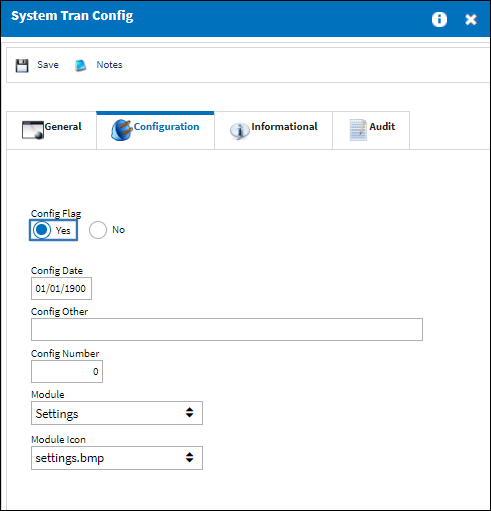
The following P/N is being created. Notice the Active checkbox cannot be selected, thus indicating that the P/N will need to be authorized.
The switch’s Config Other can be populated with ‘ACTIVE’ to change the functionality.
Notice upon creating a new P/N, the Active checkbox is automatically selected and cannot be deselected, thus indicating that it will automatically be authorized.
Additionally, the P/N Authorization Explorer is divided into four panels to include Interchangeables.
Switch Set to No:
When set to No, the Active checkbox of a new P/N can manually be selected or deselected to indicate whether or not the P/N must be authorized. Additionally, the P/N Authorization Explorer includes all P/Ns that must be authorized in one panel (not four).
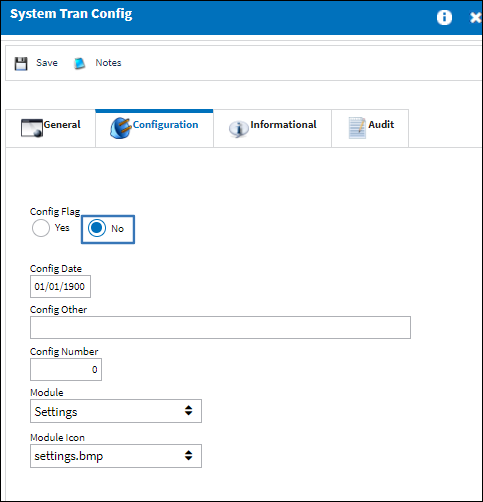
The following P/N is being created. Notice the Active checkbox can be selected by the user, thus indicating that the P/N will automatically be authorized.
Notice the Active checkbox can be deselected, thus indicating that the P/N must be authorized.
Additionally, the P/N Authorization Explorer is one panel to include all P/Ns that must be authorized.
Download Online Help
Print
|
©1997-2018 Trax USA Corp. All rights reserved. This manual may not be copied, photocopied, reproduced, translated, or converted to any electronic or machine-readable form, in whole or in part, without prior written approval from Trax USA Corp. |
 |