 Download Online Help
 Print
|
|
|
|
|


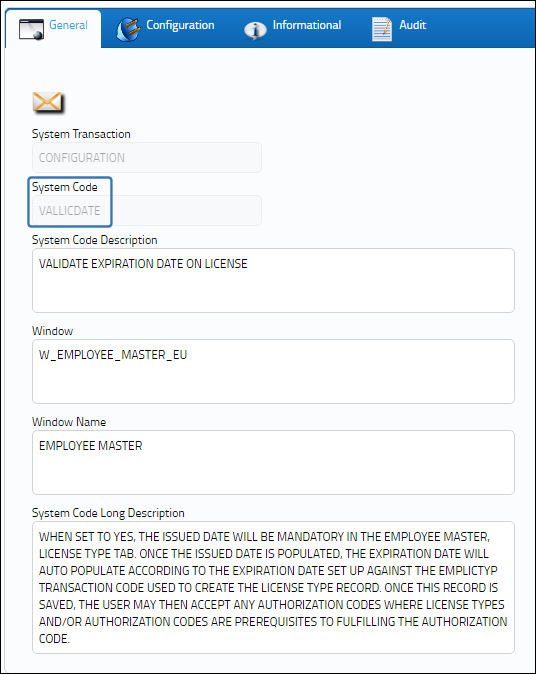
VALLICDATE - Validate License Date
Validate License Date
Affected Window: w_employee_master_eu
Setup:
The 'following System Code is set up to expire in in a specified amount of days from its' issue date.
Another System Code is set up with no expiration date.
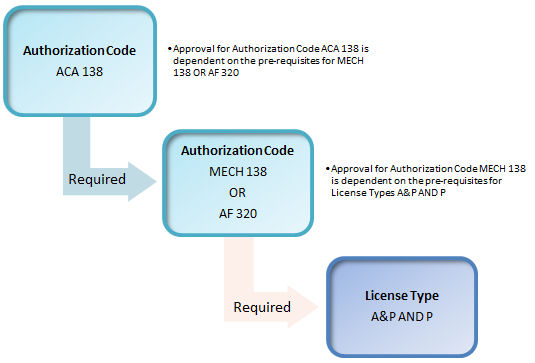
The following Authorization Code is created with the following License Type prerequisites.
A second Authorization Code is created, with the following Authorization Code prerequisites. Notice that it is a prerequisite for the other Authorization Code.
When the user attempts to create an Employee Authorization Approval for the following Authorization Code, the following soft warning appears because the Authorization Code prerequisites set up against it have not been met. The user is still able to save the record. because the system has generated a soft warning.
The user attempts to create an Employee Authorization Approval for the Authorization Code. The following soft warning appears because the License Type prerequisites set up against it have not been met. The user is still able to save the record. because the system has generated a soft warning.
Switch Set to Yes:
When set to Yes, the Issued Date will be mandatory in the Employee Master, License Type tab. Once the Issued Date is populated, the Expiration Date will auto populate according to the Expiration Date set up against the EMPLICTYP transaction code used to create the License Type record. Once this record is saved, the user may then accept any Authorization Codes where license types and/or authorization codes are prerequisites to fulfilling the Authorization Code.
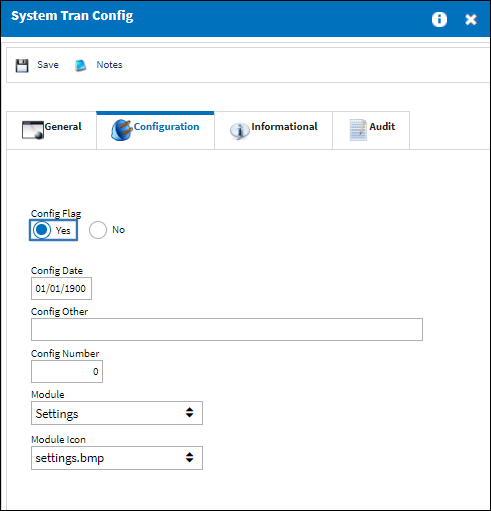
Note: This switch is set to 'No' by default.
Go to the Employee Master, License tab.
Populate the License Type A&P and attempt to save the record. The system displays the 'Date of Issued' error. Populate the Issued Date field.
Once the Issued Date field is populated, the Expiration Date is auto populated according to the expiration date entered in the following system transaction code.
Populate a second License Type and the Issued Date field. The Expiration Date field does not appear. this is correct because the system transaction code has 0 (zero) Expiration Days set up against it.
Now that all prerequisites have been fulfilled for the Authorization Code, the user can accept it.
The Authorization Code is Q/A Approved.
Now that the Authorization Code prerequisite has been fulfilled, it can be accepted.
The Authorization Code can now be Q/A Approved.
Both Authorization Codes have been accepted.
Switch Set to No:
When set to No, the Issued Date will not be mandatory in the Employee Master, License Type tab, therefore the expiration date will not auto populate according to the expiration date set up against the EMPLICTYP transaction code.
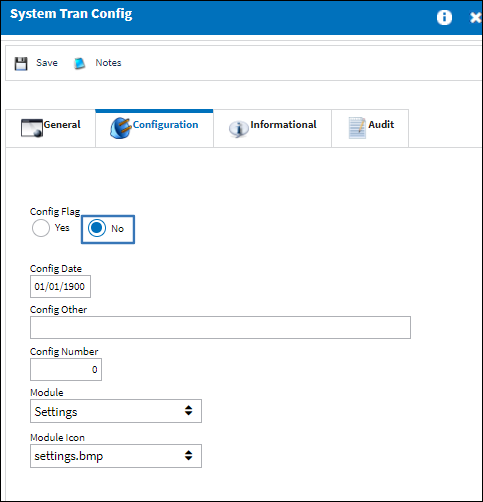
The Issued Date is not populated, however the user can still save the License Type record.
Download Online Help
Print
|
©1997-2018 Trax USA Corp. All rights reserved. This manual may not be copied, photocopied, reproduced, translated, or converted to any electronic or machine-readable form, in whole or in part, without prior written approval from Trax USA Corp. |
 |