
 Share
Share
 Print
Print
|
|
|
|
|


Engineering Control Shop, Restrictions Tab
The Restrictions Tab allows the user to specify the Restriction Codes for the Work Orders that contain the currently selected E/C.
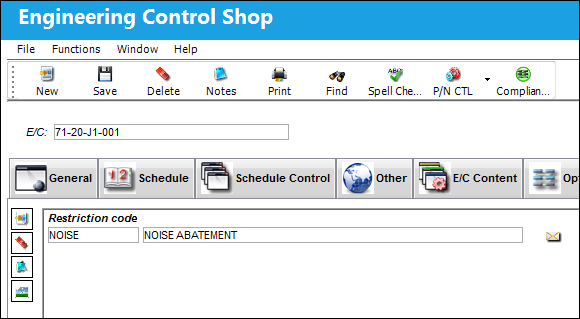
The following information/options are available in this window:
_____________________________________________________________________________________
Restriction Code
Reason for restriction (code). The available codes are set up in Location Restrictions Transaction Code in Settings/system Transaction Code Explorer/Settings/Location Restrictions.
_____________________________________________________________________________________
The Restriction codes are configured in the Location Master via the Settings module. These codes are created in the System Transaction code option. For more information on how Restriction codes relate to the Location Master, refer to the Site Inactive Schedule button via Location Master in the Settings manual.
The Notes  and Image
  buttons are available to include relevant information.
Share
Print
|
©1997-2026 Trax USA Corp. All rights reserved. This manual may not be copied, photocopied, reproduced, translated, or converted to any electronic or machine-readable form, in whole or in part, without prior written approval from Trax USA Corp. |
 |