
 Share
Share
 Print
Print
|
|
|
|
|


The P/N Effectivity Control tab allows the user to apply or remove A/C effectivity to a specific P/N as setup in the currently selected E/C. The P/N is made effective to the A/C, or effectivity is removed from the A/C once the compliance record for the E/C is written. A/C effectivity can be applied to a P/N via E/C compliance even if there is an interchangeable relationship set up.
The functionality found in this tab is intended for Aircraft Engineering Controls.
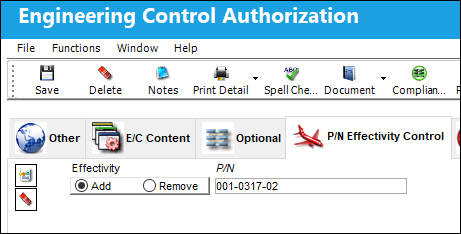
The user has the option to enter as many Part Numbers as desired by clicking on the New  button. Additionally, the user also has the option to remove P/Ns by utilizing the Delete
  button.
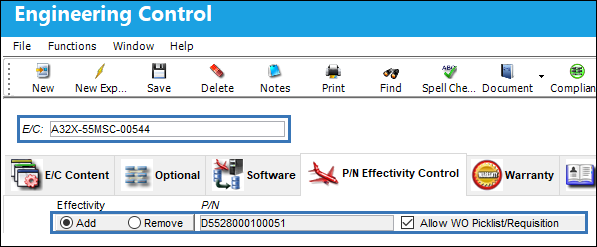
 The Allow WO Picklist/Requisition checkbox is available under the P/N Effectivity Control tab. When a new record is created under this tab, the Add radio button and Allow WO Picklist/Requisition checkbox are automatically selected (the checkbox can be deselected); when the remove radio button is selected, the Allow WO Picklist/Requisition checkbox is not visible.
 The Allow WO Picklist/Requisition checkbox is security controlled via Security Explorer/ Engineering/ Update/ Engineering Control/ Allow WO Picklist/Requisition. For more information refer to the Security Explorer via the System Administration Training Manual.
Note: The functionality described below (Allow WO Picklist/Requisition checkbox functionality) is only applicable if Switch  ADDNONEFPN is set to No.
Note: If customers have Switch ADDNONEFPN set to Yes, it is recommended that security for the Allow WO Picklist/Requisition checkbox be disabled for all users. This will ensure users cannot deselect the checkbox when the Add radio button is used, which would prevent non-effective P/Ns from being added to the W/O Task Card P/N requirements window, and not be able to create picklists or requisitions for that P/N on a Work Order.
Allow WO Picklist/Requisition checkbox functionality:
If the Add radio button and Allow WO Picklist/Requisition checkbox are selected for a P/N, when the E/C and its associated Task Card are attached to a Production Work Order (where the P/N is not currently effective to the A/C), the user will be able to add the non-effective P/N in the W/O Task Card P/N requirement window, and create picklists/requisitions for that P/N; the Work Order and Task Card must be referenced in the picklist/requisition header.
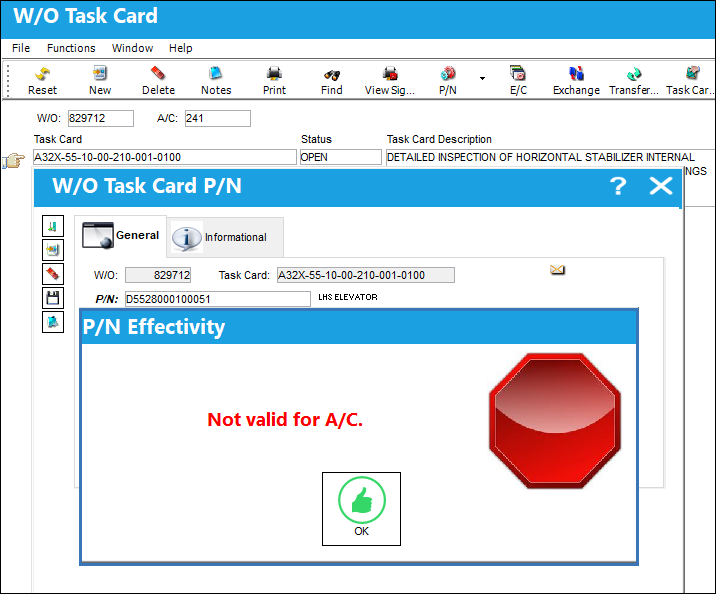
If the Add radio button is selected and the Allow WO Picklist/Requisition checkbox is deselected, the user will not be able to add the non-effective P/N in the W/O Task Card P/N requirement window, and picklists/requisitions cannot be created for the P/N, even if the Work Order and Task Card are referenced in the picklist/requisition header.
Note: Whether or not the Allow WO Picklist/Requisition checkbox is selected, non-effective P/Ns will not automatically populate in the Work Orders W/O Task Card P/N requirement window.
Example 1:
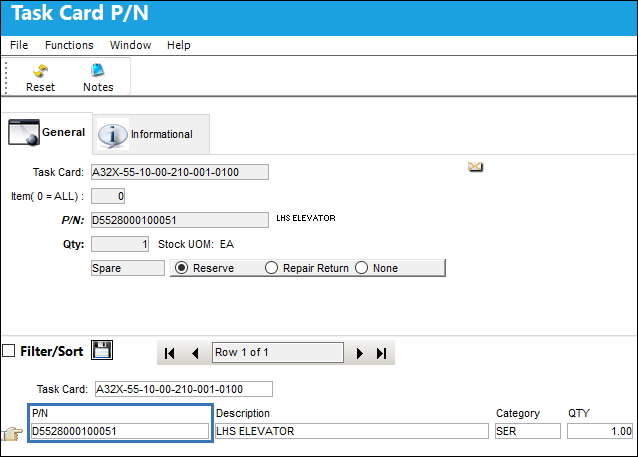
P/N: D5528000100051 is not effective to A/C 241.
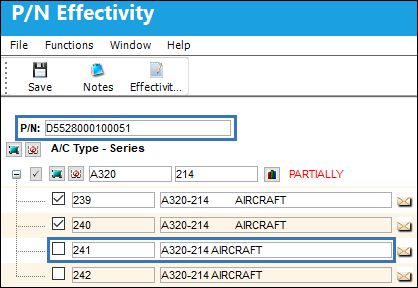
PN: D5528000100051 is attached to an E/C via the P/N Effectivity Control tab.
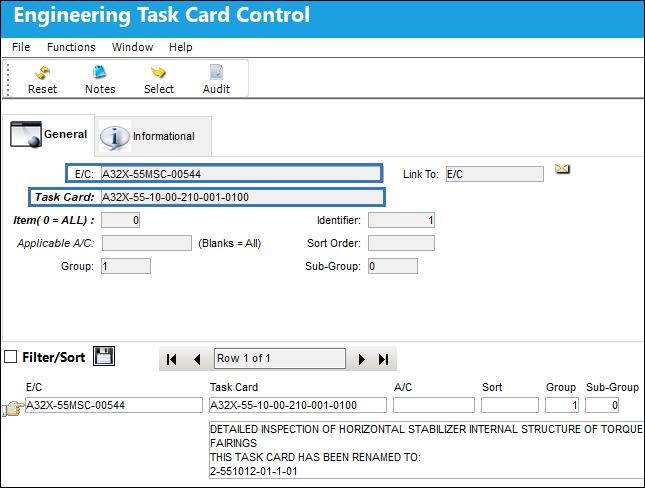
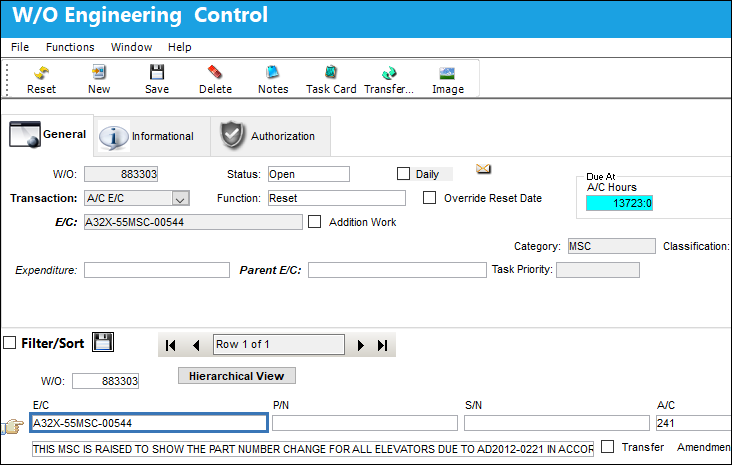
The E/C is linked to a Task Card.
The P/N is attached to the Task Card P/N window.
The E/C is added to a Work Order for A/C 241.
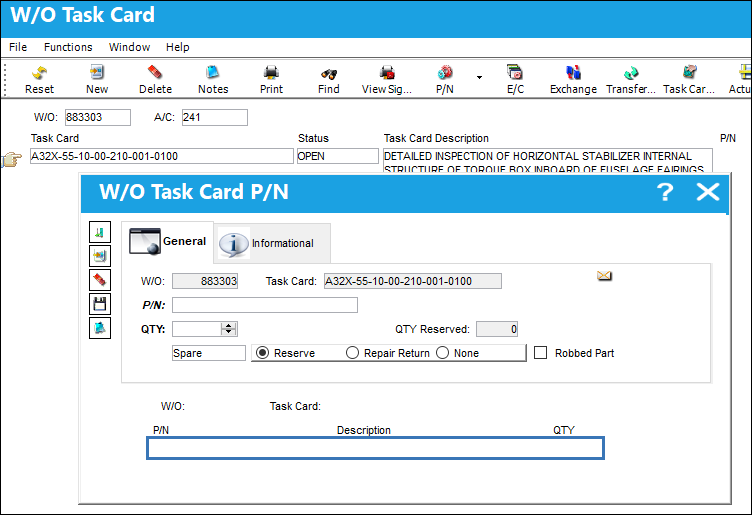
Notice in the W/O Task Card P/N requirement window, via the W/O Task Card P/N button, the P/N does not automatically populate because it is not effective to the A/C.
However, because the Allow W/O Picklist/Requisition checkbox is selected in the E/C P/N Effectivity Control tab, the user can enter and save the non-effective P/N.
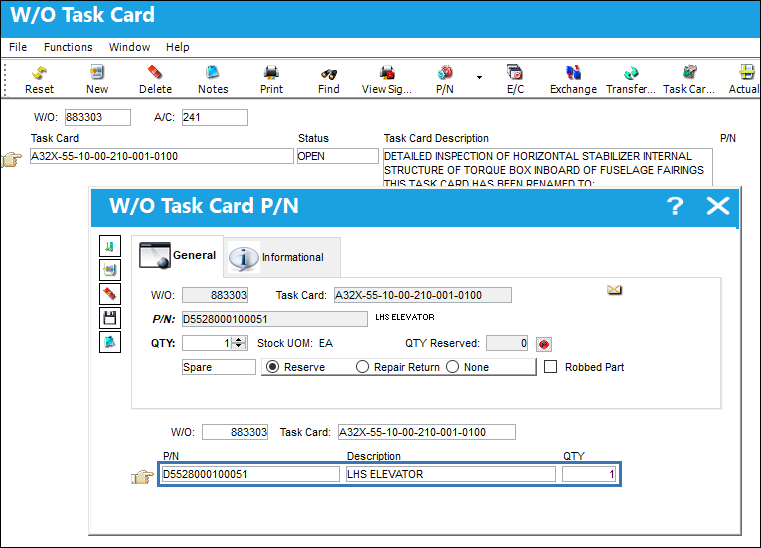
The system will allow the user to create picklists and requisitions for the non-effective P/N when the Work Order and Task Card are referenced.
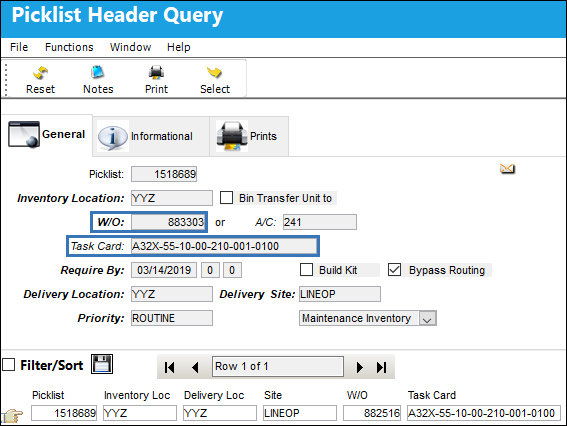
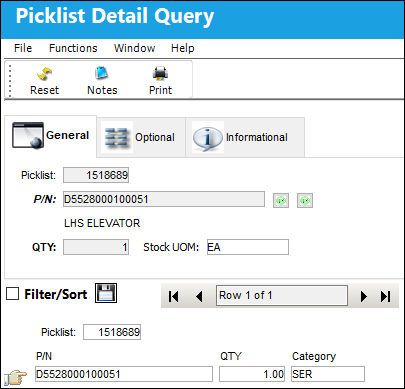
Example 2:
If the Allow WO Picklist/Requisition checkbox is not selected in the P/N Effectivity Control tab
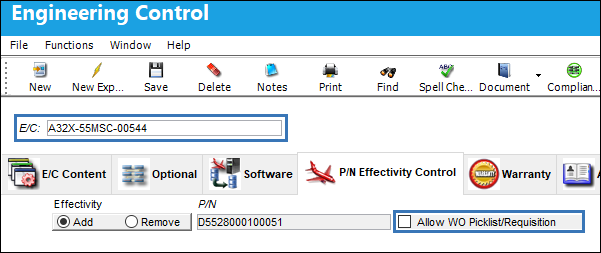
The P/N cannot be added in the W/O Task Card P/N requirement window, and picklists and requisitions cannot be created for the non-effective P/N, even when the Work Order and Task Card are referenced.
Share
Print
|
©1997-2026 Trax USA Corp. All rights reserved. This manual may not be copied, photocopied, reproduced, translated, or converted to any electronic or machine-readable form, in whole or in part, without prior written approval from Trax USA Corp. |
 |