
 Share
Share
 Print
Print
|
|
|
|
|



The Transfer E/C  button allows the user to transfer E/Cs from an existing Work Order to a new Work Order. Both the Parent and Child E/Cs will be transferred through this process.
 This button is security controlled via Production/ Update/ W/O/ W/O E/C Transfer. For additional information, refer to the Security Explorer via the System Administration Training Manual.
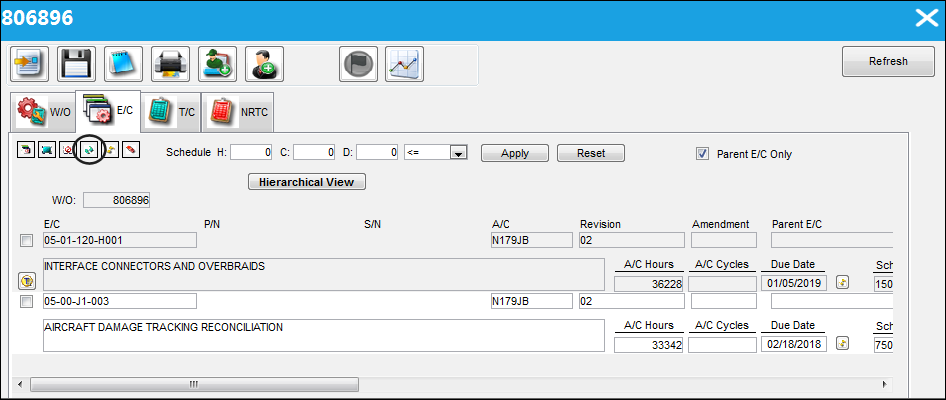
From the Work Order, Engineering Control tab, select the Transfer E/C button.
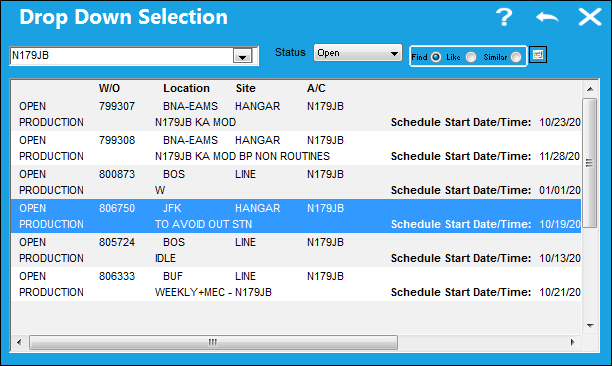
The following drop Drop Down Selection window appears. Select the new Work Order that the E/Cs will be transferred to and double click the highlighted Work Order.
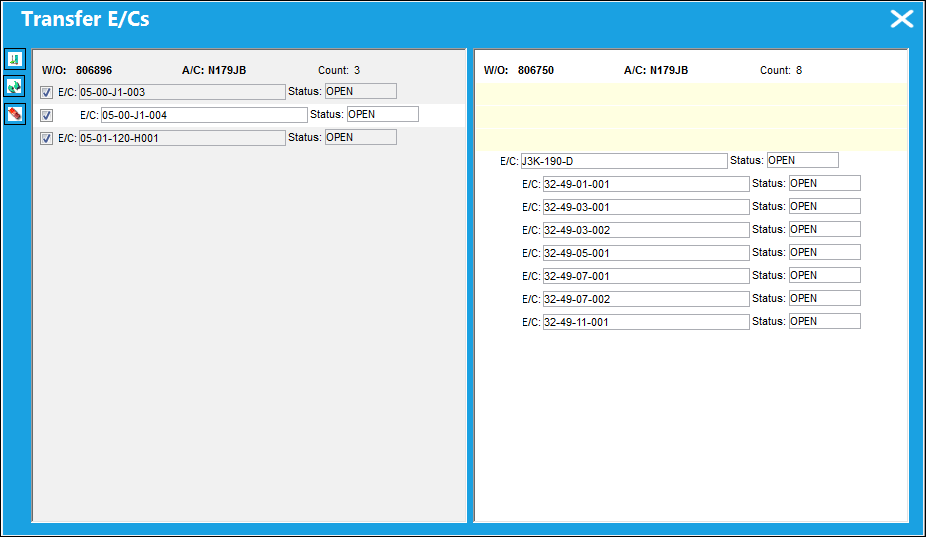
The Transfer E/Cs window appears. From this window, the user may select the E/Cs from the left panel (active Work Order) that they would like to copy to the right panel (new Work Order). The existing E/Cs in the right panel are the E/Cs that are currently on the new Work Order.
When a Parent E/C is selected (from the left panel), the Child E/C is automatically selected. The user may de-select the Child E/C if they would prefer not to copy the Child E/C over to the new Work Order.
Share
Print
|
©1997-2026 Trax USA Corp. All rights reserved. This manual may not be copied, photocopied, reproduced, translated, or converted to any electronic or machine-readable form, in whole or in part, without prior written approval from Trax USA Corp. |
 |