 Download Online Help
 Print
|
|
|
|
|


New W/O Button
Select the New W/O button to create a new Work Order. When selected, the new W/O window pops up. Enter all necessary information then click the Save  button.
From the New Work Order pop-up window, many of the fields are auto-populated based on the scenario in which the New W/O button was selected.
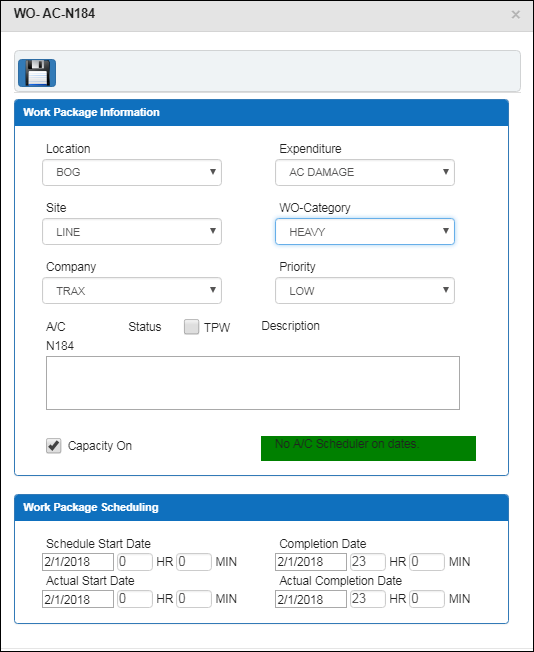
Select the Save button to create the W/O.
Once the W/O is saved, the following tabs become available:
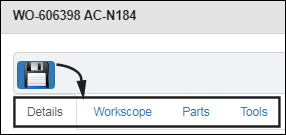
- Detail tab - contains the W/O's general information (such as Location, schedule, etc.)
- Workscope tab - lists all maintenance items assigned to the W/O
- Parts tab - lists all parts required for the W/O and their availability
- Tools tab - lists all tools required for the W/O
Download Online Help
Print
|
©1997-2018 Trax USA Corp. All rights reserved. This manual may not be copied, photocopied, reproduced, translated, or converted to any electronic or machine-readable form, in whole or in part, without prior written approval from Trax USA Corp. |
 |