 Download Online Help
 Print
|
|
|
|
|


Workscope Tab
The Workscope window displays all Task Cards for each Work Order for the selected Location. The Task Cards are organized by A/C Type/Series. This tab allows the user to assign a Work Order Task Card to a technician, as well as request to bust a task from the package. A Task Card can only be assigned to one technician. Once the Task Card is assigned, the technicians employee number will appear in the Techs Assigned column. Once a Task Card is assigned to a technician, the user cannot unassign the Task Card via the Workscope tab. Unassigning a Task Card would have to be done via the Task Card's Tab.
How to Assign a Task Card to a Technician
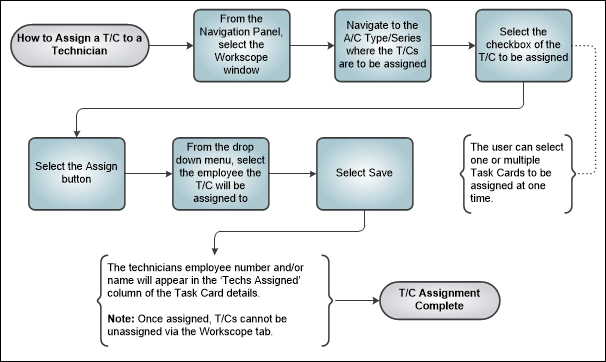
 This window is security controlled via Line Control/ Update/ Workscope. For additional information, refer to the Security Explorer.
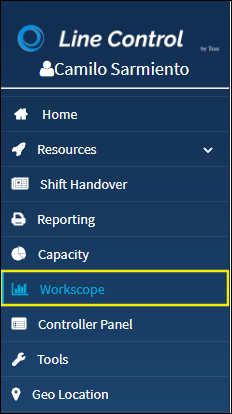
From the Navigation Panel, select Workscope.
Once the Workscope window is selected, the following work space area becomes available:
The list can be sorted and filtered by column and keywords.
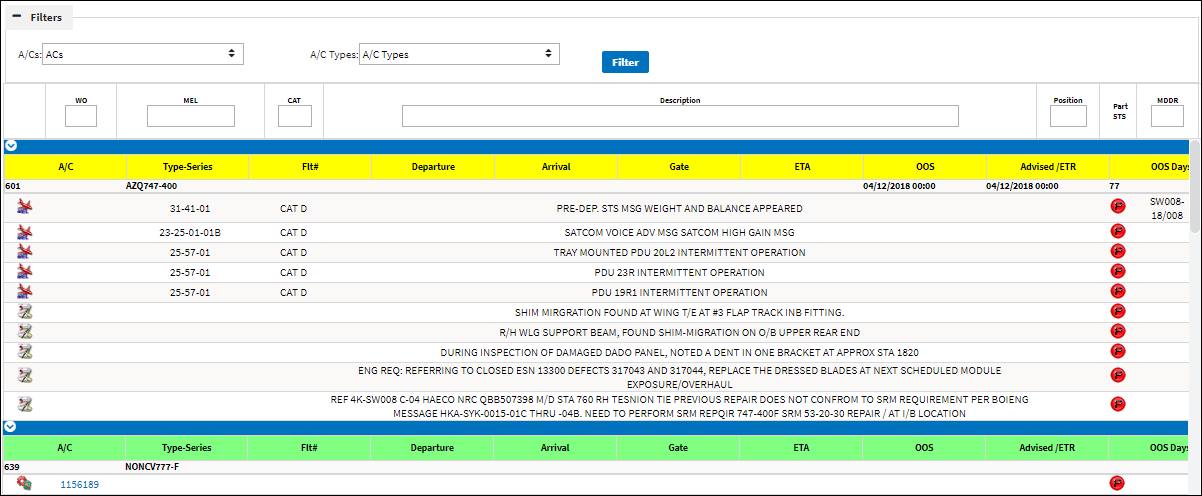
The following options/information is available in this window:
_________________________________________________________________________
Collapse All button
Select this button to view only the A/C Type/Series for this Location.
Expand All button
Select this button to view all Task Cards organized by A/C Type/Series.
Export as Excel button
Select this button to export the information in this tab into an Excel spreadsheet. This excel file can be saved for later use.
Bust button
Select this button to bust one or multiple Task Cards.
A/C
The specific aircraft that is being worked on via a Work Order.
Type/Series
The aircraft Type and Series / Fleet assignment.
Work Order
The Work Order used to categorize, manage, and schedule work requirements for aircraft maintenance.
Gate
The gate number.
Site
The site where the work should be carried out (if applicable).
Arrival
The arrival time of the aircraft.
Departure
The departure time of the aircraft.
Bust checkbox
Select this checkbox to highlight one or multiple Task Cards to be busted. Once the checkbox is selected, the entire line will be highlighted.
E/O
The Engineering Control that specifies aircraft or component scheduled maintenance intervals.
Task Card
The Task Card / Job Card that details the scheduled maintenance work.
Maintenance Task
A description of the Task Card.
Priority
The Priority level of the scheduled task. The priority level determines if the task can be busted, or if the task will require authorization. This is defined via the Task Priority Transaction Code. For additional information, refer to the Production Transaction Code Manual.
Tech(s) Assigned
The technician assigned to the task.
Assign  button - Select this button to assign a task to a technician.
Bust Status
The status of the Task Card once it has been requested to be busted.
_________________________________________________________________________
Download Online Help
Print
|
©1997-2018 Trax USA Corp. All rights reserved. This manual may not be copied, photocopied, reproduced, translated, or converted to any electronic or machine-readable form, in whole or in part, without prior written approval from Trax USA Corp. |
 |