
 Share
Share
 Print
Print
|
|
|
|
|



The Mass Update button allows users to either apply changes to R/O Capability for each location individually, or update all records at once.
 This button is security controlled via Settings/ Update/ P/N / R/O Capability Mass Update
The following tabs are available:
General Tab
The Mass Update allows the user to edit information about any location that has been qualified as a Repair Order Capability of the part.
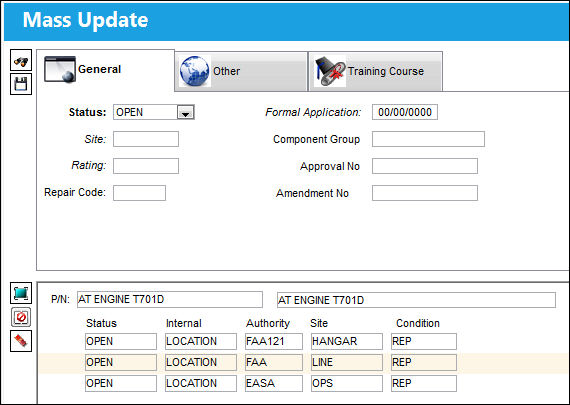
The following information/options are available in this window:
_____________________________________________________________________________________
Status
The status of the Repair Order.
- Open
- Closed
Formal Application
The date the formal application was accepted.
Site
The Site where the work is to be carried out (if applicable).
Component Group
This field groups parts for the approved internal capability. This field is used in customized reporting that is provided to authorities and is informational only.
Rating
Enter the RO Capability Rating Code via Settings/ Explorer/ System Transaction Code/ Settings/ RO Capability Rating. These Ratings become vital when when a Shop employee is printing a Form 1 print for a Shop W/O. If the part repaired via this W/O contains R/O Capability Ratings, only those employees with the required Ratings will be allowed to print the Form 1.Ratings are assigned to individual Employees via the Employee Master, R/O Capability Rating Tab. This functionality works in conjunction with Shop Switch  SHOPEMPRORATING. For more information refer to the Shop Switches Manual.
 R/O Capability Employee Rating Process
Approval Number
The approval reference number.
Repair Code
Enter the Repair Code via Settings/ Explorer/ System Transaction Code/ Orders/ Repair Code.
Amendment Number
The Amendment reference number.
_____________________________________________________________________________________
Other Tab
The Mass Update, Other Tab allows users to edit any additional information regarding the location(s) for the Repair Order. This information will be applied to all of the selected locations.
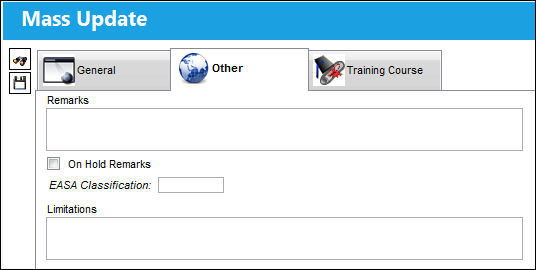
The following information/options are available in this window:
_____________________________________________________________________________________
Remarks
Enter any additional remarks regarding the Repair Order for this location.
On Hold Remarks checkbox
If the Repair Order for that location is on hold, this information can be entered here.
EASA Classification
European Aviation Safety Agency.
Limitations
This is a free text field to indicate any limitations associated to the location of the Repair Order Capability. This is informational only.
_____________________________________________________________________________________
Training Course Tab
The Mass Update, Training Course tab allows the user to specify what course(s) must be completed by an employee(s) in order to complete the work for the Repair Order. This tab is informational only and the courses are not validated upon the creation of a Repair Order.
Note: Training courses are set up via the Training module. For information on how to set up a training course, refer to the Training Class Enrollment Detail, General tab.
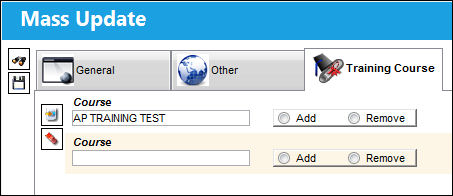
The following information/options are available in this window:
_____________________________________________________________________________________
Course
The registered course title.
Add / Remove
These radio buttons indicate whether the course is to be added or removed.
_____________________________________________________________________________________
Example: Updating Location Sites Using Mass Update
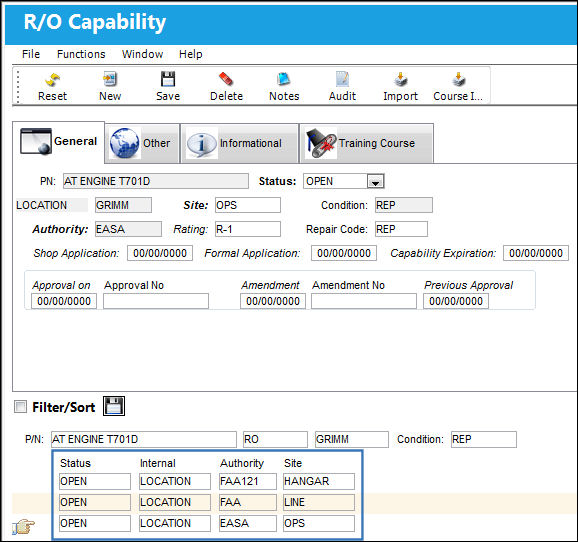
From the Vendor P/N Repair Capability window, select the R/O Capability button.
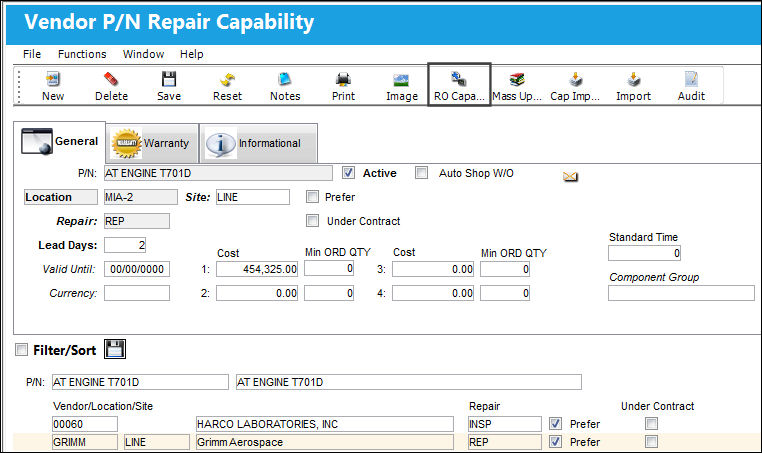
The R/O Capability window will be displayed. Note that Repair Order Capability has been specified for multiple Location Sites in this window.
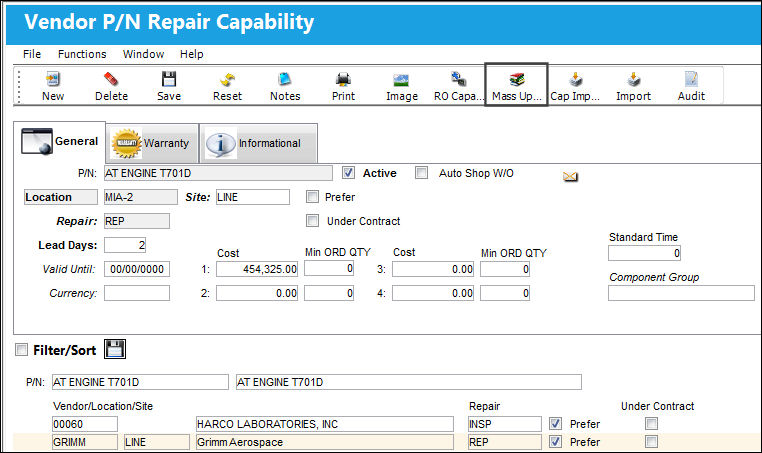
Return to the Vendor P/N Repair Capability window and select the Mass Update button.
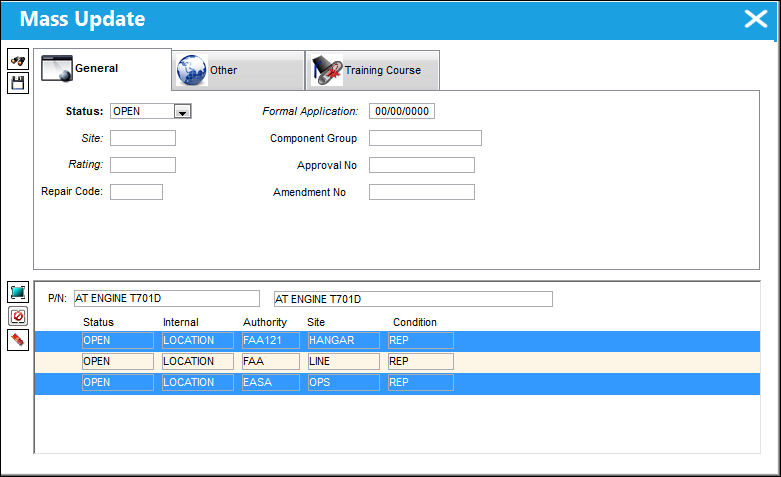
The Mass Update window will pop-up. The table located at the bottom of the window lists all locations that have Repair Order Capability set up. The fields at the top of the window allow users to specify what information they want to update.
Populate the fields above the table, mark each location that needs to be updated with the information entered above, and then select the Save button to apply it to all of the selected locations.
Share
Print
|
©1997-2026 Trax USA Corp. All rights reserved. This manual may not be copied, photocopied, reproduced, translated, or converted to any electronic or machine-readable form, in whole or in part, without prior written approval from Trax USA Corp. |
 |