
 Share
Share
 Print
Print
|
|
|
|
|


The user can choose to copy the serial number ranges with status and reason information included from a P/N attached to the same E/C.
The Copy Ranges  button will not be visible in the Engineering Control Range window when Switch
  ADDSTENGRANGE is set to No.
The ranges from one P/N will be copied to the selected P/N. Select the Copy Ranges button, the following Select to Copy Range pop-up will appear:
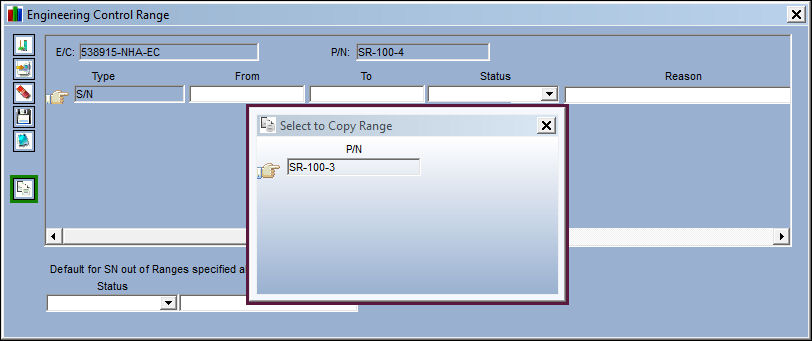
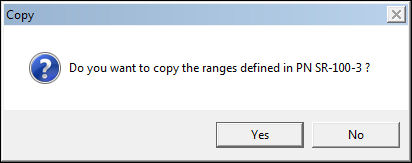
When the user selects the P/N, the following prompt appears:
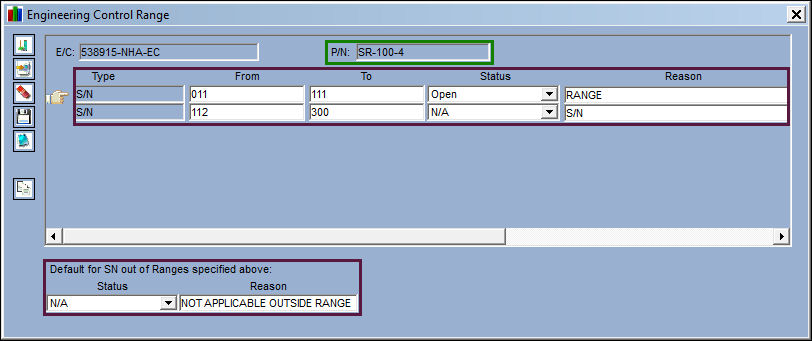
After the user selects 'Yes', the system now displays the copied ranges for the part number.
Share
Print
|
©1997-2026 Trax USA Corp. All rights reserved. This manual may not be copied, photocopied, reproduced, translated, or converted to any electronic or machine-readable form, in whole or in part, without prior written approval from Trax USA Corp. |
 |