 Download Online Help
 Print
|
|
|
|
|


Multi Company Examples: Engineering
When creating an Engineering Control or Task Card, users can apply the E/C or T/C to a particular Company or to ALL companies.
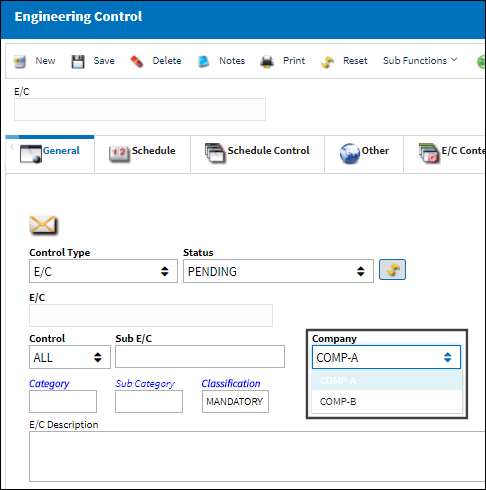
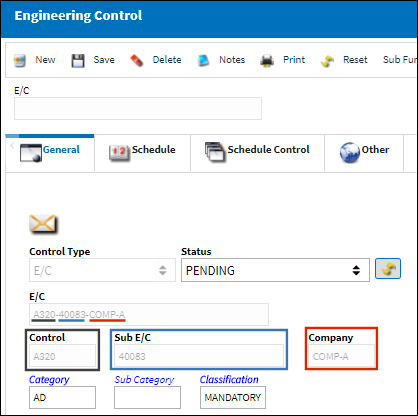
The E/C name field and T/C name fields are automatically created based on the following fields: Control-Sub-Company.
If 'ALL' is selected in the Company field, the E/C name field or T/C name field will not include the Company field. Instead the record will be named based on the Control and Sub fields.
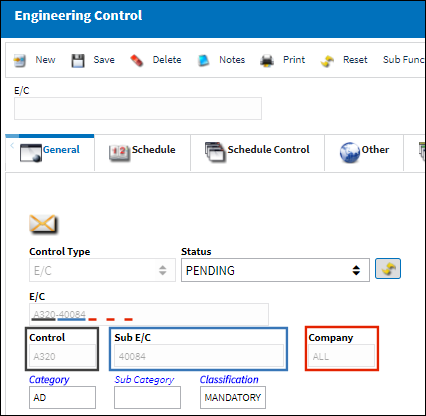
Note: Likewise, if the Control field is set to 'ALL', then the Control field will not be part of the name field.
Download Online Help
Print
|
©1997-2018 Trax USA Corp. All rights reserved. This manual may not be copied, photocopied, reproduced, translated, or converted to any electronic or machine-readable form, in whole or in part, without prior written approval from Trax USA Corp. |
 |