 Download Online Help
 Print
|
|
|
|
|


Multi Company Configurations: Currency
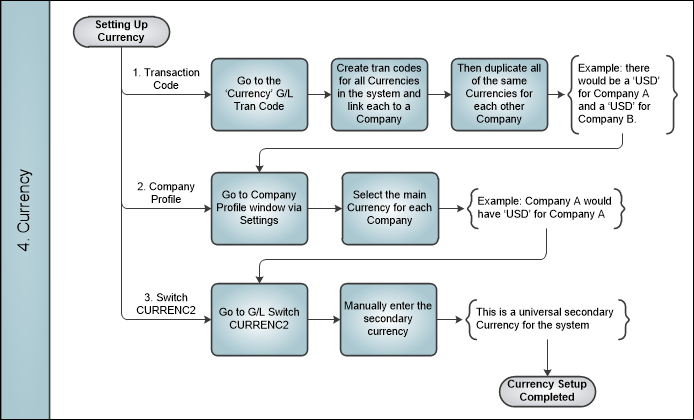
In order for the Multi Company functionality to correctly track the unique financial implications for each company in the system, the following Currency-related configurations must be made.
1. Currency Transaction Code
2. Currency field in Company Profile
3. G/L Switch CURRENC2
1. Currency Transaction Code
The currencies that are recognized throughout the system are created through the 'Currency' G/L Transaction Code. In this tran code, each currency is configured with an Exchange Rate. This Exchange Rate is then used to calculate exchange differences against other currencies in the system.
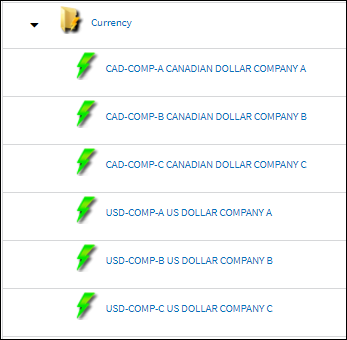
As part of the multi company functionality, each Company Profile must have their own unique sets of Currency transaction codes.
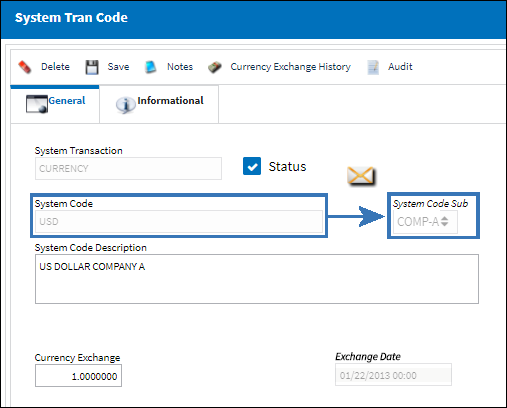
For example, if there is a Company A and a Company B, there must be a 'USD' for Company A and a 'USD' for Company B.
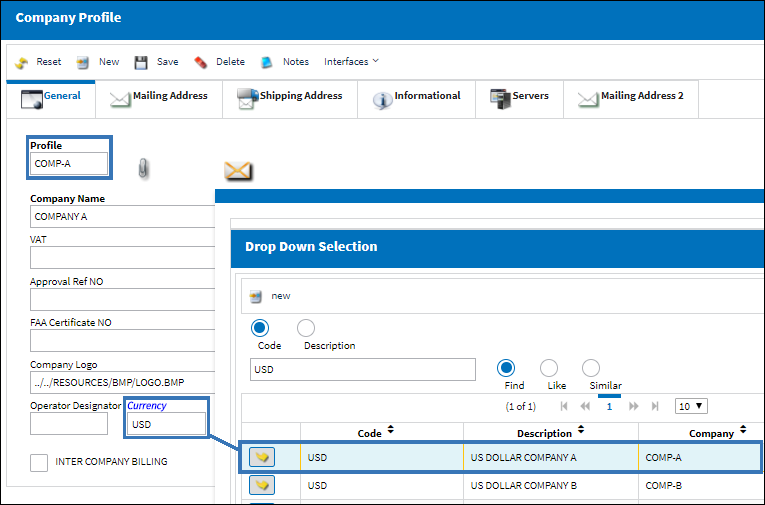
2. Currency field in Company Profile
Once the Currencies are set up, each Company in the Company Profile window must have a main currency defined. Each company must have one of the Currencies linked to their Company.
3. Switch CURRENC2
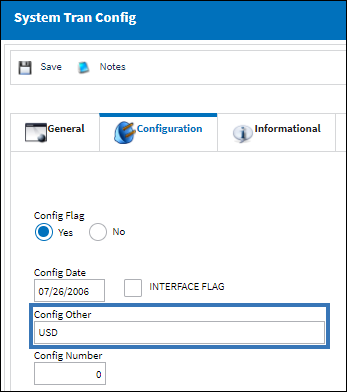
G/L switch CURRENC2 controls the Secondary Currency globally throughout the system. The Currency manually entered into the switch's Config Other field is recognized as the shared secondary currency for all Company Profiles.
Download Online Help
Print
|
©1997-2018 Trax USA Corp. All rights reserved. This manual may not be copied, photocopied, reproduced, translated, or converted to any electronic or machine-readable form, in whole or in part, without prior written approval from Trax USA Corp. |
 |