 Download Online Help
 Print
|
|
|
|
|


Multi Company Configurations: Aircraft
Each aircraft in the system must be associated to a Company. The Company linked to the Aircraft will drive certain aircraft-related functionalities and processes. For example, various Journal Entries produced in relation to a Work Order will be linked to the W/O Aircraft's Company.
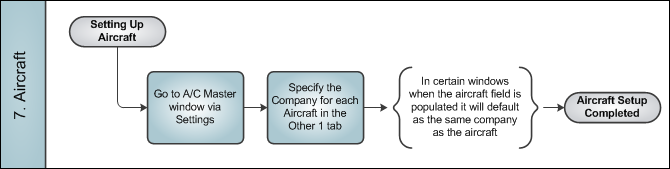
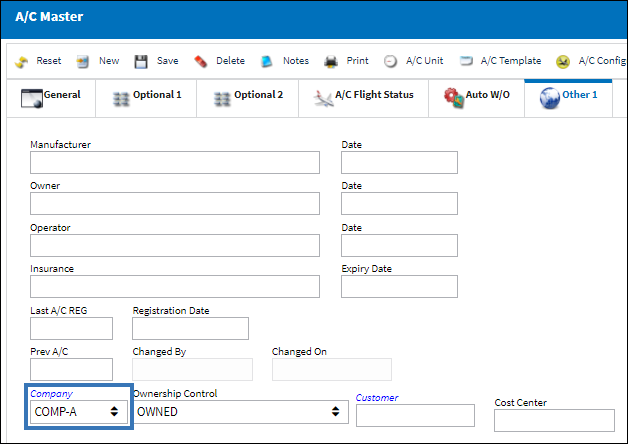
From the A/C Master, Other 1 tab, select a Company from the drop down. Repeat this for each aircraft belonging to one of the database's multiple companies.
Download Online Help
Print
|
©1997-2018 Trax USA Corp. All rights reserved. This manual may not be copied, photocopied, reproduced, translated, or converted to any electronic or machine-readable form, in whole or in part, without prior written approval from Trax USA Corp. |
 |