
 Share
Share
 Print
Print
|
|
|
|
|


Video Button, via Help Tab

The Video  button allows the user to view videos that are organized by module.
From the Help Tab, select the Video button to access the library of video documents.

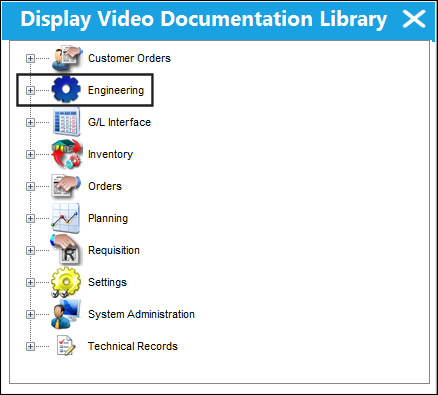
TRAX displays the Display Video Documentation Library window where all available video documentation is organized by module. Select the Expand  button for the desired module. In the following example, the user will select the Engineering module.
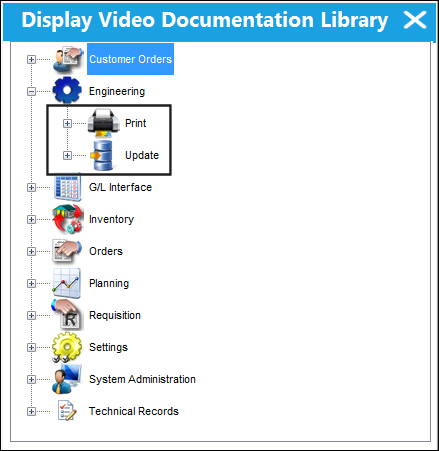
TRAX displays the Print and Update menu for the Engineering module. Select the Expand button to view the video documents for either menu options. In this example, the user will select the Expand button for the Update menu.
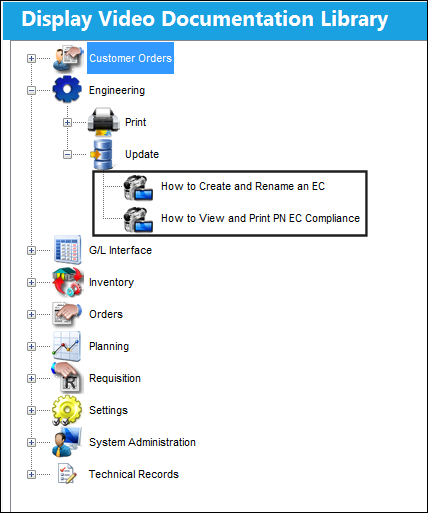
TRAX displays the following video documents. In the following example, the user will right click on the 'How to Create and Rename EC' video.
Note: Video must be downloaded from iCentral to the path specified in Switch  VIDEOPH, via the System Administration Switches Manual.
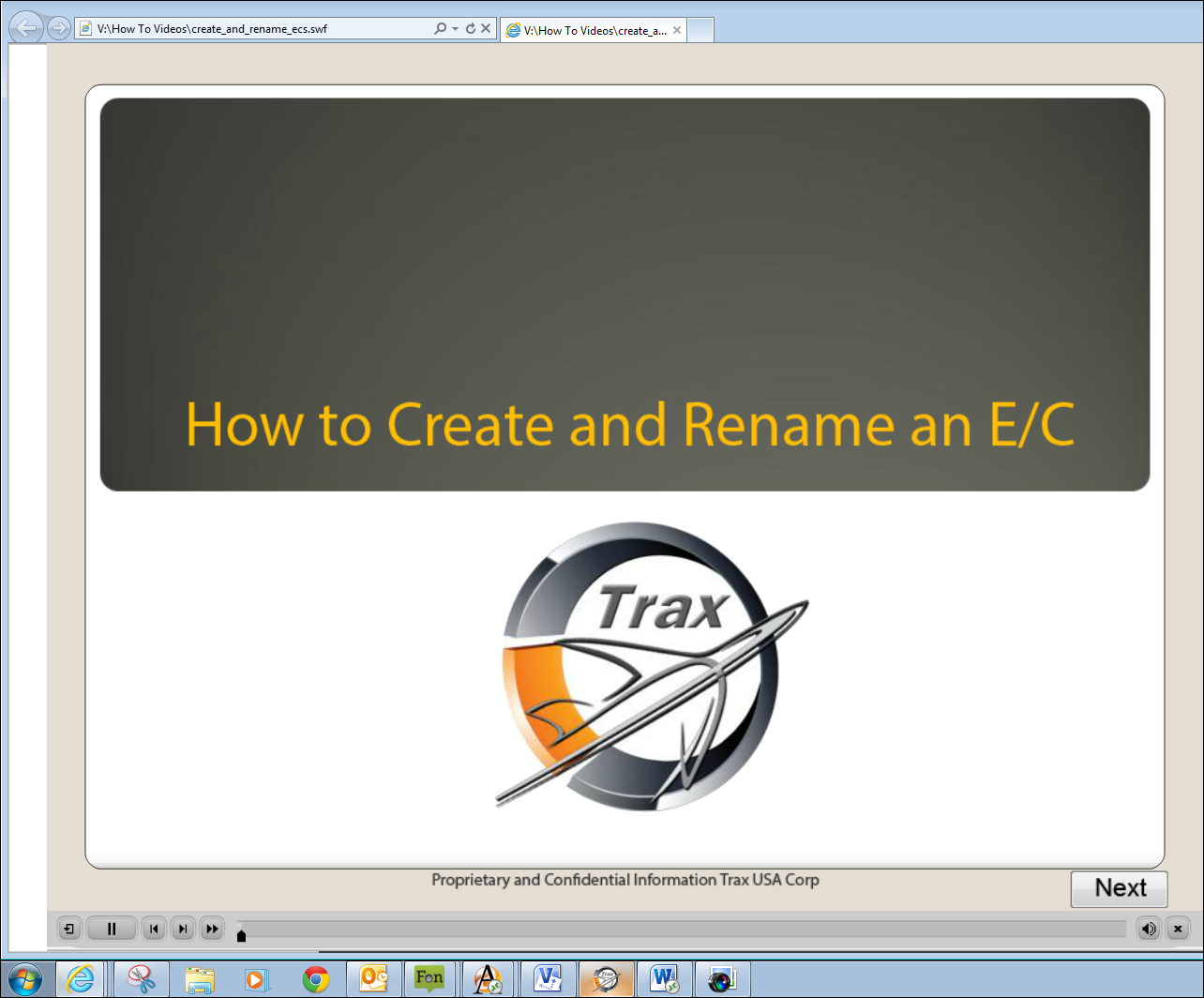
The video begins as shown below.
Note: The user must right click on the desired video to being viewing.
As well, the paths linking the location of the videos to the application must be specified via the Control Panel. For additional information, refer to the Video Doc Button, via the Control Panel of the System Administration Training Manual.
Share
Print
|
©1997-2026 Trax USA Corp. All rights reserved. This manual may not be copied, photocopied, reproduced, translated, or converted to any electronic or machine-readable form, in whole or in part, without prior written approval from Trax USA Corp. |
 |