
 Share
Share
 Print
Print
|
|
|
|
|


Landing Page

Upon logging into TRAX, the landing page will appear as displayed below.
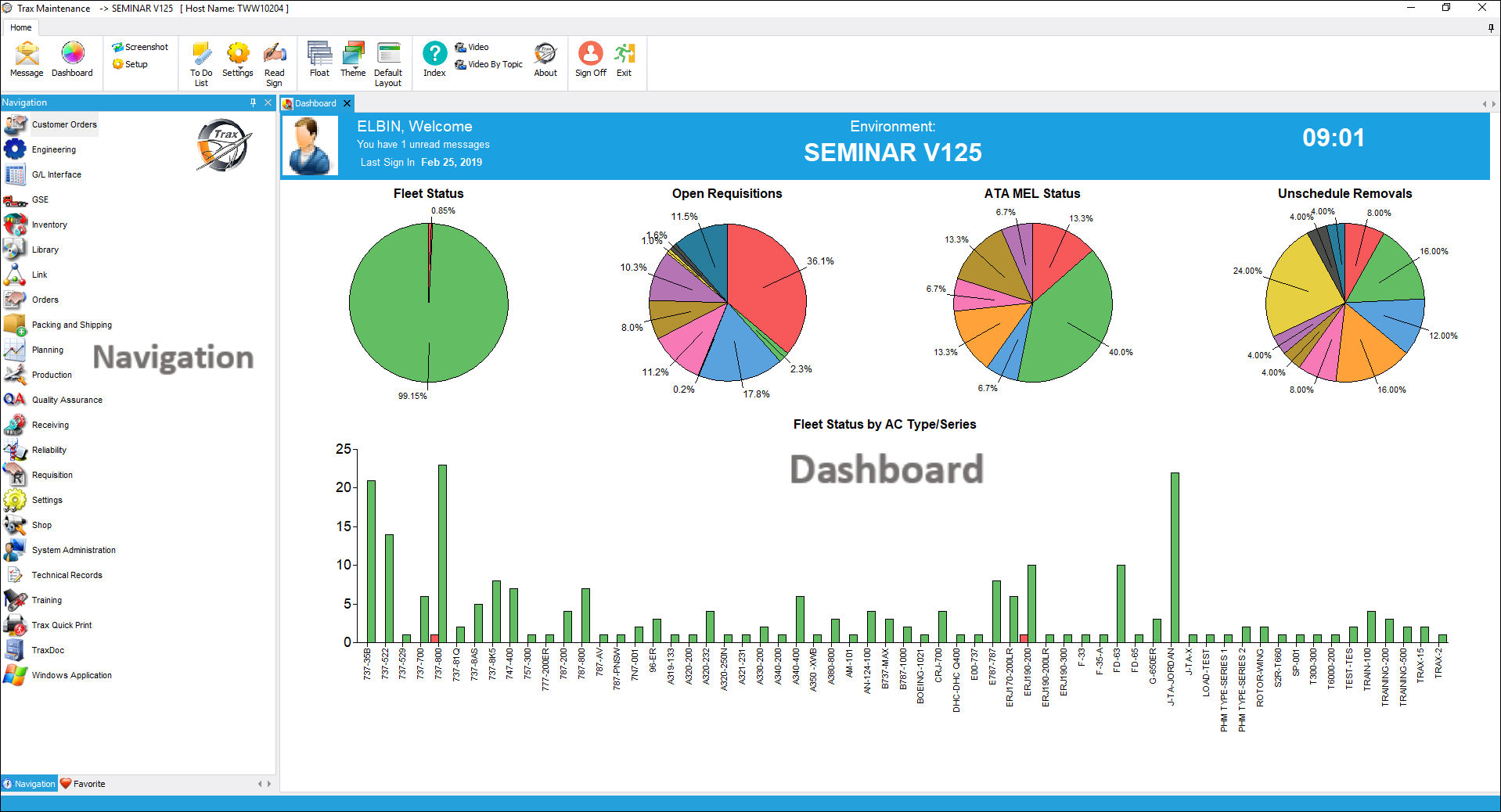
The following information/options are available in this window:
_____________________________________________________________________________________
The Main Toolbar offers additional options available in the TRAX system. These options include printer configuration set-up, a messaging system, links to video documentation and much more. This toolbar is universal and will be available as the user moves throughout the system. For more information, refer to the Main Toolbar section.
The Navigation Panel is located on the left hand side of the application's framework. This panel remains open throughout the use of the application and stands as a reference point when opening different windows in the system. The Navigation Panel can be closed while working in the Dashboard area of the application by selecting the Exit  button located on the upper right hand side of the panel. It can be pinned to your workspace again simply by selecting the Pin
  button. For additional information, refer to the Navigation Panel section.
The Dashboard displays information such as the name of the user who is currently logged in to TRAX, the current time, the last log in date and the environment used to log in. The Dashboard also displays informational graphs such as Fleet Status, Open Requisitions, etc. For additional information, refer to the Dashboard section.
_____________________________________________________________________________________
Share
Print
|
©1997-2026 Trax USA Corp. All rights reserved. This manual may not be copied, photocopied, reproduced, translated, or converted to any electronic or machine-readable form, in whole or in part, without prior written approval from Trax USA Corp. |
 |