
 Share
Share
 Print
Print
|
|
|
|
|


Dashboard

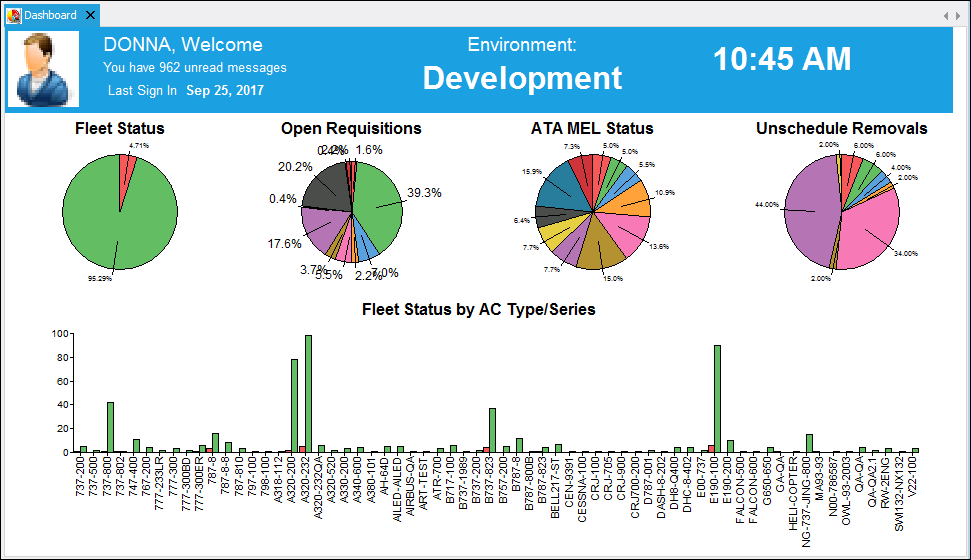
When the user first logs in to TRAX, they will be taken to the Dashboard. The Dashboard displays information such as the name of the user who is currently logged in to TRAX, the current time, the last log in date and the environment used to log in. The Dashboard also displays informational graphs such as Fleet Status, Open Requisitions, etc.
Fleet Status
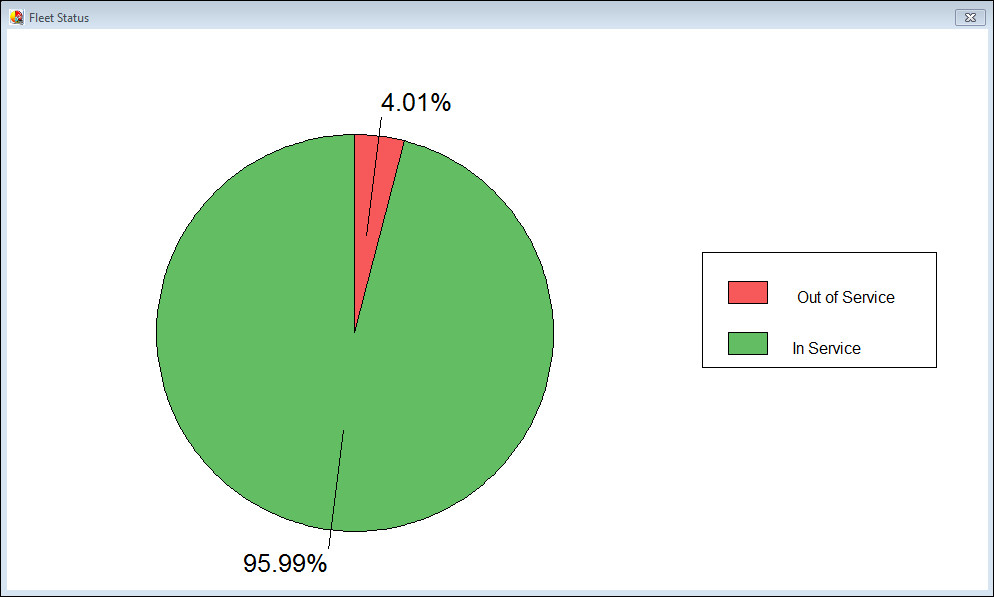
The following is a graphical display of all of the fleets that are currently In Service and Out of Service in your system.
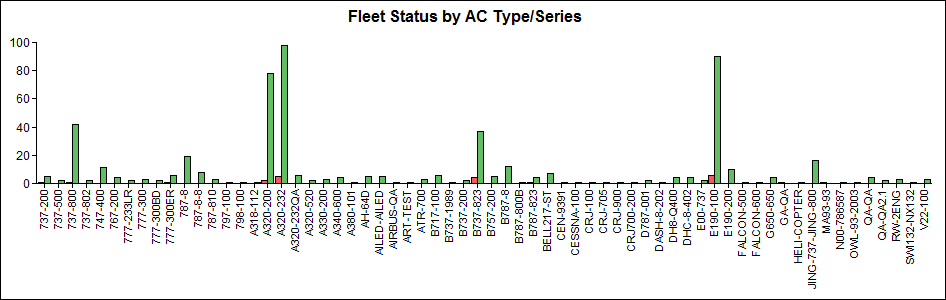
The following bar graph illustrates fleet by A/C Type/Series both In and Out of Service.
Open Requisitions
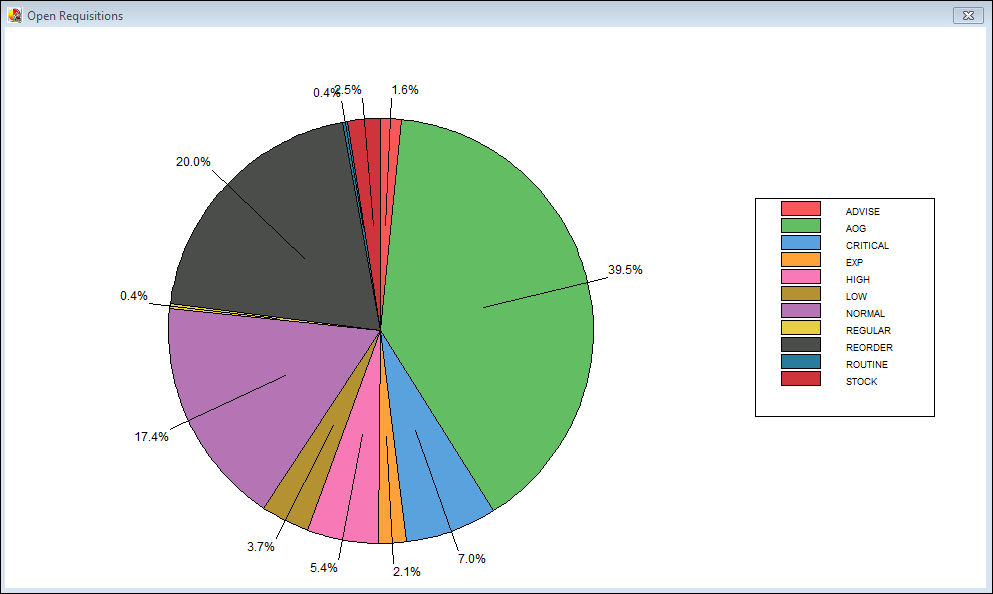
The following is a graphical display of all Open Requisitions by priority that are currently in your system.
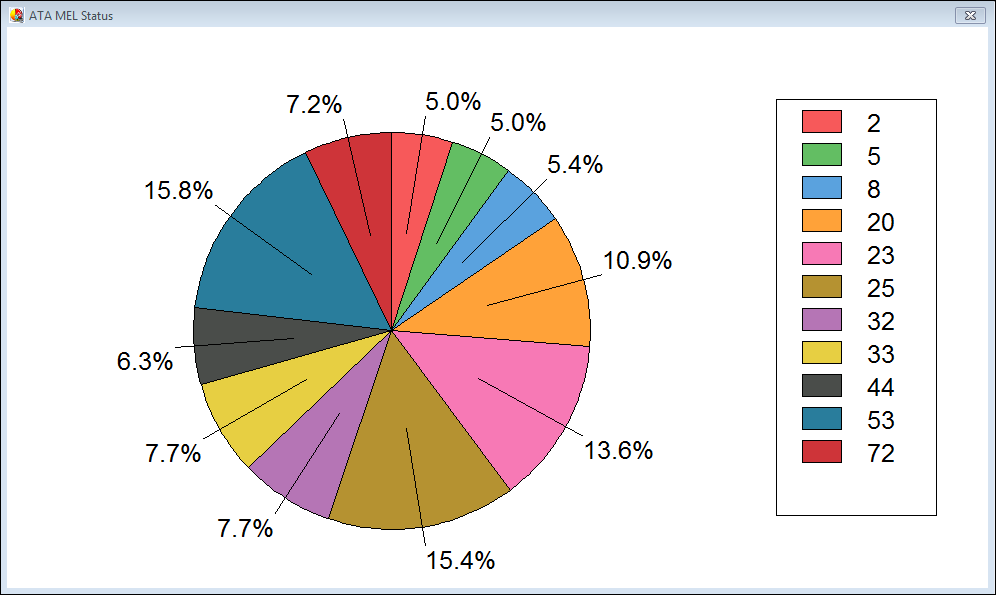
ATA MEL Status
The following is a graphical display of all Open MELs by ATA Chapter that are currently in your system.
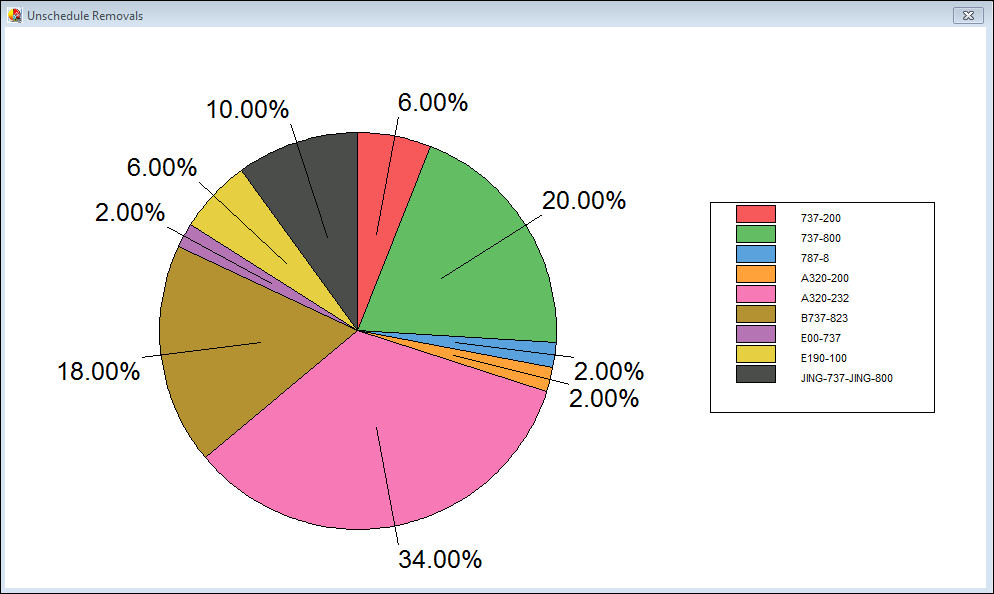
Unscheduled Removals
The following is a graphical display of all Unscheduled Removals by fleet.
Share
Print
|
©1997-2026 Trax USA Corp. All rights reserved. This manual may not be copied, photocopied, reproduced, translated, or converted to any electronic or machine-readable form, in whole or in part, without prior written approval from Trax USA Corp. |
 |