
 Share
Share
 Print
Print
|
|
|
|
|


About Trax Button, via Help Tab
The Main Toolbar on the Main Landing Page includes a convenient link to the Trax application information.
To access this additional application information, click on the  About button. See below.
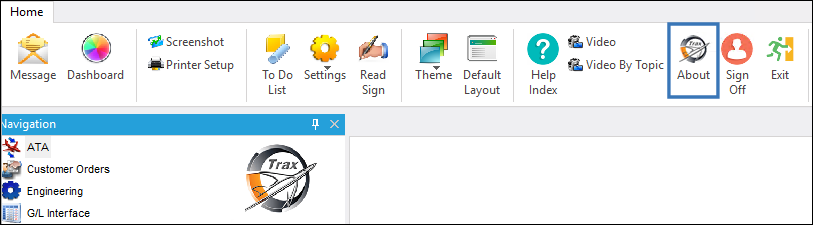
When the About button is selected, the system populates the About Trax pop-up window. The description and image is available below.
The About Trax button option provides additional information about the Trax application such as the following:
- The most recent compile date
- The latest version of the application
- Number of licensed users
- Number of actual users
- Copyright information
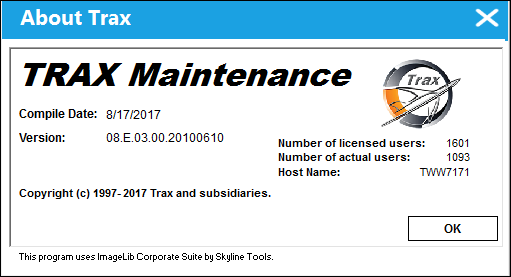
Select [OK] to exit the system information window.
Share
Print
|
©1997-2026 Trax USA Corp. All rights reserved. This manual may not be copied, photocopied, reproduced, translated, or converted to any electronic or machine-readable form, in whole or in part, without prior written approval from Trax USA Corp. |
 |