
 Share
Share
 Print
Print
|
|
|
|
|


The Transfer Picklist  button is used to transfer a Picklist from one location to another. This is used if a mechanic requested a part that is only obtainable from another inventory location. A Transfer Picklist will create the Transfer Order for all requested parts and once the parts are received at the mechanic’s location, the Picklist is ready for issue.
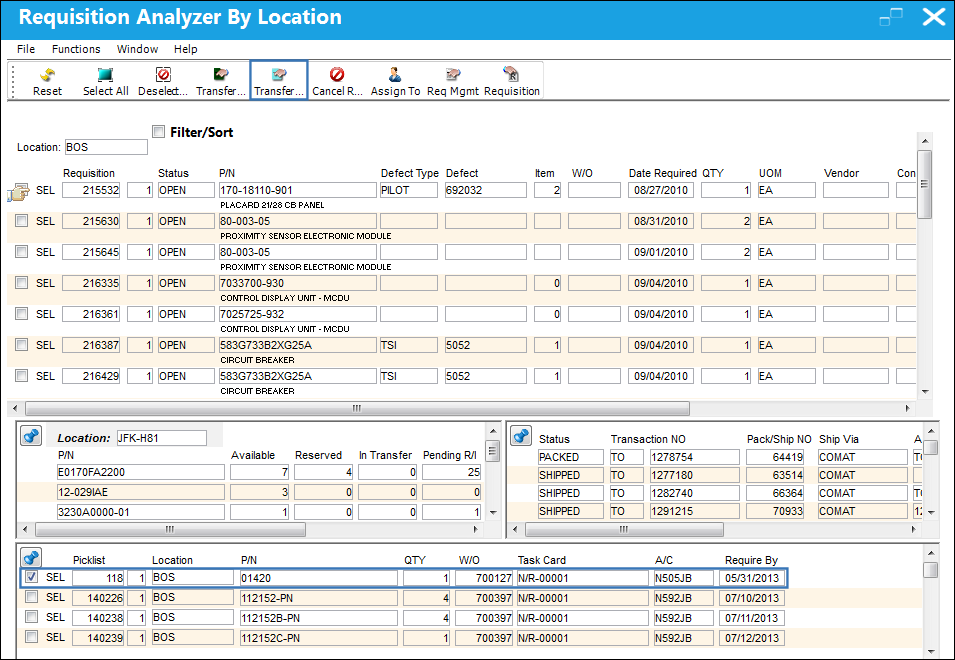
From the Requisition Analyzer By Location window, select the picklist to be transferred and select the Transfer Picklist button.
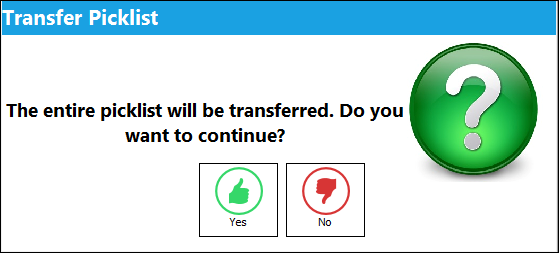
The following prompt will appear. Select 'Yes' to continue transferring of the picklist.
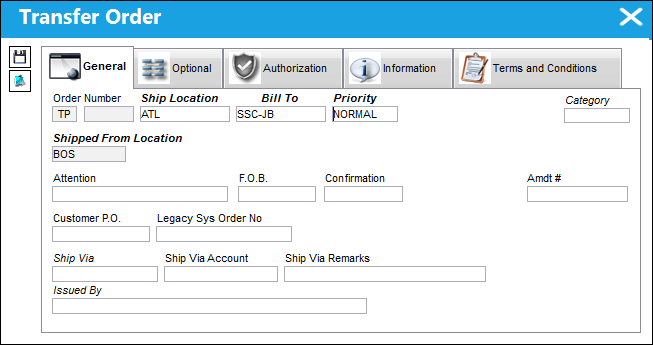
The Transfer Order window becomes available. Populate all mandatory and desired information and save the transaction.
Share
Print
|
©1997-2026 Trax USA Corp. All rights reserved. This manual may not be copied, photocopied, reproduced, translated, or converted to any electronic or machine-readable form, in whole or in part, without prior written approval from Trax USA Corp. |
 |