
 Share
Share
 Print
Print
|
|
|
|
|



The A/C P/N Initial Load Multi Import  button allows the user to import multiple assembly on-wing parts in one transaction. This option includes the ability to include the Installed Date, Shelf Life Expiration Date as well as the Tool Life Expiration Date. This information is relevant for on-wing parts that have NLA's.
First, the user must prepare the file. For information regarding how to prepare the import file, refer to Preparing File For Import, via the Import Button of the System Standards Training Manual.
Criteria for A/C P/N Initial Load Multi Import file:
Column |
Data Type |
Limitation |
Path |
A/C |
Alphanumeric |
10 |
A/C P/N Transaction History, General tab |
P/N |
Alphanumeric |
35 |
A/C P/N Transaction History, General tab |
S/N |
Alphanumeric |
20 |
A/C P/N Transaction History, General tab |
NHA P/N |
Alphanumeric |
35 |
A/C P/N Transaction History, General tab |
NHA S/N |
Alphanumeric |
20 |
A/C P/N Transaction History, General tab |
NLA Position |
Alphanumeric |
20 |
A/C P/N Transaction History, General tab |
Installed Date |
Numeric |
8 |
A/C P/N Transaction History, P/N Button, Inventory Detail Transaction, A/C tab |
Condition |
Alphanumeric |
8 |
A/C P/N Transaction History, P/N button, Inventory Detail Transaction, General tab |
P/N Control |
Alphanumeric |
8 |
A/C P/N Transaction History, P/N Control button |
Reset Date |
Numeric |
8 |
A/C P/N Transaction History, P/N Control button |
EC |
Alphanumeric |
35 |
A/C P/N Transaction History, P/N Control button |
Effective Date |
Numeric |
8 |
A/C P/N Transaction History, P/N Control button |
Shelf Life Expiration |
Numeric |
8 |
A/C P/N Transaction History, P/N Button, Inventory Detail Transaction, Inventory tab |
Tool Life Expiration |
Numeric |
8 |
A/C P/N Transaction History, P/N Button, Inventory Detail Transaction, Inventory tab |
From the A/C Initial P/N Load window, initial load an NHA part. The A/C P/N Initial Load Multi pop up window will appear instead of the P/N N/L/A Creation window.
Select the A/C P/N Initial Load Multi Import button.
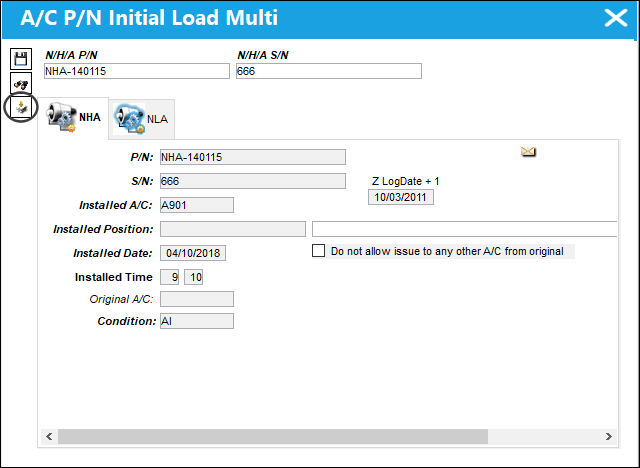
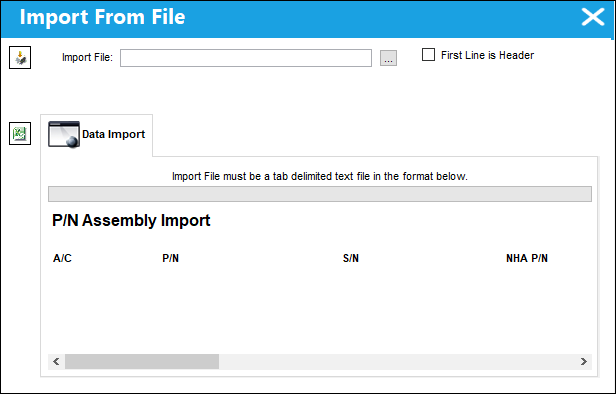
Complete all of the Import steps.
For information regarding how to Import a file, refer to Importing a File via Import Button of the System Standards Training Manual.
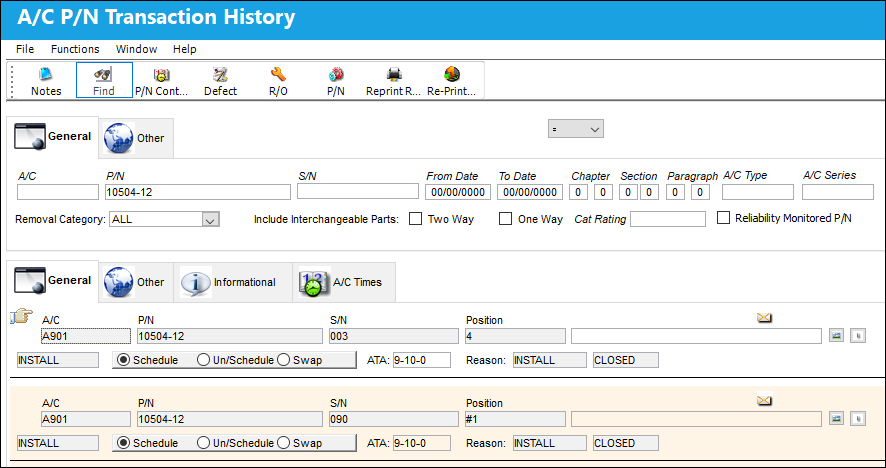
After the import, the user may go to A/C P/N Transaction Query window to view the assembly information that was imported.
Share
Print
|
©1997-2026 Trax USA Corp. All rights reserved. This manual may not be copied, photocopied, reproduced, translated, or converted to any electronic or machine-readable form, in whole or in part, without prior written approval from Trax USA Corp. |
 |