
 Share
Share
 Print
Print
|
|
|
|
|


The Barcode Label button is used to print Barcoded Lab Tags for Parts that are on the Picklist. When the user selects the Barcode Labelbutton, the Barcode Label Tag window will open.
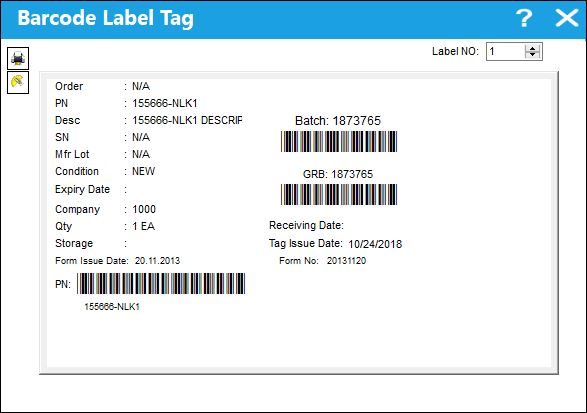
The Email  and Print
  buttons are also available in this window.
Share
Print
|
©1997-2026 Trax USA Corp. All rights reserved. This manual may not be copied, photocopied, reproduced, translated, or converted to any electronic or machine-readable form, in whole or in part, without prior written approval from Trax USA Corp. |
 |