
 Share
Share
 Print
Print
|
|
|
|
|


Labor reservations can be carried out on Work Orders to reserve personnel against available capacity. The system will automatically provide a report of any shortfall in the available labor. The Man-hours schedule and Site Capacity Generation options need to be updated and run before Labor reservation can be carried out. For additional information regarding Man Hours Schedule and Site Capacity Schedule, please refer to the Planning Training Manual.
This option will automatically reserve Labor requirements for a Work Order. Capacity will be calculated and availability checked. A graphical report can be printed to show the available versus reserved labor at a location/site (see work order explorer). A report will print in the vent that there is insufficient labor available to reserve.
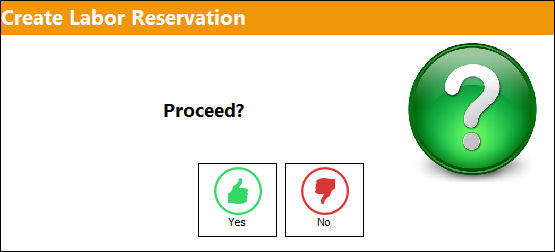
As with the Materials reservation, click on the Labor Reservation  button to reserve labor to a Work Order. Select the Labor Reservation button. The user will be asked to confirm their request:
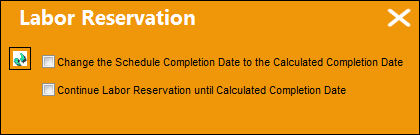
The scheduled completion information will appear. Choose to continue or discontinue the labor reservation.
The progress gauge will appear, reserving the labor when complete.

Share
Print
|
©1997-2026 Trax USA Corp. All rights reserved. This manual may not be copied, photocopied, reproduced, translated, or converted to any electronic or machine-readable form, in whole or in part, without prior written approval from Trax USA Corp. |
 |