
 Share
Share
 Print
Print
|
|
|
|
|


When selected, the material or labor specified will be displayed in the invoice, but the customer will not be charged for the material or labor specified. (For example, this could include materials such as gloves, or labor such as cleaning of an aircraft that should be listed in the invoice but the customer may not be required to pay for.)
The following contract is created.
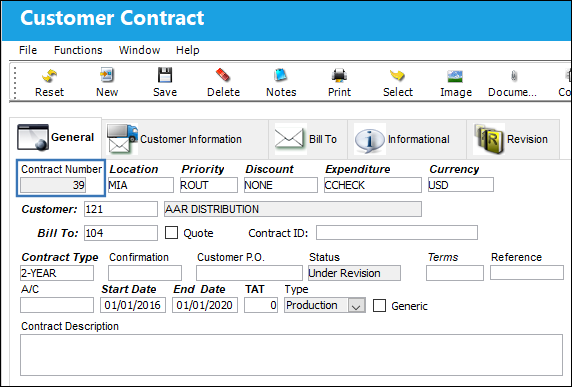
Example 1: Do Not Invoice Checkbox Selected
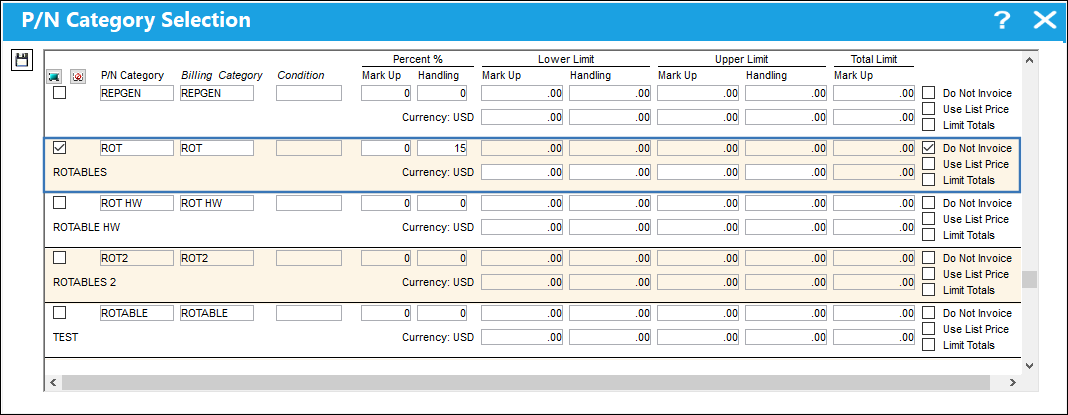
The following material category is added to the contract. Note that the Do Not Invoice checkbox is selected.
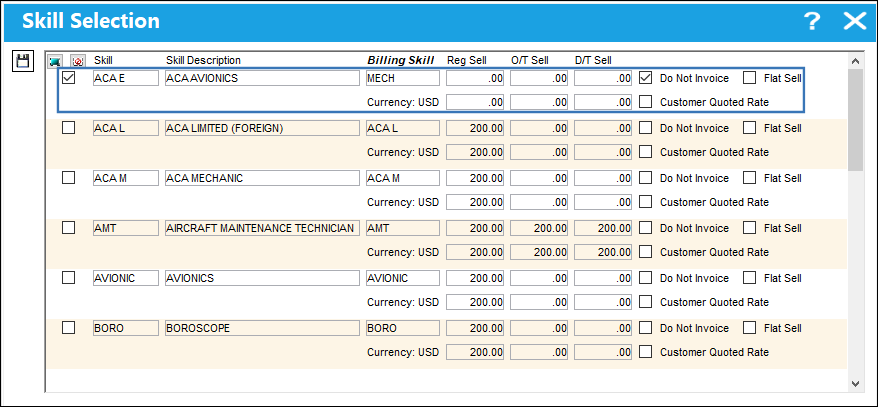
The following labor skill is added to the contract with the Do Not Invoice checkbox selected.
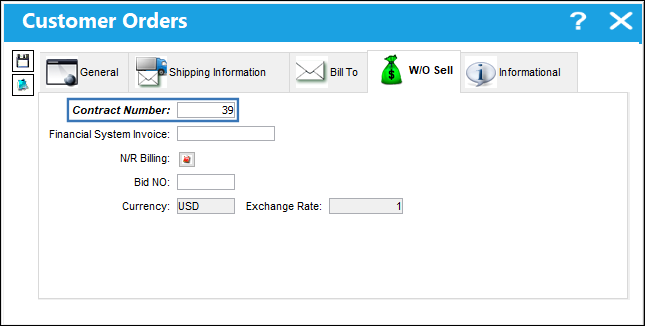
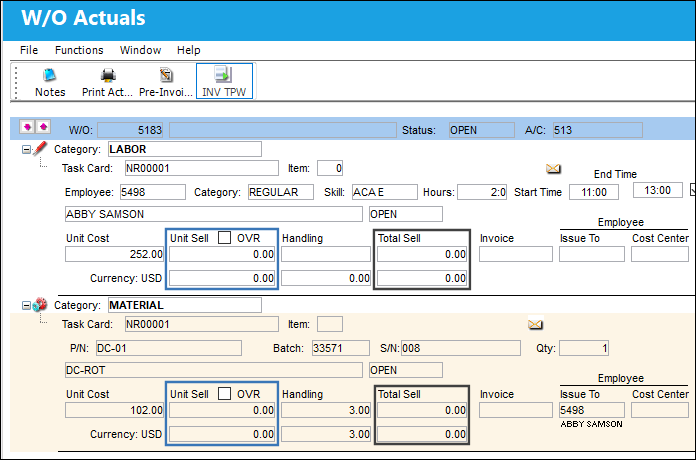
A third party work order is then created and linked to the new contract. Labor (using the 'Do Not Invoice' skill category) was also added to the W/O, as well as material (from the 'Do Not Invoice' P/N category ).
The W/O Actuals show a Total Sell value of zero (0.00) for both the labor and material.
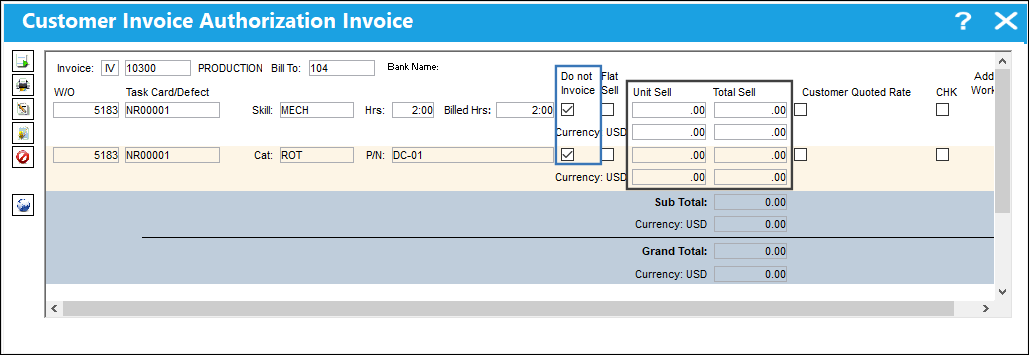
The Work Order is then invoiced. Note that the Do Not Invoice checkbox is selected for both items, and that the Unit Sell and Total Sell fields have a zero (.00) value. This indicates that the customer has not been charged for these items.
Keep in mind that a Work Order can contain a combination of both invoiced and non-invoiced items.
Example 2: Do Not Invoice Checkbox Deselected
In this example, the Do Not Invoice checkbox remains deselected for both the specified material category and labor skill.
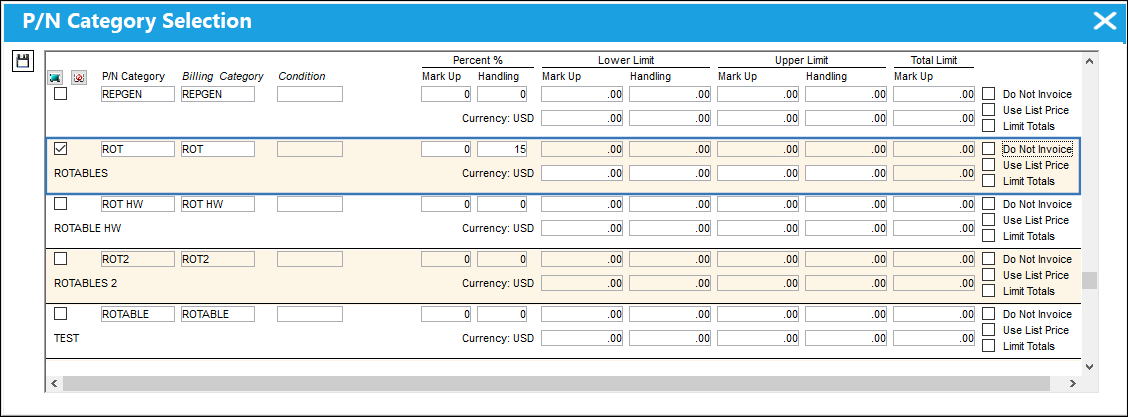
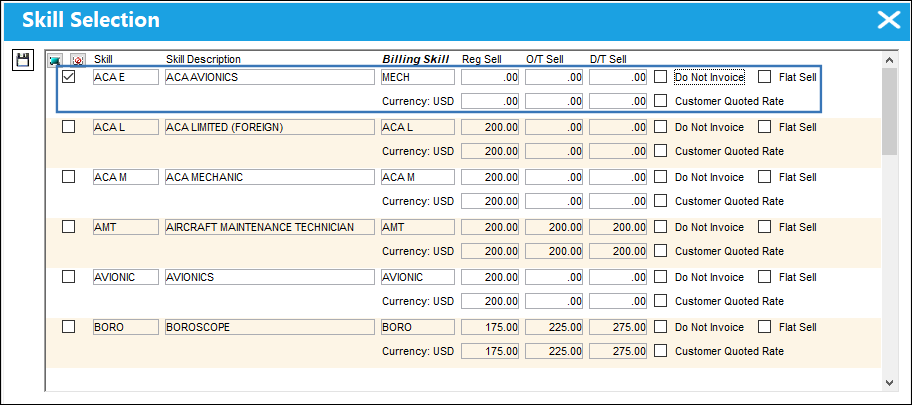
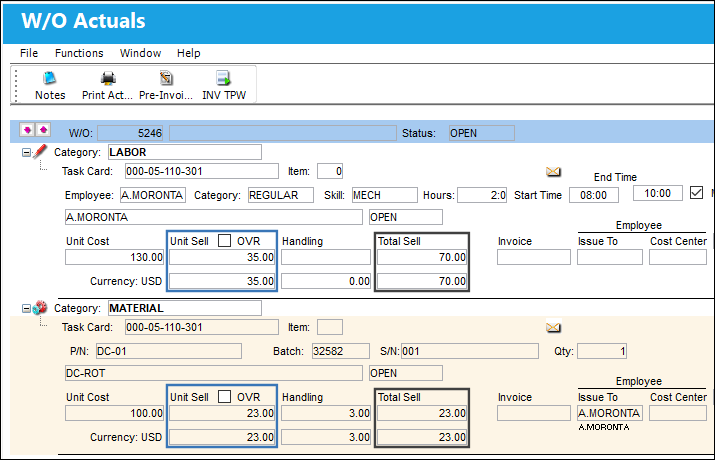
A new third-party W/O is created under the contract, and both labor and material (that fall under the categories specified in the contract) are added to it.
The W/O Actuals show that the Unit Sell and Total Sell of both the added labor and material have values.
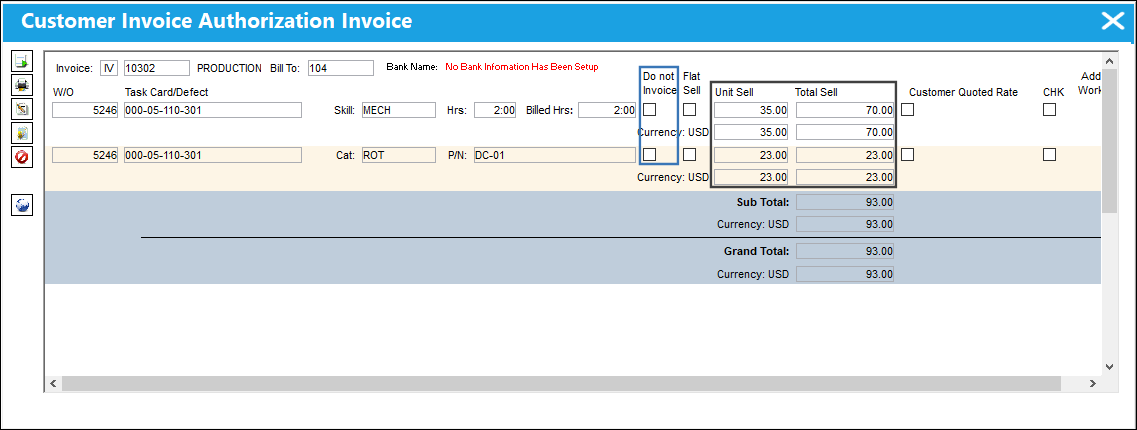
The Work Order is then invoiced. Notice that the Do Not Invoice checkbox remains deselected for both items on the contract, and that the Unit Sell and Total Sell field have values. This indicates that the customer are charged for these items.
Keep in mind that a Work Order can contain a combination of both invoiced and non-invoiced items.
Share
Print
|
©1997-2026 Trax USA Corp. All rights reserved. This manual may not be copied, photocopied, reproduced, translated, or converted to any electronic or machine-readable form, in whole or in part, without prior written approval from Trax USA Corp. |
 |