
 Share
Share
 Print
Print
|
|
|
|
|


The Terminate E/C If Terminated control allows users to set up multiple parent/child relationships where multiple parent E/Cs need to be terminated before terminating the child E/C.
When the last parent E/C with the Terminated E/C If Terminated control is accomplished, the system automatically writes a compliance record and terminates the child E/C. The order in which the parent E/Cs with the Terminated E/C If Terminated control are accomplished does not matter (the child E/C compliance record will reference what parent E/C caused its termination).
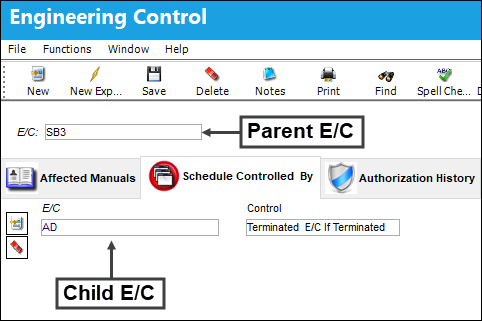
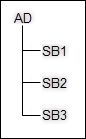
The child E/C above has multiple Terminated E/C If Terminated parent E/C relationships. The user can see all Terminated E/C If Terminated controls under the Schedule Control tab of the child E/C.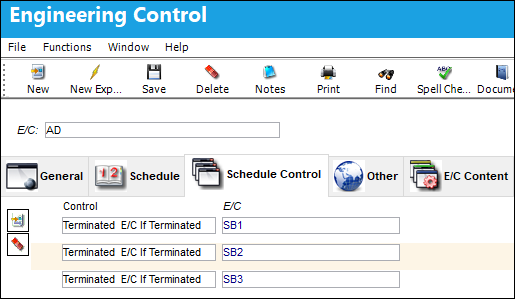
This control may be utilized multiple times to set up an unlimited number of parent/child E/C relationships.
Terminated E/C If Terminated example:
An AD has been issued to carryout inspection tasks against an aircraft. At the same time, there are three SBs that, together, encompass the same required inspection tasks as the AD. Once all three SBs are accomplished and terminated, the requirements for the AD inspection tasks have been meet and the AD no longer needs to track against the aircraft. Upon compliance of the last (3rd) SB, the system automatically writes compliance and terminates the AD (with reference to the SB that caused its compliance).
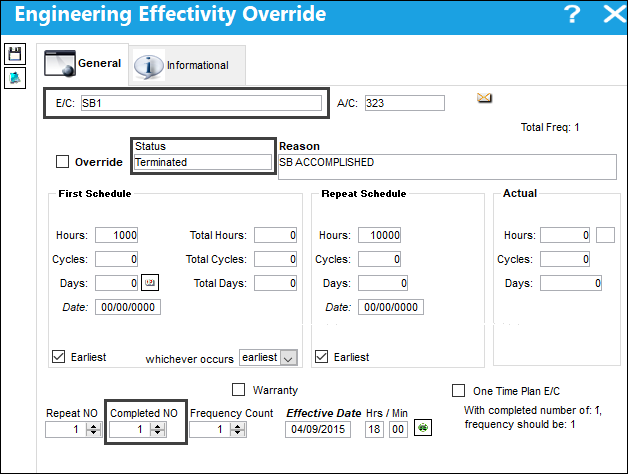
SB1 has been accomplished and terminated for A/C 323.
SB2 has been accomplished and terminated for A/C 323.
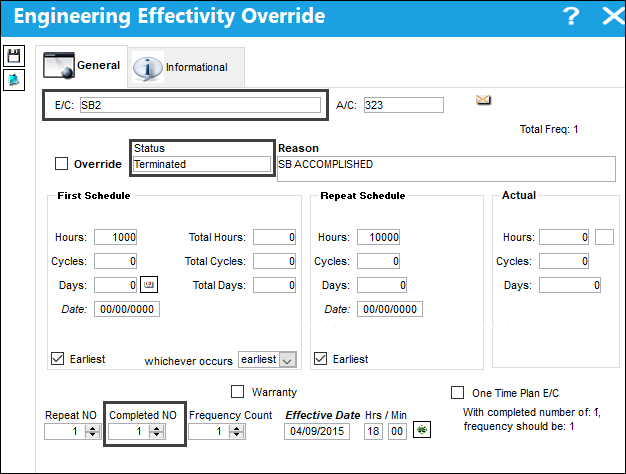
Up to this point, the AD for A/C 323 remains open.
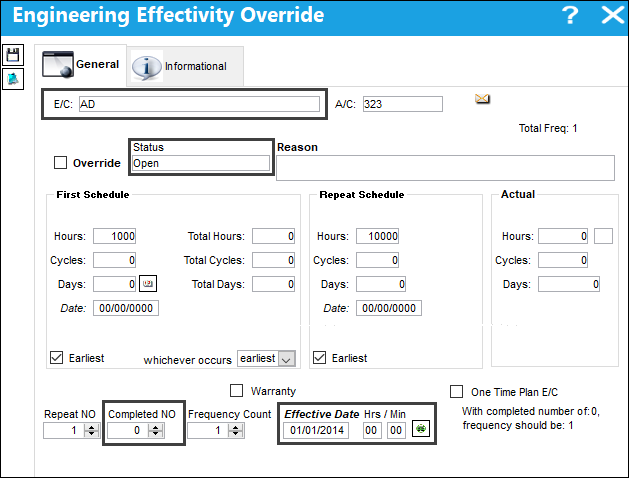
SB3 is accomplished and terminated for A/C 323.
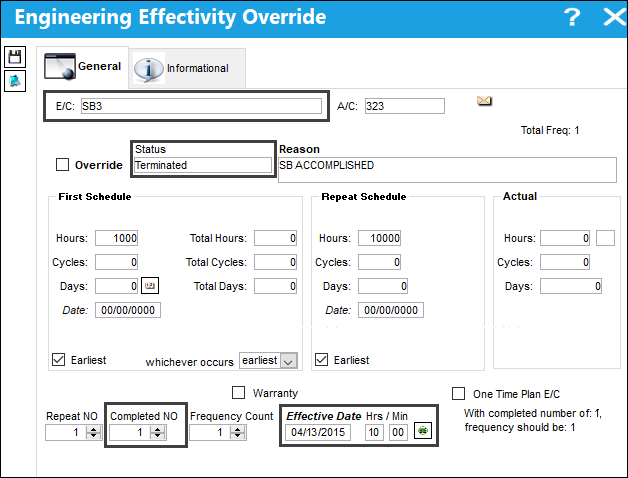
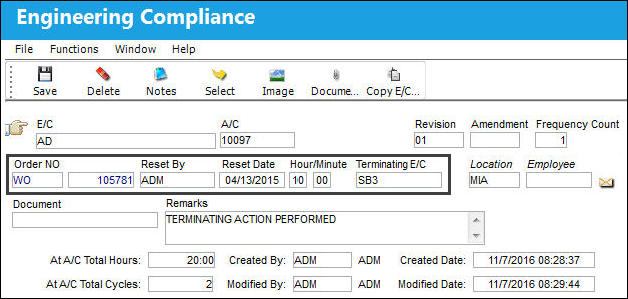
Upon SB3 being complied with, the system creates a compliance record and terminates the AD for A/C 323. The AD's compliance record includes a Terminating E/C field which references the parent E/C (the SB) that caused the termination.
Share
Print
|
©1997-2026 Trax USA Corp. All rights reserved. This manual may not be copied, photocopied, reproduced, translated, or converted to any electronic or machine-readable form, in whole or in part, without prior written approval from Trax USA Corp. |
 |