
 Share
Share
 Print
Print
|
|
|
|
|


The Called On At control is used to specify when a child E/C will start a called on relationship to its parent E/C, and at what interval the child E/C will be called on afterwards.
The Start At field is used to specify at what parent E/C compliance (Completed NO) the child E/C is called on for the first time. The Frequency number determines the interval at which the child E/C continues to be called on to the parent E/C.
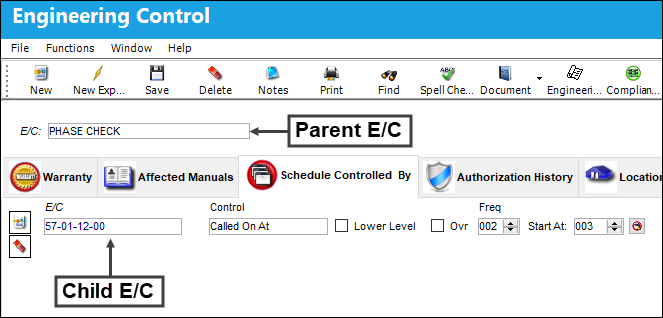
When Switch  MANLLOR is set to Yes, and the E/C is classified as Mandatory, the Lower Level and Ovr (override) checkboxes are disabled.
This control may be utilized multiple times to set up an unlimited number of parent/child E/C relationships.
The following information/options are available in this window:
_____________________________________________________________________________________
Lower Level checkbox
When this checkbox is selected it indicates that all of the task card steps for the child E/C are contained within the parent E/Cs task card. When the parent E/C is added to a work order, the child E/C follows but any task cards related to the child E/C will not be attached to the work order.
 Do not select this checkbox if the child E/C task cards are to be attached to the work order.
Ovr checkbox (Override checkbox)
This checkbox is not in use; it was designed for a specific customer.
Freq (Frequency)
The frequency number indicates the interval the child E/C is to be called on to the parent E/C. For example, if the frequency number is 2, every second time the parent E/C is added to a work order the child E/C will follow.
If the Freq field is set to '0', the Called On At E/C will not track against the parent E/C after the Start At compliance has been made. If the Freq field is set to '1', the Called On E/C will follow at every occurrence of the parent E/C after the Start At compliance has been made.
Start At
The Start At number indicates at which parent E/C compliance (Completed NO) the child E/C should be called on to receive compliance.
With the Called On At control, if the Start At number entered is less than the actual Completed NO of the parent E/C, the parent/child relationship will commence at the next occurrence of the parent E/C.
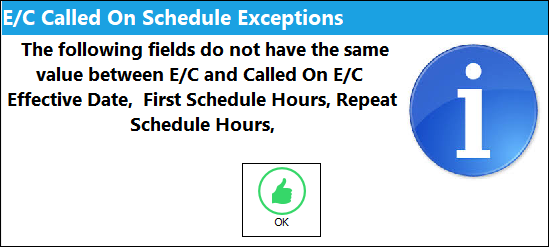
E/C Called On Schedule Exceptions  button
Indicates that there are differences between the child E/C and parent E/C schedules. When the button is selected the system displays the E/C Called On Schedule Exceptions popup window displaying the fields where the schedule values are different.
_____________________________________________________________________________________
Called On At example:
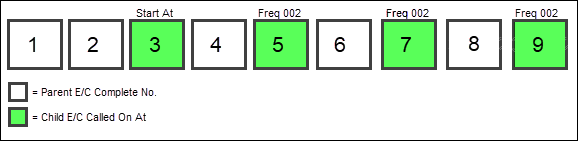
Using the above parent/child E/C relationship, the child E/C should initially be called onto the parent E/C at the parent E/Cs 3rd compliance (Start At = 3). The child E/C would then be called onto the parent E/C every second occurrence afterwards (Freq = 2).
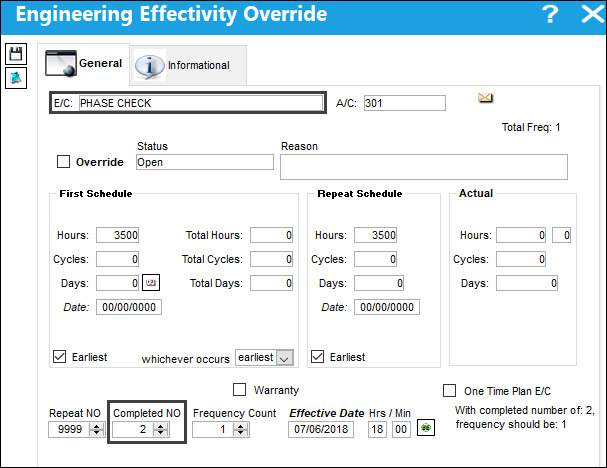
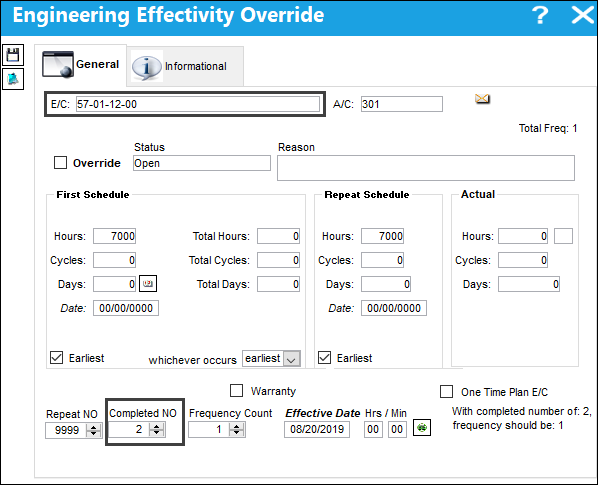
The parent E/C has been complied with 2 times for A/C 301.
The child E/C has not yet been complied with for A/C 301.
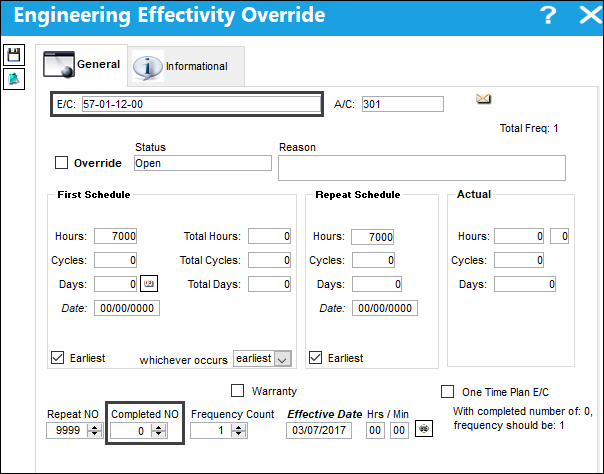
Upon the next compliance for the parent E/C the child E/C is called on.
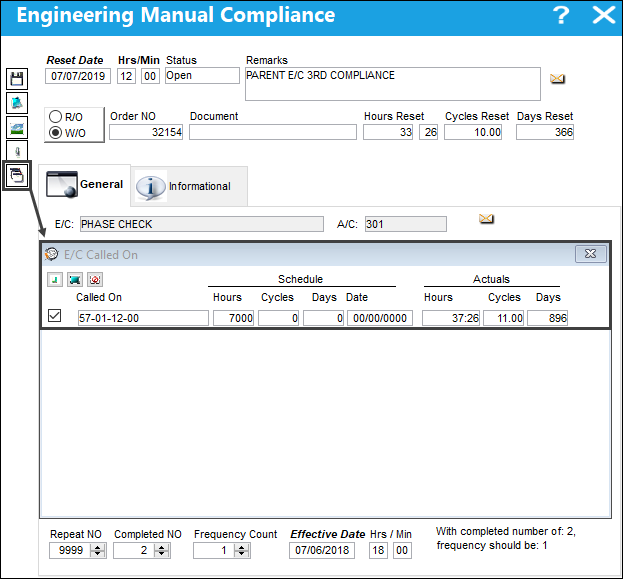
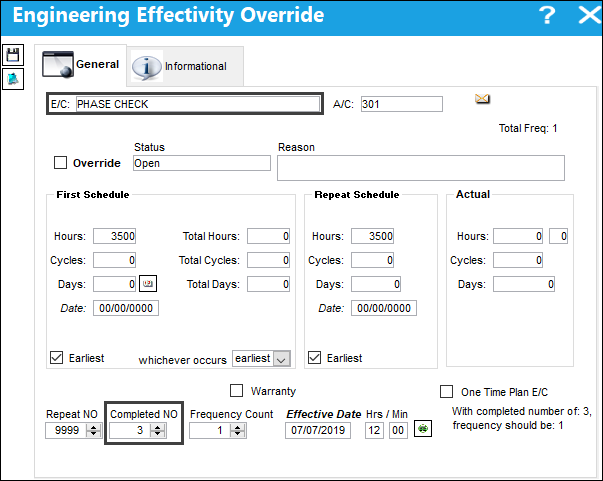
The parent E/C has now been complied with 3 times for A/C 301.
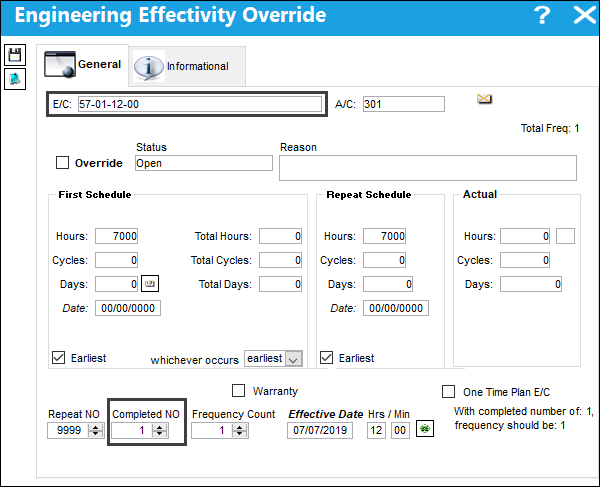
And the child E/C, called onto the parent E/Cs 3rd compliance, has also been complied with for A/C 301 and will now continue to be called onto the parent E/C every second occurrence.
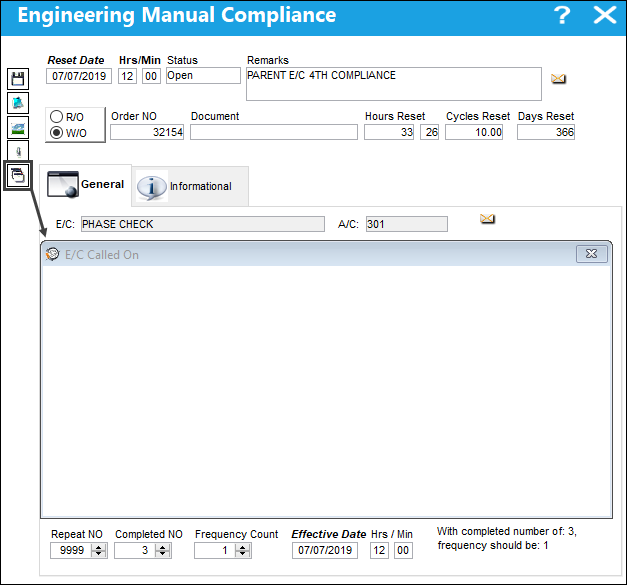
When the parent E/C is complied with the 4th time, notice the child E/C will not be called on.
When the parent E/C is complied with the 5th time for A/C 301, notice the child E/C is called on.
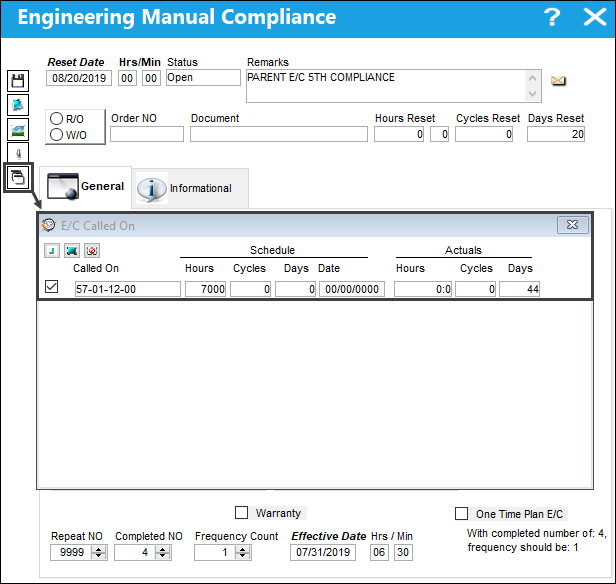
And the child E/C receives its second compliance for A/C 301.
The child E/C will continue to be called on every second occurrence of the parent E/C.
Share
Print
|
©1997-2026 Trax USA Corp. All rights reserved. This manual may not be copied, photocopied, reproduced, translated, or converted to any electronic or machine-readable form, in whole or in part, without prior written approval from Trax USA Corp. |
 |