|
TRAX MANUALS > TraxDoc > TraxDoc Module > TraxDoc, Update Menu > TraxDoc Master > TraxDoc Document Detail > TraxDoc Document Detail, TraxDoc Explorer Tab > Folder Content View Buttons, via TraxDoc Document Detail, TraxDoc Explorer Tab > Load Directory Button, via TraxDoc Document Detail, TraxDoc Explorer Tab
Load Directory Button, via TraxDoc Document Detail, TraxDoc Explorer Tab

Entire directories of PDF files can be loaded into the TraxDoc record by selecting the Load Directory  button. The contents of all nested folders will be included as well. button. The contents of all nested folders will be included as well.
Right-click in the TraxDoc Explorer tab, select New, then the Load Directory button.
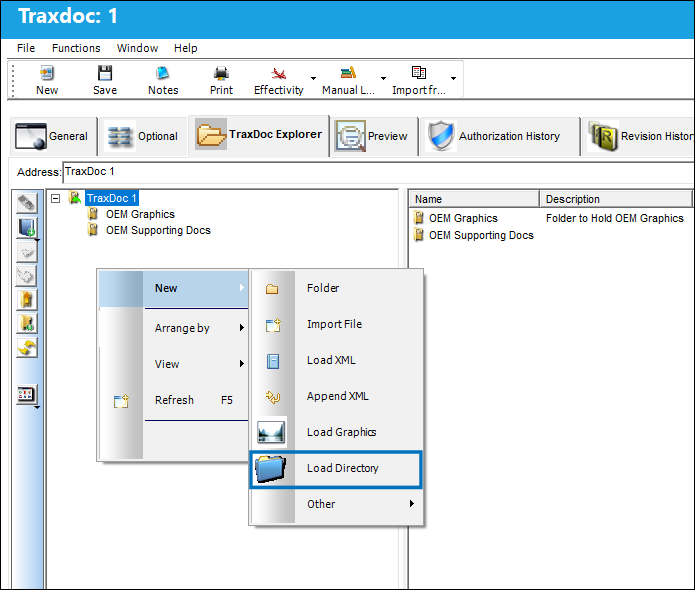
In the PDF Directory Load popup window, right-click in the PDF Directory field.
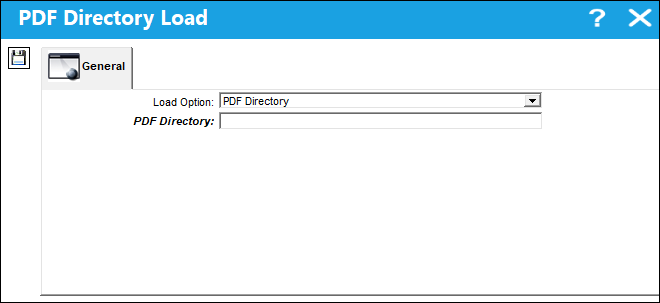
Select the folder to be uploaded.
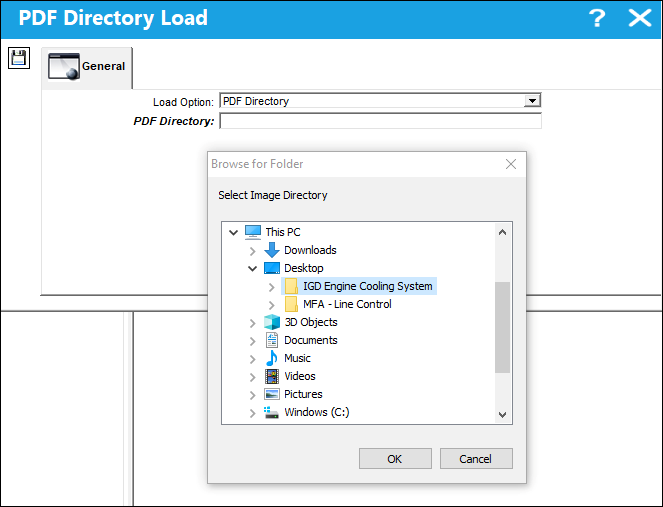
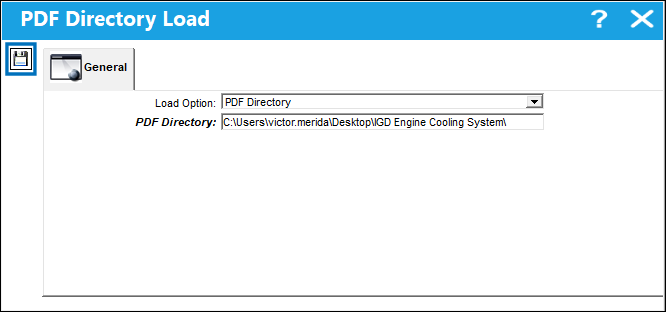
Select the Save  button when ready. button when ready.
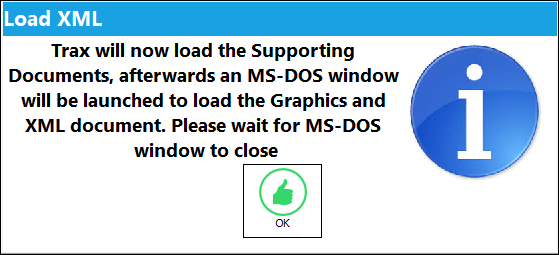
This prompt appears to inform users that a MS-DOS window will open while the files are loaded.
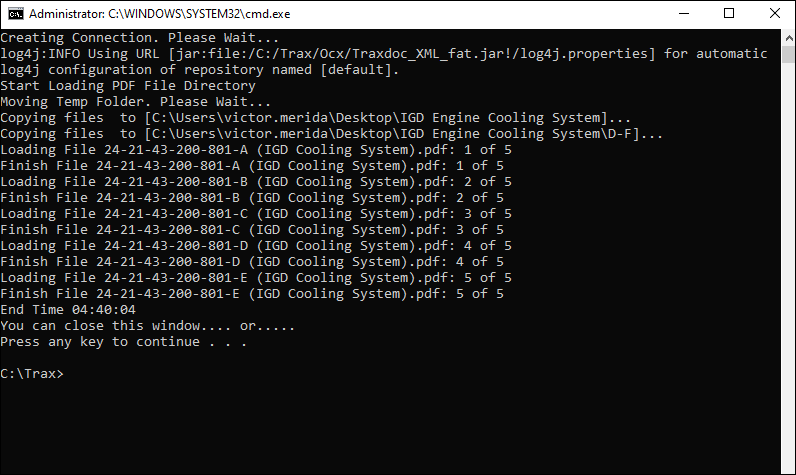
The MS-DOS window will load all of the contents of the directory.
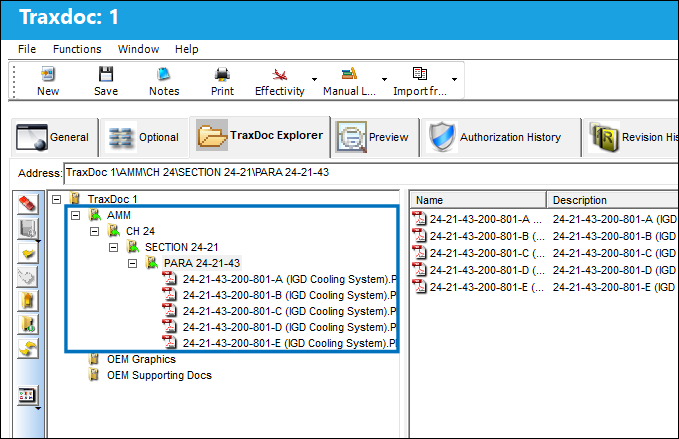
The uploaded files are organized in the TraxDoc based on their naming convention. In this case the folder structure is organized by Chapter, Section, and Paragraph.
|
See Also Folder Content View Buttons, via TraxDoc Document Detail, TraxDoc Explorer Tab New Folder Button, via TraxDoc Document Detail, TraxDoc Explorer Tab Import File Button, via TraxDoc Document Detail, TraxDoc Explorer Tab Load XML Button, via TraxDoc Document Detail, TraxDoc Explorer Tab Append XML Button, via TraxDoc Document Detail, TraxDoc Explorer Tab Load Graphics Button, via TraxDoc Document Detail, TraxDoc Explorer Tab Arrange By Name Button, via TraxDoc Document Detail, TraxDoc Explorer Tab Arrange By Size Button, via TraxDoc Document Detail, TraxDoc Explorer Tab Arrange By Type Button, via TraxDoc Document Detail, TraxDoc Explorer Tab Arrange By Modified Button, via TraxDoc Document Detail, TraxDoc Explorer Tab Open Button, via TraxDoc Document Detail, TraxDoc Explorer Tab Preview Button, via TraxDoc Document Detail, TraxDoc Explorer Tab Edit Button, via TraxDoc Document Detail, TraxDoc Explorer Tab Rename Button, via TraxDoc Document Detail, TraxDoc Explorer Tab Cut/Paste Button, via TraxDoc Document Detail, TraxDoc Explorer Tab Delete Button, via TraxDoc Document Detail, TraxDoc Explorer Tab Import Button, via TraxDoc Document Detail, TraxDoc Explorer Tab Export Button, via TraxDoc Document Detail, TraxDoc Explorer Tab Properties Button, via TraxDoc Document Detail, TraxDoc Explorer Tab Edit File Properties Button, via TraxDoc Document Detail, TraxDoc Explorer Tab |
|

 Share
Share
 Print
Print


