
 Share
Share
 Print
Print
|
|
|
|
|


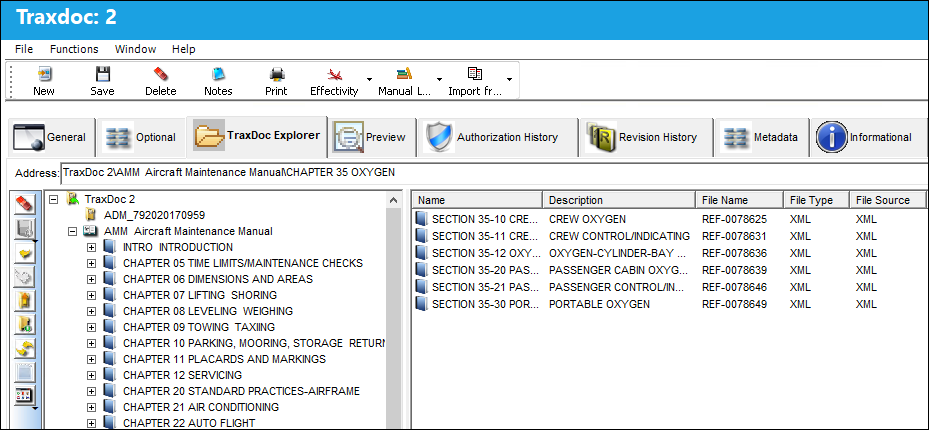
The TraxDoc Explorer tab is a new explorer that combines the functionalities of the File Explorer tab and the File Manager. This includes all of the previous features of the File Explorer and File Manager tabs with new functionalities to facilitate the management and creation of files in TraxDoc.
The TraxDoc Explorer tab is only visible when Switch  TEXPVIEW is set to Yes.
This explorer mimics the Windows Explorer by having two panes. The pane on the left displays the Folder Explorer in a tree structure view. The pane on the right displays the files/folders in a list of Folder Content view format.
Share
Print
|
©1997-2026 Trax USA Corp. All rights reserved. This manual may not be copied, photocopied, reproduced, translated, or converted to any electronic or machine-readable form, in whole or in part, without prior written approval from Trax USA Corp. |
 |