Publication Date: 8/17/2026 Share Print

Previous Topic

Next Topic

Book Contents

Book Index

TEXPVIEW - Override File Manager Tab

Override File Manager Tab

Affected Window: w_traxdoc_eu
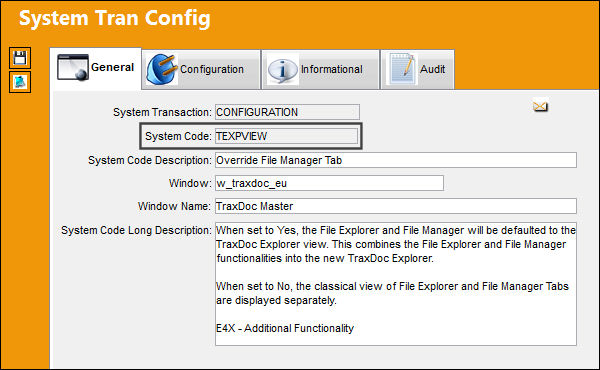
TEXPVIEW_Configuration


Switch Set to Yes:

When set to Yes, the File Explorer and File Manager will be defaulted to the TraxDoc Explorer view. This combines the File Explorer and File Manager functionalities into the new TraxDoc Explorer.
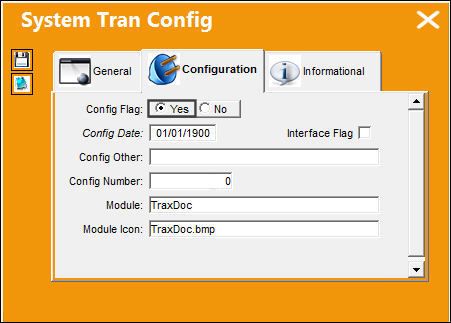
TraxDoc_Yes

Go to TraxDoc/Update/TraxDoc Master. The TraxDoc Explorer tab is available as shown below:
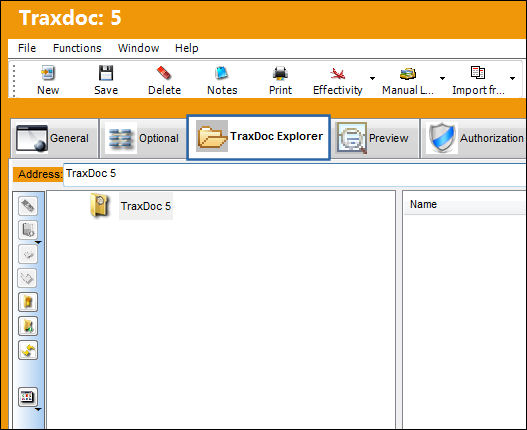
TEXPVIEW_Yes_1


Switch Set to No:

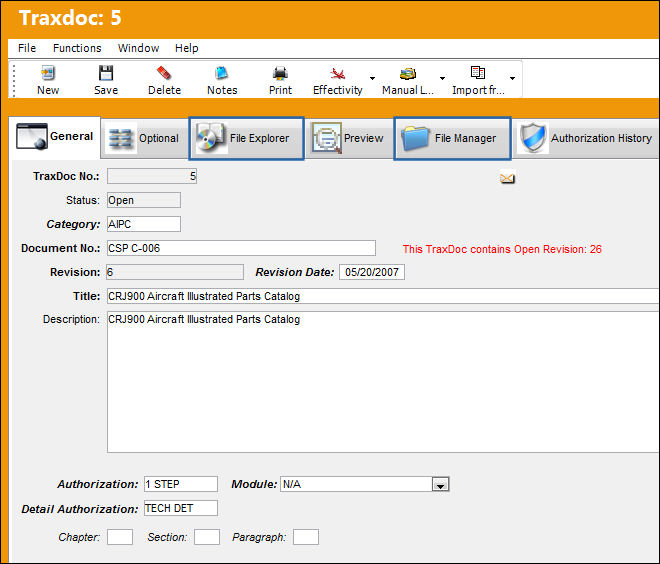
When set to No, the classical view of File Explorer and File Manager Tabs are displayed separately.
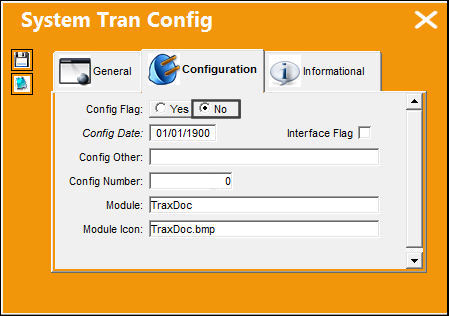
TraxDoc_Yes

Go to TraxDoc/Update/TraxDoc Master. The two tabs are displayed separately as shown below:
TEXPVIEW_No_1


logo_X_small switch edited Additional Functionality:

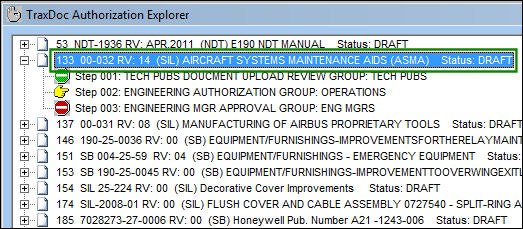
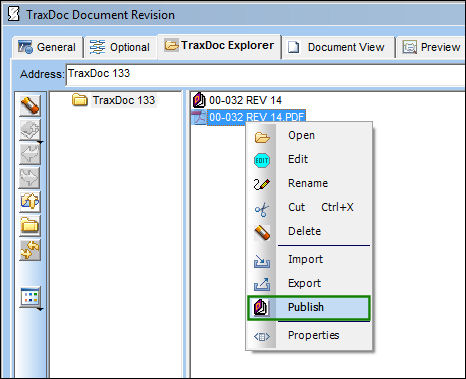
When set to Yes, the Publish option is available via the TraxDoc Explorer tab.

Go to the TraxDoc Authorization Explorer tab and select the highlighted TraxDoc.
TEXPVIEW_yes3

TRAX displays the TraxDoc Document Revision window. From the TraxDoc Explorer tab, right-click on the PDF. The following drop down options appear. The Publish option is available.
TEXPVIEW_yes4


Switch Set to No:

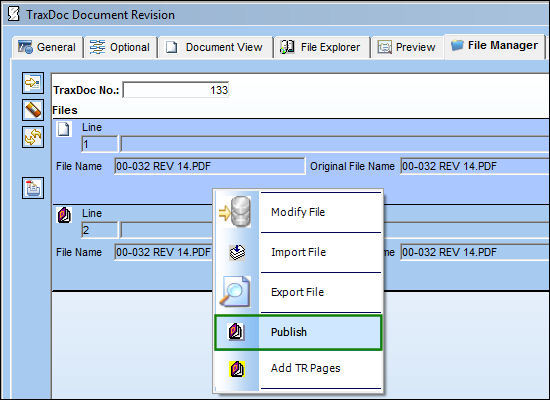
When set to No, the Publish option is available via the File Manager tab.

Go to the TraxDoc Authorization Explorer tab and select the highlighted TraxDoc.

TEXPVIEW_yes3

TRAX displays the TraxDoc Document Revision window. From the File Manager tab, right-click on the PDF. The following drop down options appear. The Publish option is available.
TEXPVIEW_no2

See Also

TraxDoc Switches

ADDCONFLTR - Always add CONFLTR Code to Task Name

ADDPANGRAPH - Point Graphics for T/C Panels/Zones to Specified Repository

AMMDESIGNATORTYPE - Allow Alpha-Numeric characters in SGML Designator field of the A/C Master

AUTOXMLXSL - Automatic Import of XSL file when XML file is Loaded

BOMJOBQTY - Control the number of database jobs running for IPC Import

CHGREFDESC - Update T/C and TraxDoc Item References Descriptions with latest Revision Info

CUSWMARK - TraxDoc Custom Watermark Position

DLLFORPDFFOR - Use DLL for PDF Formatting

DOCSEQ - TraxDoc Sequence Number

DTUSETRREV - Use TraxDoc Revision Number, not TR Revision Number - NOT FUNCTIONAL

FILEMGRSORT - Allow sort by File Name instead of Line Number

MELCU_2 - MELCU With Added Functionality

MTCMMANHOURS - Do not update Man Hours if they have been altered outside the SGML

RESEQTOEND - Re-sequence non TraxDoc items when updating a TraxDoc T/C

SKIPSBEFF - Ignore SBEFF Tag When Found In AMM Manual

SORTBYGROUPSORT - Order by Group Sort value instead of alphabetically by File Name

SZTRXDOC - Limit size that can be imported in TRAXDOC

TCSFROMPROCEDURES - Create a Task Card For each procedure in the MPT787

TDSMPER - Traxdoc Item Allows to Authorization Same Person as Issued

TITLESORTDOC - Sort Categories and Titles Alphabetically in TraxDoc Fleet Explorer

TRWMKS - TraxDoc TR (Temporary Revision) Custom Watermark

TRXDCFD 1 - 8 - Metafields 1 – 8

TRXDCMED - TraxDoc as Source for Task Card Manual References

TRXDCRUNPKG - Run TraxDoc OEM import through a Package or the JAR file

TRXDCVER - Non-visible TraxDoc TR Version

TRXDDBGLVL - Select the level of logging for the TraxDoc Import

TRXLOADUTF8 - Load Documents Using UTF8 Unicode

TRXRWID - Non-visible TRAX Document Number

TXCDIR - Path of TraxDoc Directory

XSDNOTINTD - Store Stylesheet in Custom Datawindow

Top of Page Publication Date: 8/17/2026 Share Print