
 Share
Share
 Print
Print
|
|
|
|
|


AUTOXMLXSL - Automatic Import of XSL file when XML file is Loaded
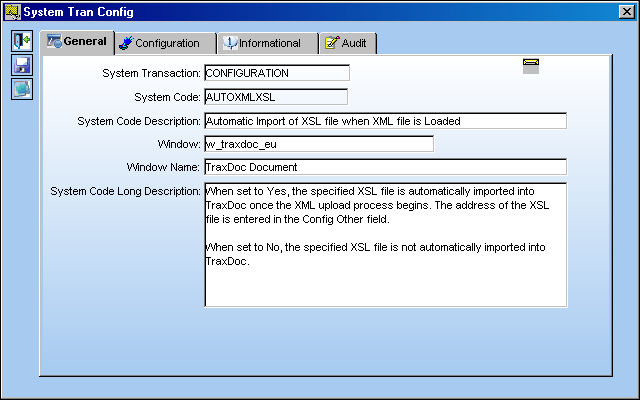
Automatic Import of XSL file when XML file is Loaded
Affected Window: w_traxdoc_eu
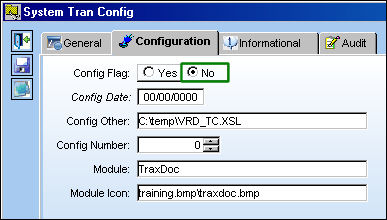
Switch Set to Yes:
When set to Yes, the specified XSL file is automatically imported into TraxDoc once the XML upload process begins. The address of the XSL file is entered in the Config Other field.
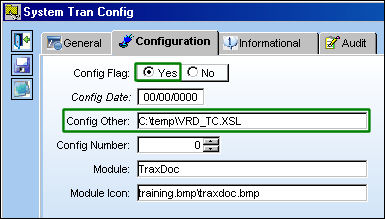
An XSL (eXtensible Stylesheet Language) file is a file which defines how to transform XML to another format. TRAX takes the XML for a Task Card, transforms it using the XSL file, and produces a PDF file. In this way, TRAX can have the same data for a Task Card in the XML, yet each customer can vary how their Task Card looks when viewed/printed.
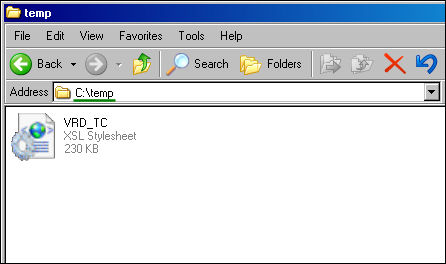
For example, notice the following XSL file and it's location.
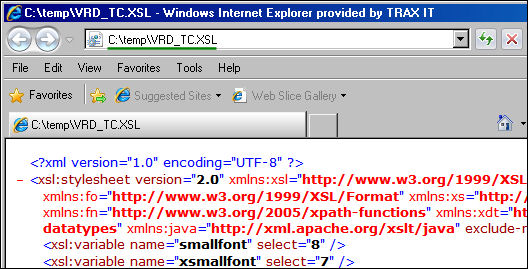
The entire address can be copied from the address bar once the file is opened. Paste this address into the Config Other field of the switch.
From the TraxDoc Document detail, TraxDoc Explorer tab, right-click in the List View (to the right of the window) and select New, then Load XML.
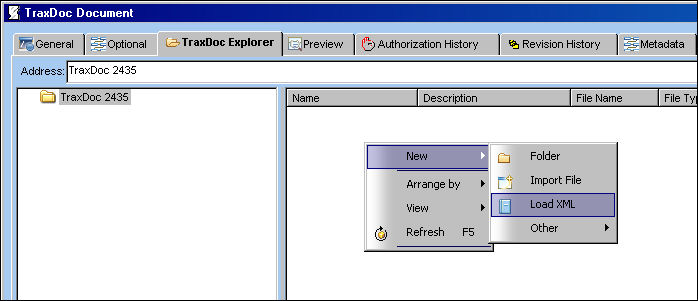
For more information refer to the TraxDoc Document Detail, TraxDoc Explorer Tab via the TraxDoc Training Manual.
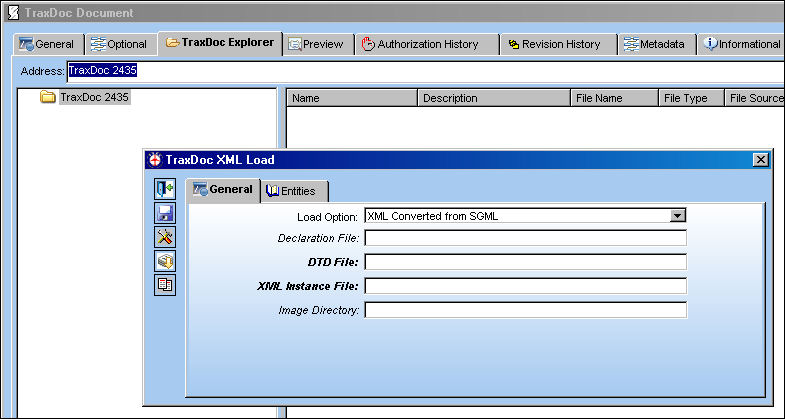
This begins the XML import process. The TraxDoc XML Load window appears. (For this example, the TraxDoc XML Load window appears, but it is not necessary to explain the switch's functionality and is therefore exited.)
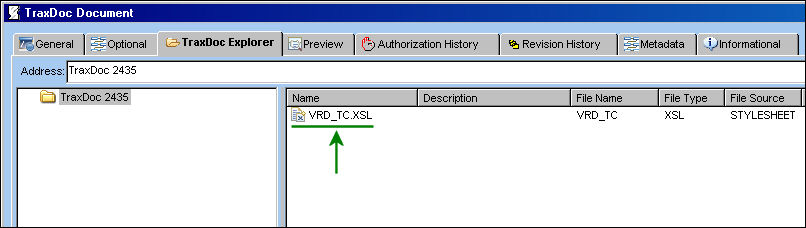
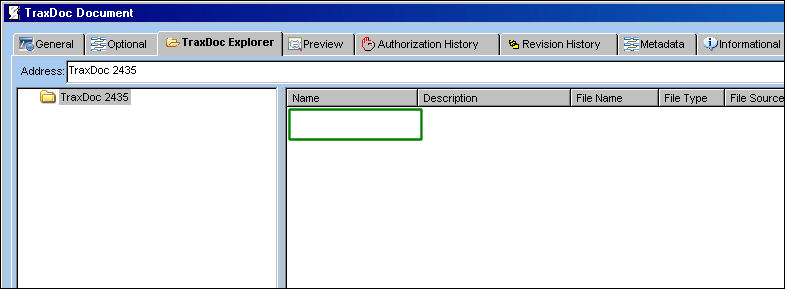
Notice that the XSL file has been automatically imported.
Switch Set to No:
When set to No, the specified XSL file is not automatically imported into TraxDoc.
For example, from the TraxDoc Document detail, TraxDoc Explorer tab, right-click in the List View (to the right of the window) and select New, then Load XML.
This begins the XML import process.The TraxDoc XML Load window appears. (For this example, the TraxDoc XML Load window appears, but it is not necessary to explain the switch's functionality and is therefore exited.)
Notice that the XSL file was not been imported.
Share
Print
|
©1997-2026 Trax USA Corp. All rights reserved. This manual may not be copied, photocopied, reproduced, translated, or converted to any electronic or machine-readable form, in whole or in part, without prior written approval from Trax USA Corp. |
 |