
 Share
Share
 Print
Print
|
|
|
|
|


TRWMKS - TraxDoc TR (Temporary Revision) Custom Watermark
TraxDoc TR (Temporary Revision) Custom Watermark
Define the position of the Temporary Revision (TR) Custom Watermark.
The content of the TR custom Watermark is defined via Settings/Explorer/System Transaction Code/TraxDoc/Custom Watermark.
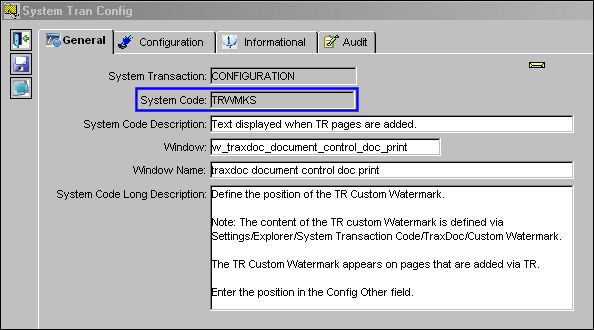
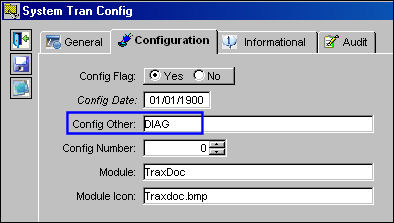
The TR Custom Watermark appears to pages that are added via TR. Enter the position in the Config Other field. Possible values are: RIGHT, LEFT, TOP, BOTTOM, DIAG. TRAX displays this switch as follows:
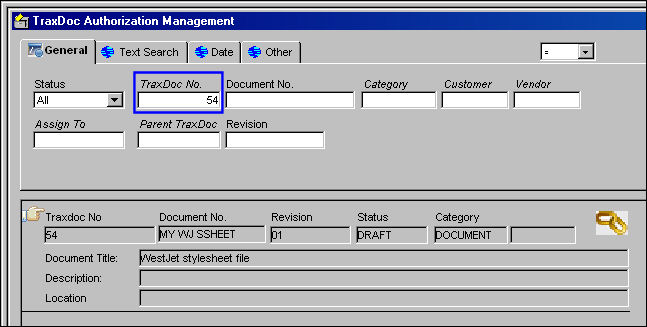
Go to TraxDoc Authorization Management and open an existing TraxDoc. Double click on the record. Be sure the Hand  pointer is pointing to the correct record, or select the Select
  button.
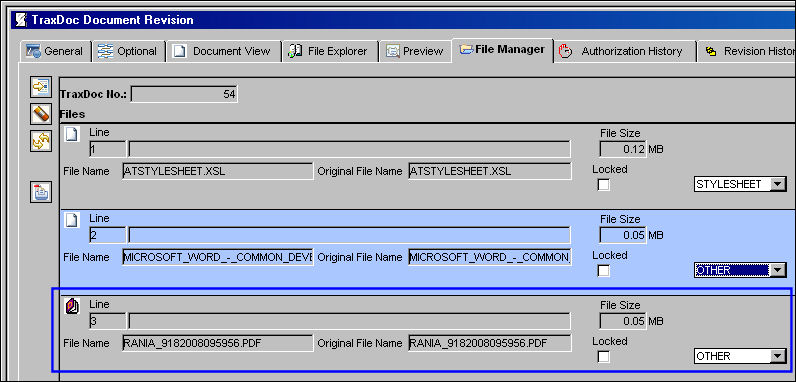
The TraxDoc Document Revision window appears. Select the File Manager tab. Select the file to be published (highlighted in blue) and select the Publish to PDF  button.
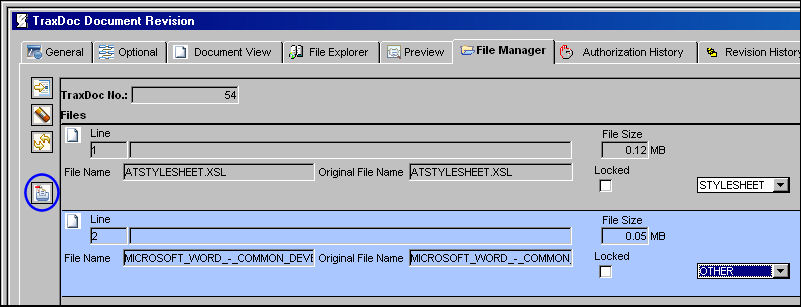
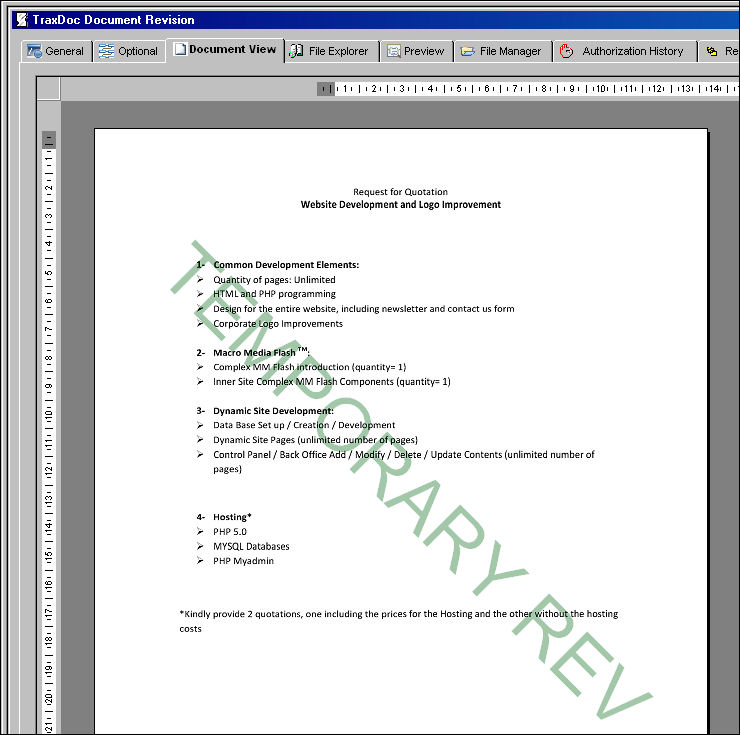
The document is published and appears in Line item 3. Select the Document View tab to view the Temporary Revision watermark.
The watermark is shown below:
Share
Print
|
©1997-2026 Trax USA Corp. All rights reserved. This manual may not be copied, photocopied, reproduced, translated, or converted to any electronic or machine-readable form, in whole or in part, without prior written approval from Trax USA Corp. |
 |