
 Share
Share
 Print
Print
|
|
|
|
|


SKIPSBEFF - Ignore SBEFF Tag When Found In AMM Manual
Ignore SBEFF Tag When Found In AMM Manual
Affected Window: w_traxdoc_eu
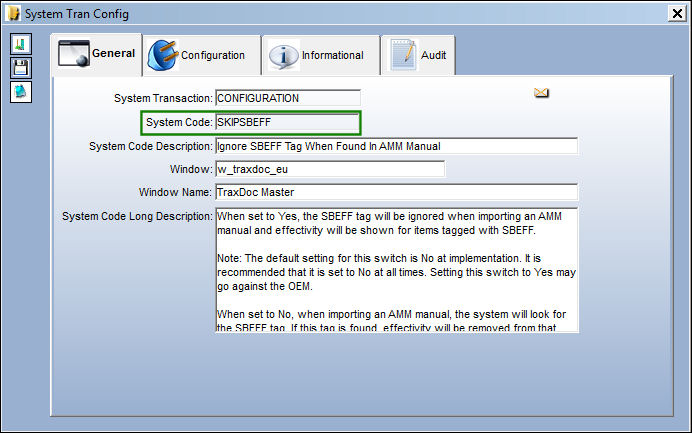
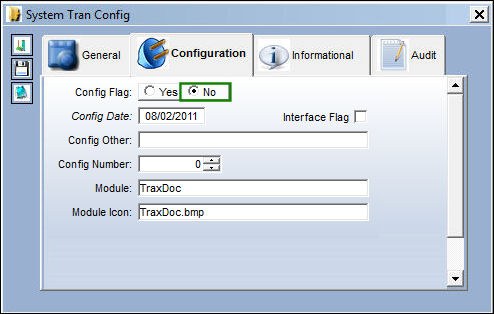
The default setting for this switch is set to No at implementation. It is recommended that it is set to No at all times. Setting this switch to Yes may go against the OEM.
Switch Set to Yes:
When set to Yes, when importing the Task Cards for an AMM, the system will ignore the range of the SBEFF tag. The system will only validate the SGML Designator against the Task Card effectivity range.
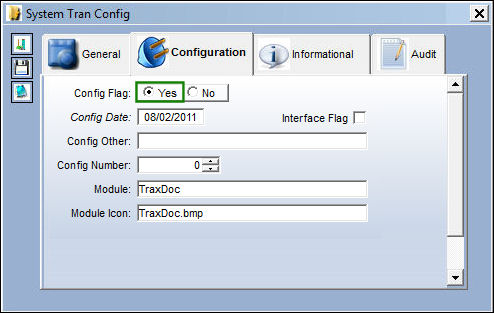
AMM-A320 was loaded onto TraxDoc 1001.
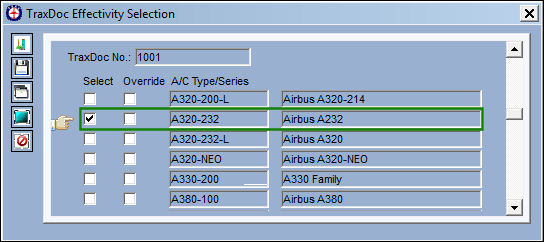
The following TraxDoc is effective to the A320-232 Type/Series.
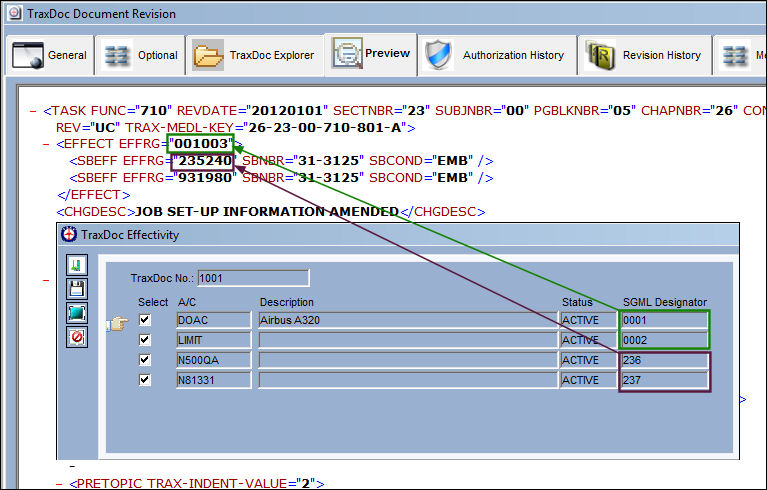
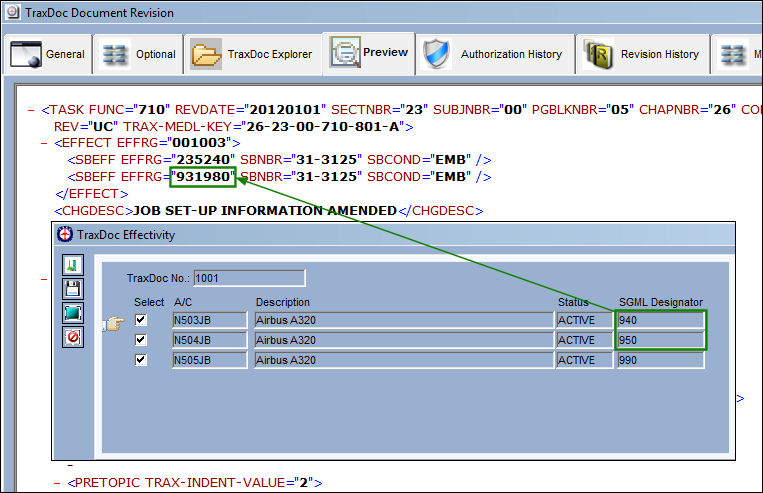
The SGML Designators for the following aircraft fall within the Task Card effectivity range (001003) and the SBEFF effectivity range (235240) as shown below:
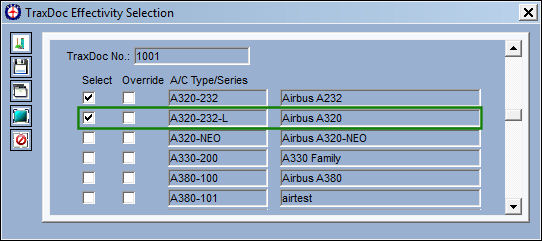
Set effectivity for the A320-232-L Type/Series:
The SGML Designators for the following aircraft fall within the SBEFF effectivity range (931980) as shown below:
Aircraft N505JB with the 990 SGML Designator does not fall within the SBEFF effectivity range (931-980).
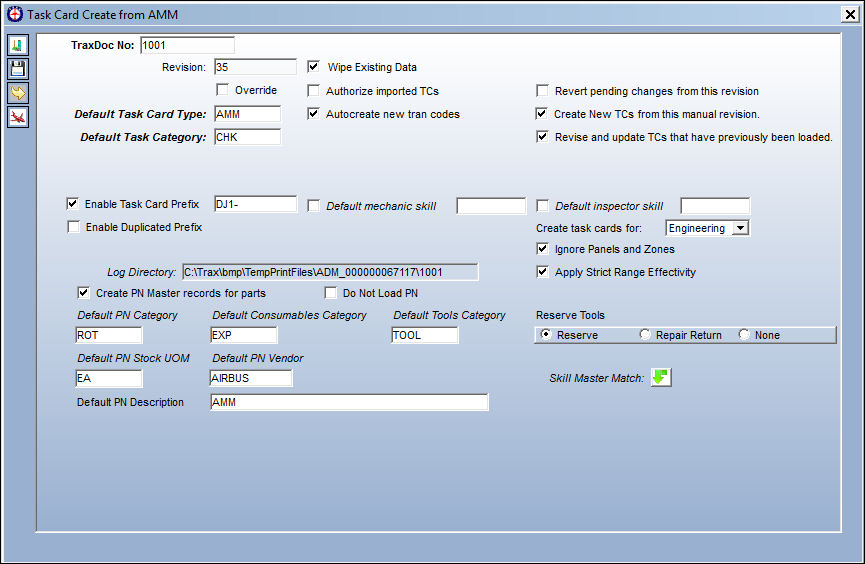
Through the Task Card Create from AMM, a Task Card will be imported. Once all mandatory and optional information has been updated, select the Next  button.
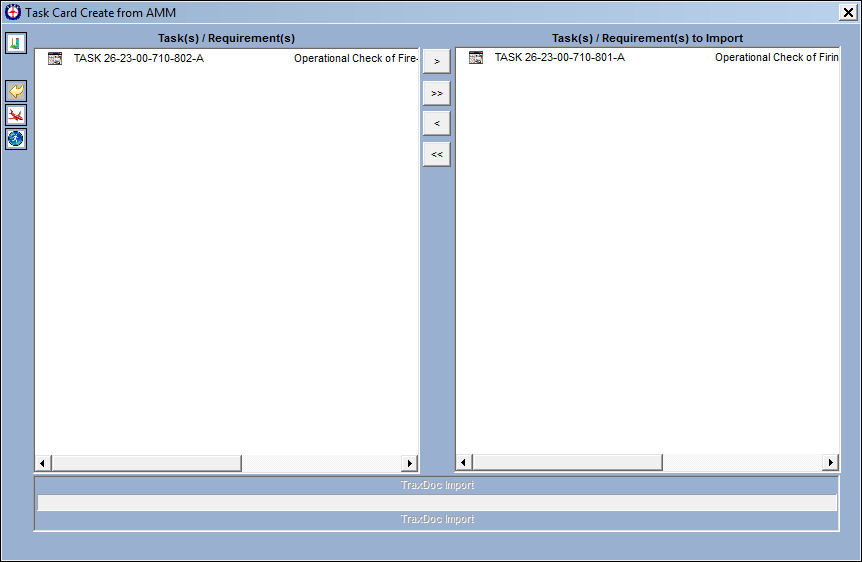
From the Task Card Create from AMM, select the Task Cards to be imported. Select the Run  button.
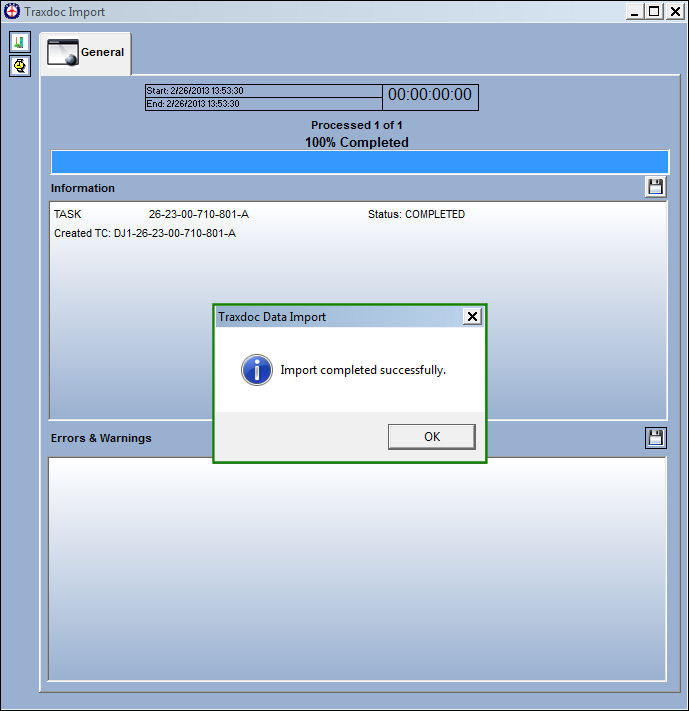
The Traxdoc Import window appears. The import may take some time, depending on how many Task Cards must be imported. Once the import is complete, the following pop up message will appear. Select 'OK.'
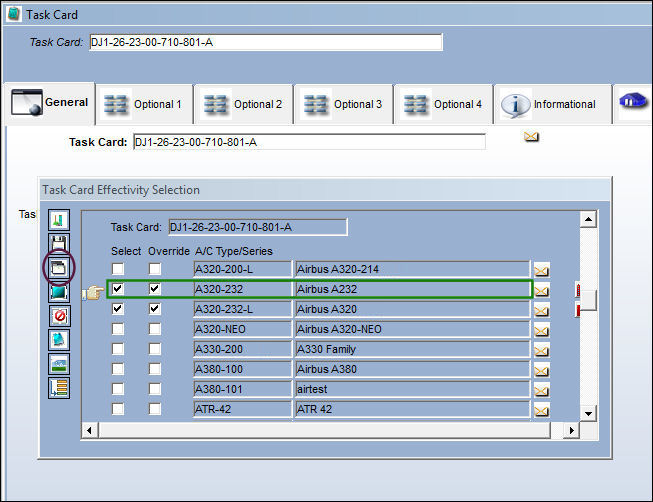
Go to the Task Card effectivity. Select the Override  button for Type/Series A320-232.
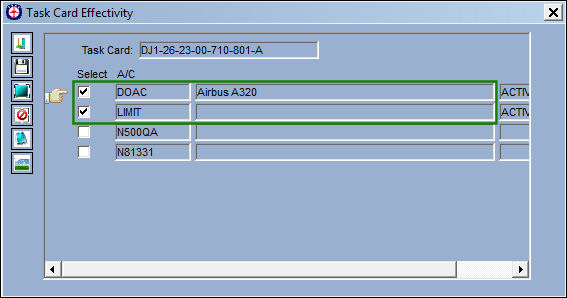
The following aircraft are effective because they both fall within the Task Card effectivity range (001003):
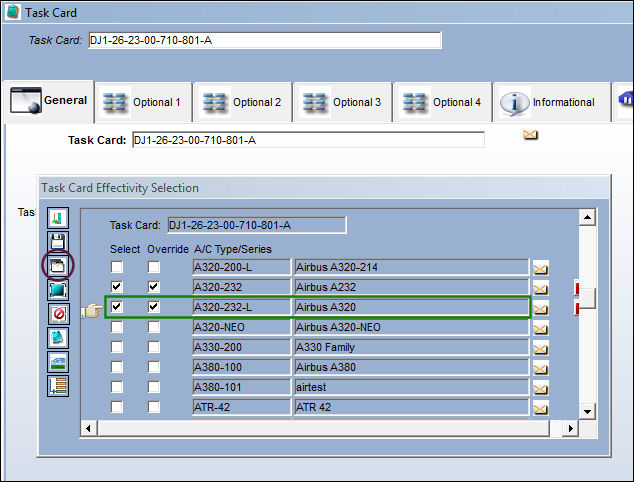
Go to the Task Card effectivity. Select the Override button for Type/Series A320-232-L.
None of the following aircraft are effective because they do not fall within the Task Card effectivity range (001003):
Switch Set to No:
When set to No, when importing the Task Cards for an AMM, the system will look for aircraft that fall within the Task Card effectivity range and the SBEFF effecitivity range. If the aircraft does not fall within either range, the items will not be effective to the SGML Designator.
The following TraxDoc is effective to the A320-232 Type/Series.
The aircraft for the following SGML Designators fall within the Task Card effectivity range (001003) and the SBEFF effectivity range (235240) as shown below:
Set effectivity for the A320-232-L Type/Series:
The aircraft for the following SGML Designators fall within the SBEFF effectivity range (931980) as shown below:
Aircraft N505JB with the 990 SGML Designator does not fall within the SBEFF effectivity range (931-980).
Through the Task Card Create from AMM, a Task Card will be imported. Once all mandatory and optional information has been updated, select the Next button.
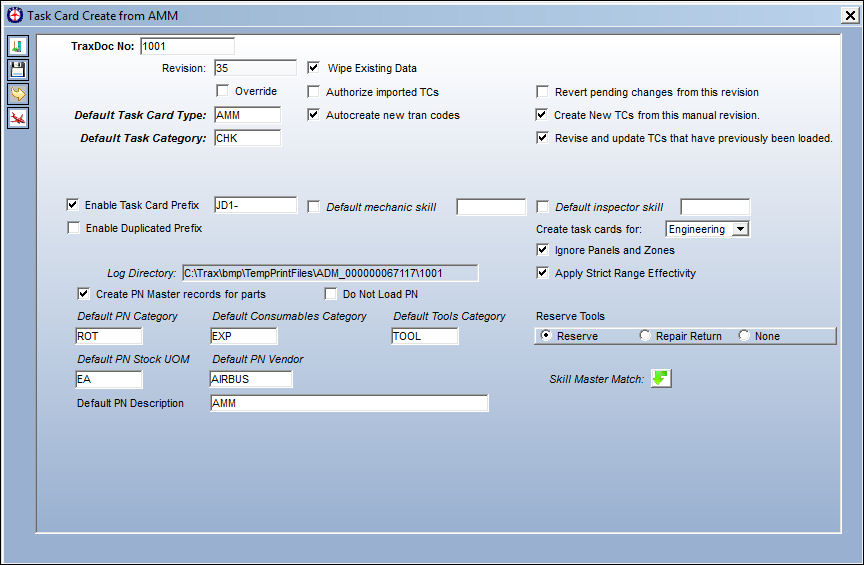
From the Task Card Create from AMM, select the Task Cards to be imported. Select the Run  button.
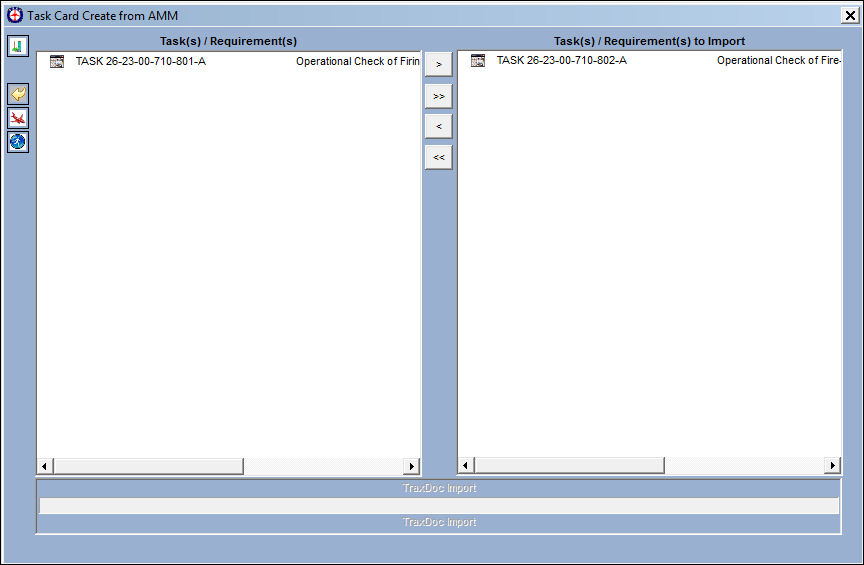
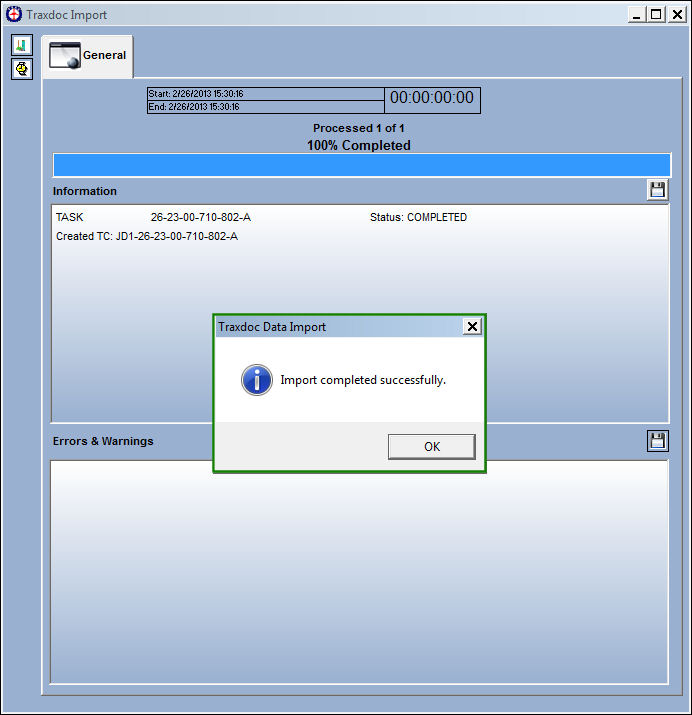
The Traxdoc Import window appears. The import may take some time, depending on how many Task Cards must be imported. Once the import is complete, the following pop up message will appear. Select 'OK.'
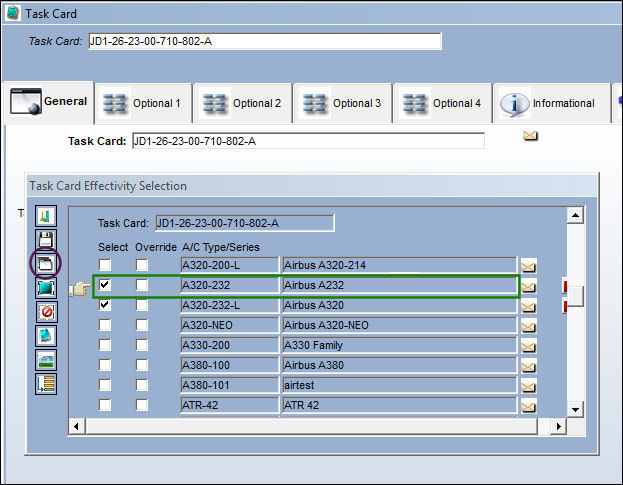
Go to the Task Card effectivity. Select the Override button for Type/Series A320-232:
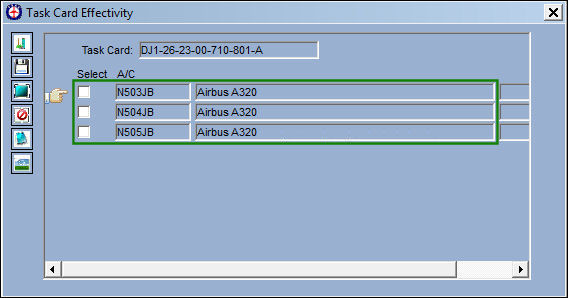
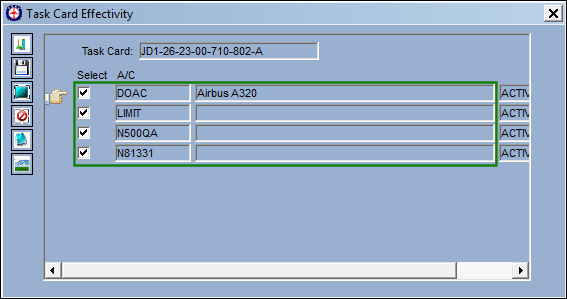
The following A/C are effective because they all fall within the Task Card effectivity range (001003) and the SBEFF effectivity range (235240).
Go to the Task Card effectivity. Select the Override button for Type/Series A320-232-L:
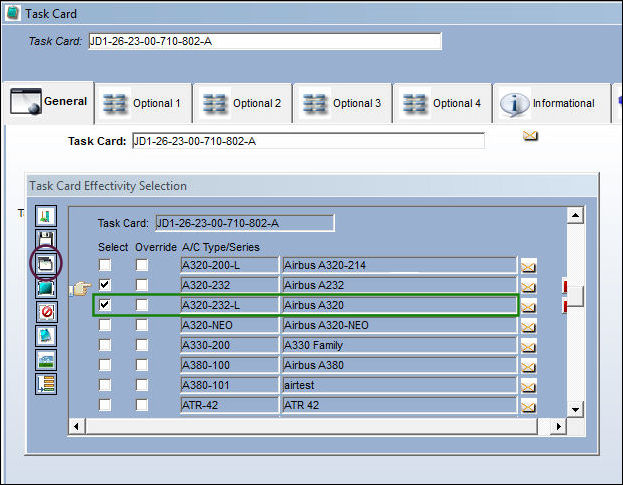
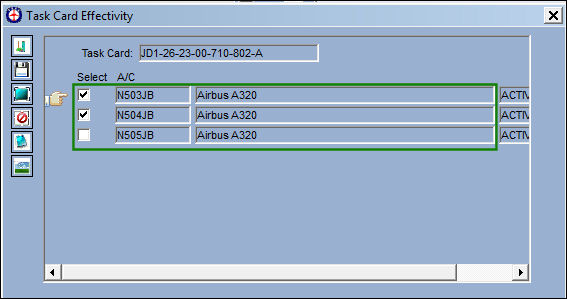
The following A/C are effective because they all fall within the SBEFF effectivity range (931980).
A/C N505JB is not effective because the 990 SGML Designator does not fall within the SBEFF effectivity range.
Share
Print
|
©1997-2026 Trax USA Corp. All rights reserved. This manual may not be copied, photocopied, reproduced, translated, or converted to any electronic or machine-readable form, in whole or in part, without prior written approval from Trax USA Corp. |
 |