
 Share
Share
 Print
Print
|
|
|
|
|


Receiving an Assembly Part
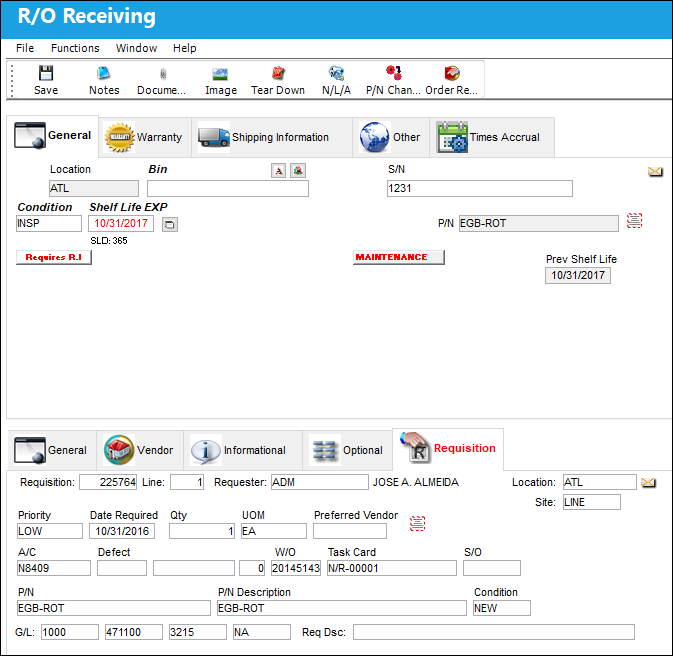
The P/N Inventory NLA (Next Lower Assembly) window will appear upon save if TRAX is receiving assembly parts.
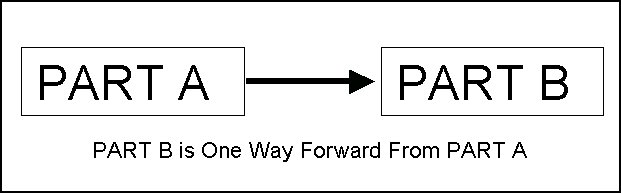
If Part B is One Way Forward from Part A, when receiving Part B, and if Part A has an N/L/A, the option of entering serial numbers for those NLAs will be prompted.
Select the NLA  button to view next lower assembly information regarding the part (if the part being received is included in an assembly).
The P/N Inventory Next Lower Assembly pop up appears:
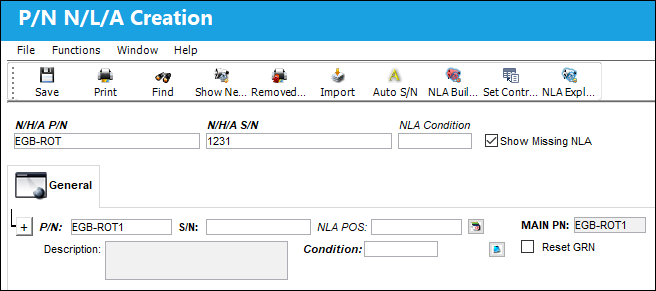
The following information/options are available in this window:
_____________________________________________________________________________________
NHA P/N
The part’s Next Higher Assembly P/N (if applicable).
NHA S/N
Next Higher Assembly (NHA) serial number.
P/N
The Part Number reference for the aircraft part.
S/N
The Serial Number for the specific serialized part.
NLA Position
The position of the Next Lower Assembly.
Condition
The condition of the part.
Hours/Cycles/Days
Enter the number of hours/cycles/days accrued against the part.
_____________________________________________________________________________________
Notes  button
Select the Notes button to add notes when receiving the assembly.
Delete  button
Select the Delete button to delete one or more parts of the assembly during receiving.
Import  button
Select the Import button to begin the P/N Assembly Import. This will import all the field information necessary.
Auto S/N  button
Select the Auto S/N button to automatically assign a serial number to an NLA.
P/N Initial Times Accrual  button
The P/N Initial Times Accrual button allows TRAX to track the time accrued against a serialized part. Enter the hours/cycles/days accrued against the part.
_____________________________________________________________________________________
Share
Print
|
©1997-2026 Trax USA Corp. All rights reserved. This manual may not be copied, photocopied, reproduced, translated, or converted to any electronic or machine-readable form, in whole or in part, without prior written approval from Trax USA Corp. |
 |