
 Share
Share
 Print
Print
|
|
|
|
|


The Invoice Order Authorization  button will show for an Invoice that is out of tolerance and will provide access to the Invoice Order Authorization window to view the Authorization status if required:
Select the Authorization button.
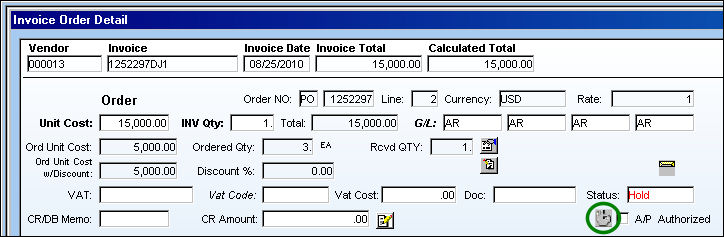
TRAX displays the following Invoice Order Authorization window:
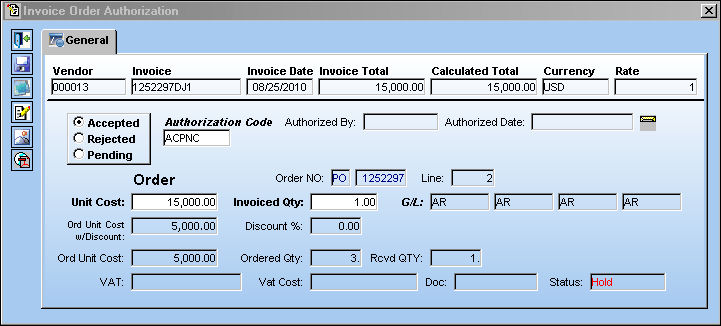
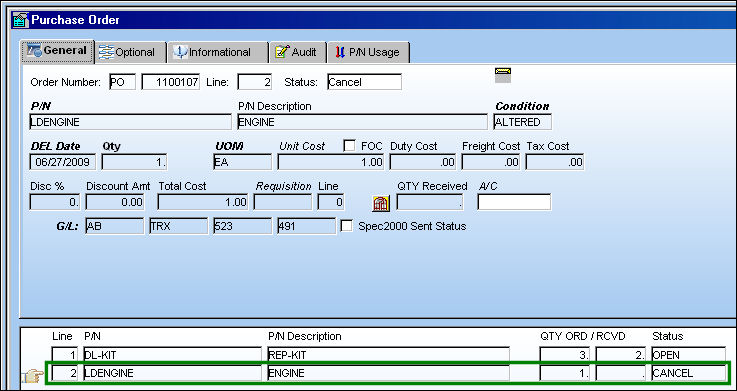
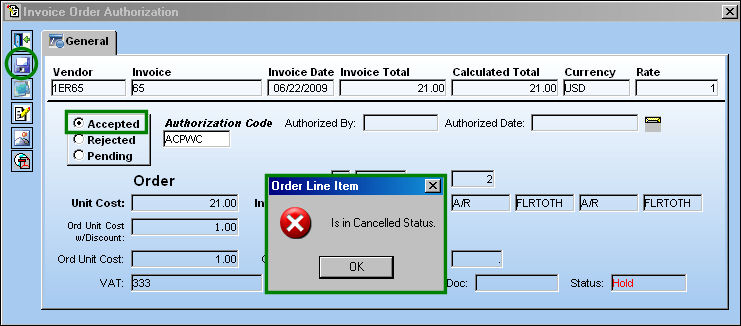
Users cannot authorize an invoice for a canceled order line item.
Create a PO and cancel one of the line items.
Post the Invoice. For information on how to post an invoice, go to Posting an Invoice via the Link Training Manual.
Once the invoice is posted, go to Invoice Authorization Management and find the invoice.
Select the invoice.
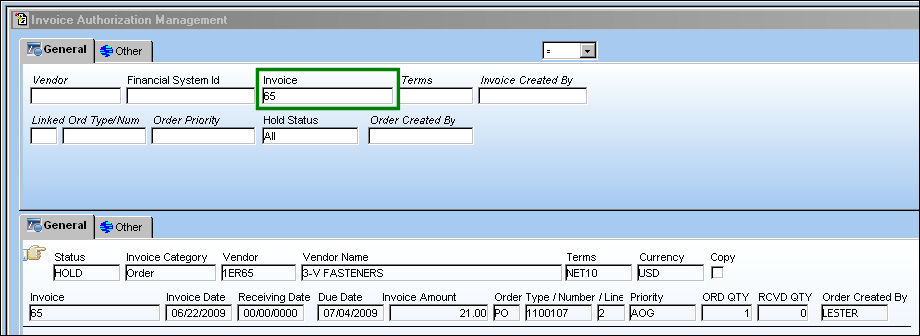
TRAX displays the Invoice Order Authorization window.
Select the 'Accepted' radio button and select the Save  button.
The following error appears letting the user know that they cannot authorize a canceled order line item:
Non Authorized Users and Invoicing:
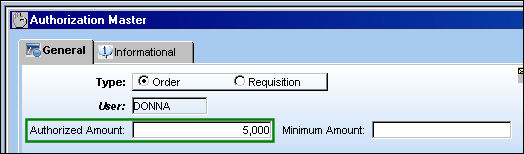
Cannot authorize an Invoice if User is not authorized for the amount or greater specified for the Invoice:
User 'DONNA' has a $5,000 authorization amount:
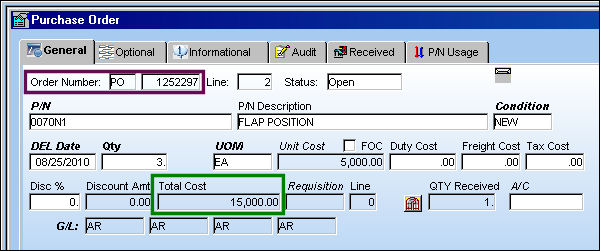
The following Purchase Order is created with a Total Cost of $15,000:
From the Invoice Order Authorization window, select the Save button:
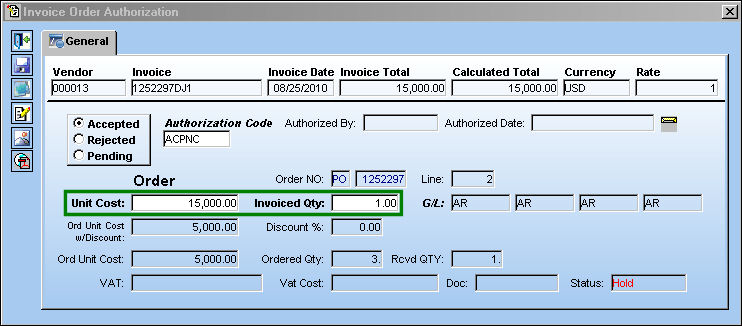
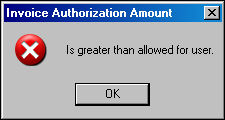
The following error appears because the amount being authorized is greater than allowed for the User:
Share
Print
|
©1997-2026 Trax USA Corp. All rights reserved. This manual may not be copied, photocopied, reproduced, translated, or converted to any electronic or machine-readable form, in whole or in part, without prior written approval from Trax USA Corp. |
 |