
 Share
Share
 Print
Print
|
|
|
|
|


Group Type
The Group Print Type allows users to group specific fields together.
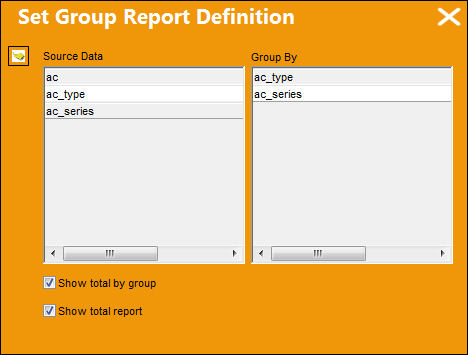
Open a table and select the Group print type. The following pop up window will appear prompting the user to group the fields under the Source Data column into the Group By Column (i.e. ac_type, ac_series).
Notice the Show total by group checkbox and Show total report checkbox have been checked.
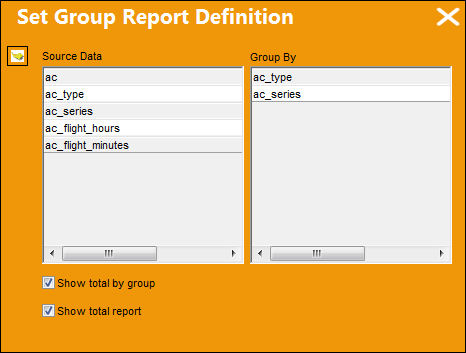
The selected fields are now grouped by ac_type and ac_series.
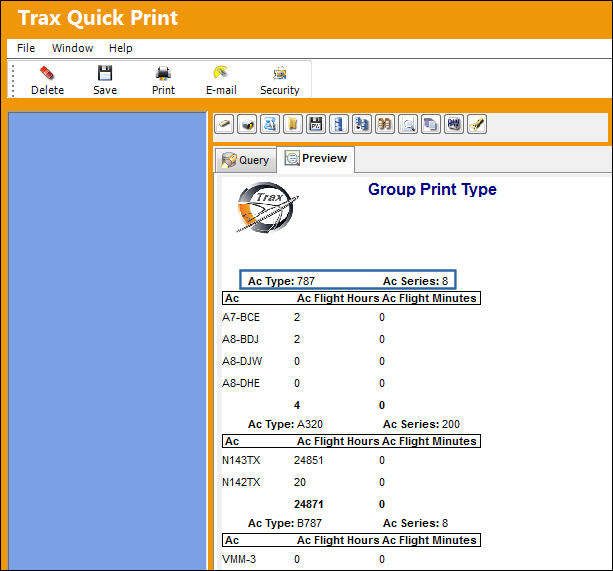
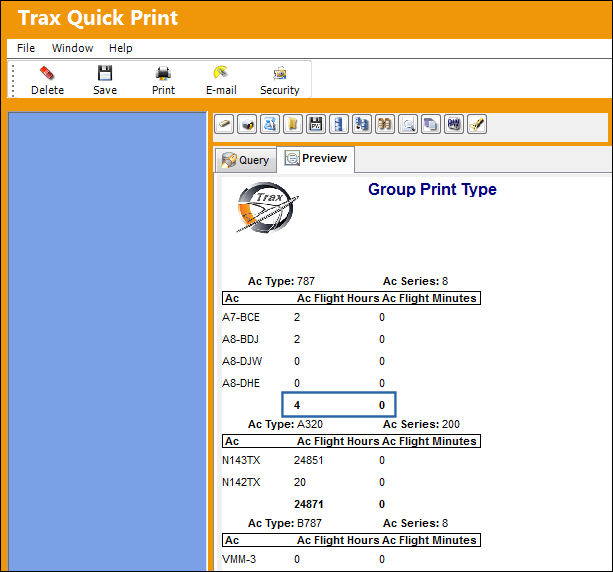
Because the Show total by group checkbox and Show total report checkbox have been checked, the total number of A/Cs and A/C Series' have been calculated for each A/C type as shown below:
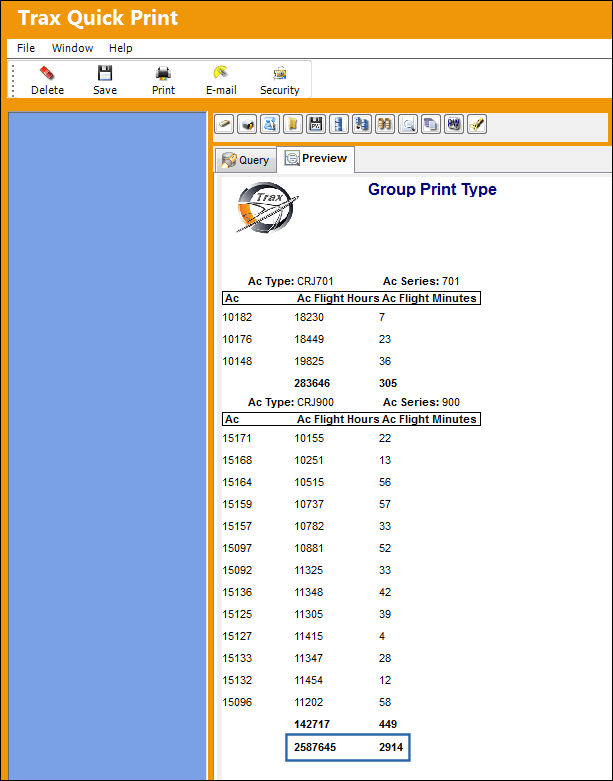
Checking the Show total by group checkbox and Show total report checkbox also calculates the sum of A/Cs and A/C Series for the total number of A/C types in the query as shown below:
However, if the user does not select numerical fields when selecting fields to create a Group Print display . . .
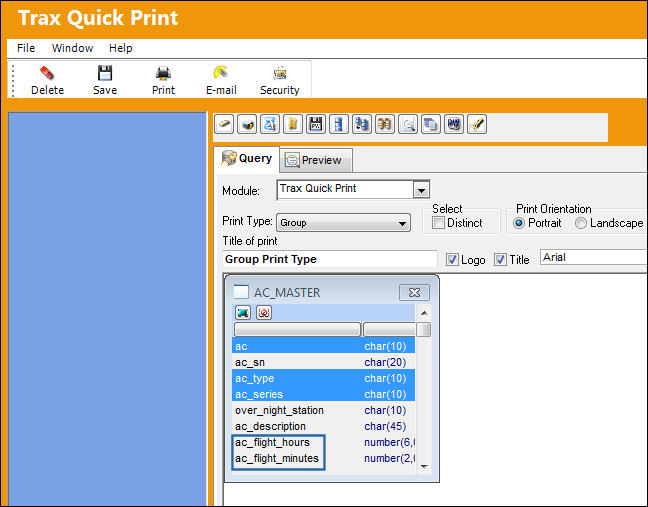
. . . even if the Show total by group checkbox and Show total report checkbox have been checked . . .
The total number of A/Cs and A/C Series have been calculated as a group total which equals the number of A/C's as shown below. (i.e. There is only 1 B737 for the A/C 300/A/C Series 700):
Group By manually.
Open a table and choose a field. Select field(s) by clicking them in the order in which the user would like them to be displayed (i.e. ac, ac_series, ac_type).
Notice the Print Type is NOT set to Group, but Tabular. Create a title in the Title of print field (i.e. Group Manually).
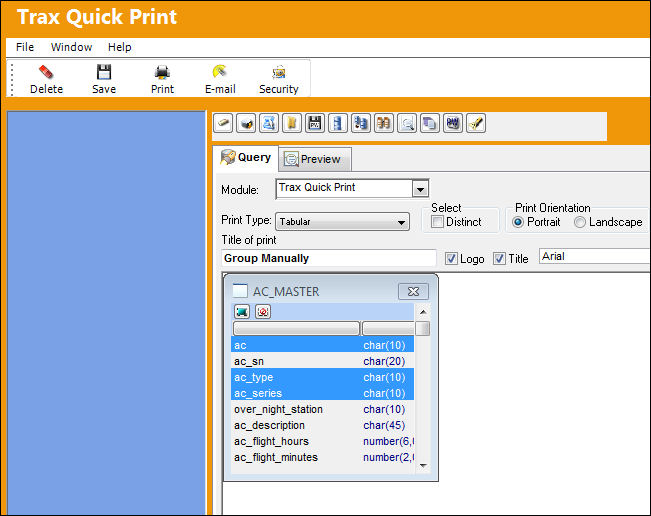
The following information/options are available in this window:
_____________________________________________________________________________________
Column
Select a column for the clause.
The columns used in the clauses are from the selected tables but are not necessarily in the print.
Operator
Select a value for the clause.
Value
Select a value for the clause.
Logical
Select a logical connector to the proceeding clause.
_____________________________________________________________________________________
Select the Order By Tab. The following expressions become available.
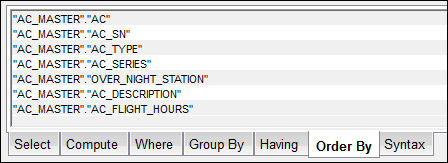
Drag the expressions in the left column into the right column in the order in which they are to be grouped and displayed. Do the same for the Group By tab.

_____________________________________________________________________________________
Select
Selects the fields the user has highlighted.
Compute
Creates new calculated fields for report.
Where
Adds clauses to filter the print.
Group By
Groups the report fields for calculation purposes.
Having
Adds further clauses to filter data once it is grouped.
Order By
Orders the data in the print (Asc = Ascending/Desc = Descending).
Syntax
Used to view the SQL code of the report.
_____________________________________________________________________________________
Select the Preview  button. The table is generated according to how the fields were manually grouped.
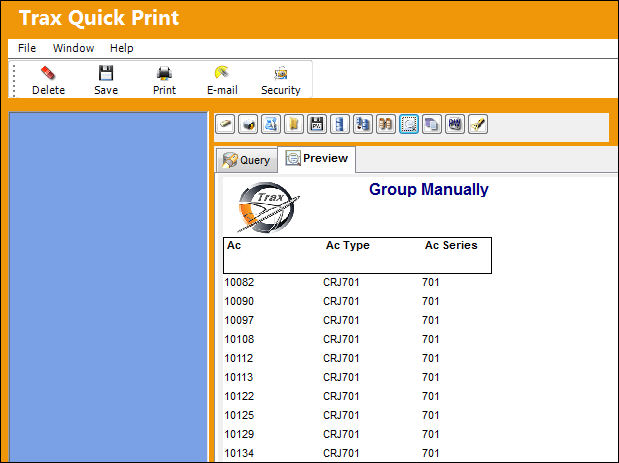
Grouping fields manually is beneficial to more advanced users who know what sequels they would like to select.
Share
Print
|
©1997-2026 Trax USA Corp. All rights reserved. This manual may not be copied, photocopied, reproduced, translated, or converted to any electronic or machine-readable form, in whole or in part, without prior written approval from Trax USA Corp. |
 |