
 Share
Share
 Print
Print
|
|
|
|
|


Crosstab Type
The Crosstab display print type allows users to join fields together to see a relationship between the two.
Open a table and click on the Join  button.
Place the cursor over the A/C-ACTUALS_FLIGHTS table and drag and drop it over the A/C_MASTER table. A relationship is made between the two tables. Select the Preview  button.
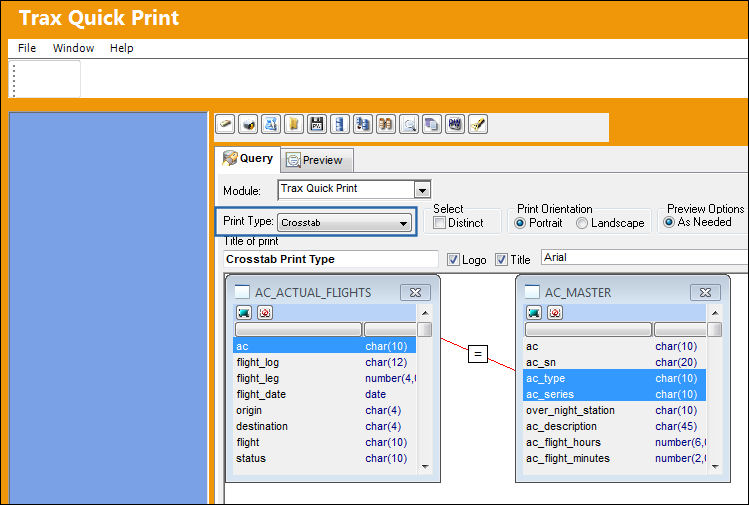
The following pop up window appears prompting the user to select how they would like the Source Data fields to appear in the Crosstab Print Display.
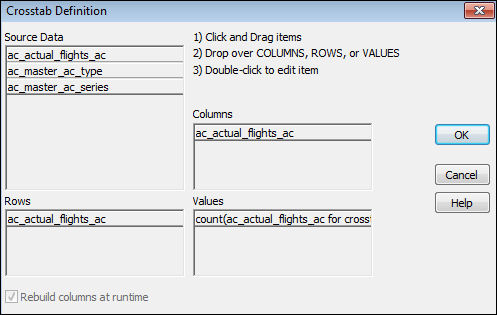
Select Crosstab Definition and drag the fields under Source Data into the desired columns and rows.
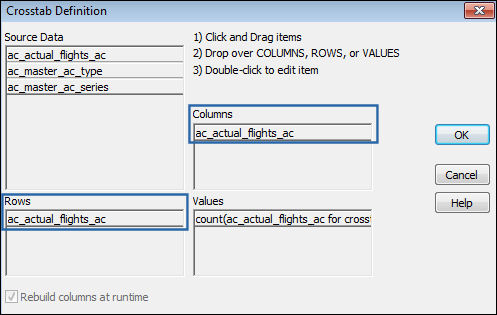
Select OK. The values are automatically calculated and TRAX goes back to the Update menu. Select the Preview button. The Crosstab Print Display is generated.
Share
Print
|
©1997-2026 Trax USA Corp. All rights reserved. This manual may not be copied, photocopied, reproduced, translated, or converted to any electronic or machine-readable form, in whole or in part, without prior written approval from Trax USA Corp. |
 |