
 Share
Share
 Print
Print
|
|
|
|
|


Engineering Authorization Supervisor
The Engineering Authorization Explorer Supervisor allows restricted users, usually Managers and Supervisors, to review E/Cs that have been released for authorization, as well as make minor configuration changes to the Authorization Steps regardless of their department or authorization group.
As with all Supervisor functions in TRAX, it is critical that this option be limited to restricted individuals since a user that has the security access can go in to the record and authorize steps.
The functionality is similar to Engineering Authorization Explorer, with the exception that the Authorization Update Step can not be accepted in Engineering Authorization Explorer Supervisor. The Authorization Update Step is required to be accepted in Engineering Authorization Explorer by the user with appropriate department/section/division or Group Authorization set-up.
Once an E/C has been released for authorization via Engineering Authorization Management, or anytime during the authorization process, a user with the proper security access has the ability to go to Engineering/Explorer/Engineering Authorization Supervisor to view E/Cs that are pending authorization.
As an example, when entering the Engineering Authorization Explorer Supervisor window, TRAX displays the following screen:
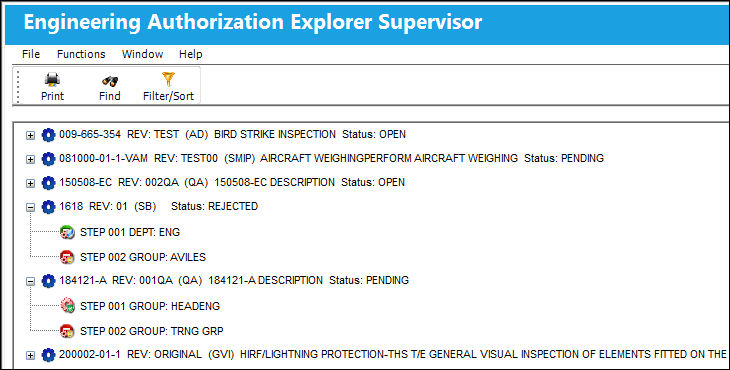
The role of the Engineering Authorization Explorer Supervisor is to allow users, usually Managers or Supervisors, to review and authorize E/Cs and allow other users, regardless of their department or authorization group, to review the E/Cs that are awaiting authorization.
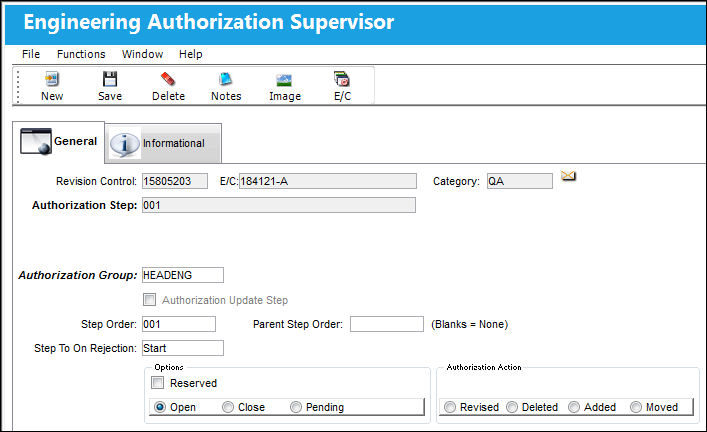
Users that have access to review E/Cs in Engineering Authorization Supervisor have the ability to leave the Authorization Step in an Open status, Close the Authorization Step, or place it in Pending Status.
The following information/options are available in this window:
_____________________________________________________________________________________
Step To On Rejection
This indicates how the Authorization Process will react when a Step is rejected (Start, Return To, Re-Release). When an authorization step has been rejected, the Step To On Rejection process begins based on the configuration of the E/C Category System Transaction Code.
Start - Will return the Authorization Process to the first step.
Return To - Will return the Authorization Process to a specific Authorization Step as specified by the 'Return To' Step number in the Return To Step Order field.
Re-Release - Will return the Authorization Process to the queue where it will await Release For Authorization.
Reserved checkbox
This allows a user to reserve the step. This will lock that user into that specific authorization step and does not allow another user to accept the step. The name of the user who Reserved the Authorization Step will appear in the Reserved By field.
Open radio button
All authorization steps are initially in Open status, until either Accepted or Rejected. A step can also be Open and Reserved at the same time.
Close radio button
This option accepts the Authorization Step and places it in Closed status.
Pending radio button
This option is selected when the user is rejecting the Authorization Step when there are reasons that do not permit the step from remaining open or being accepted. The Rejection Reason field is mandatory upon the Authorization Step becoming Rejected.
Authorization Action section
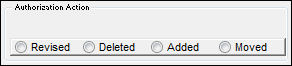
Select any of the below authorization actions. These actions will be recorded in the Revision History tab of Engineering Control.
For additional information refer to Engineering Control, Revision History Tab via Engineering Control of the Engineering - E/C Training Manual.
Revised radio button - This is informational only.
Deleted radio button - This is informational only.
Added radio button - This is informational only.
Moved radio button - This is informational only.
_____________________________________________________________________________________
The supervisor user also has the ability to make minor configuration changes to the Authorization Steps regardless of their Department or Authorization Group.These minor changes can be made to the Step Order Number, Step To On Rejection, Parent Step Order, as well as the Department/Division/Section or Authorization Group. The user can also remove the Authorization Step from Reserved status. These changes will be reflected for the selected E/C only, and will not update the E/C Category System Transaction Code.
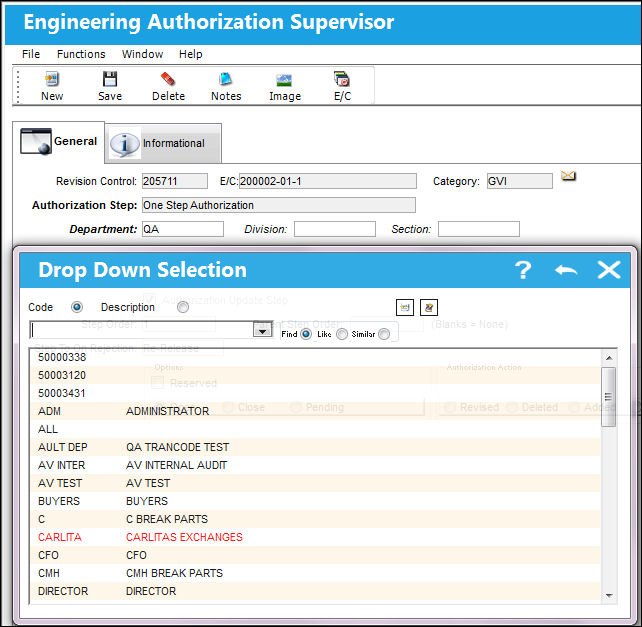
The default authorization configuration process is user defined based upon each users' individual business process needs and is set up via the E/C Category System Transaction Code.
The supervisor user also has the ability to delete any Authorization Step by using the Delete  button.
If the user attempts to delete an Authorization Step that has a Parent/Child configuration, the following hard warning will appear:
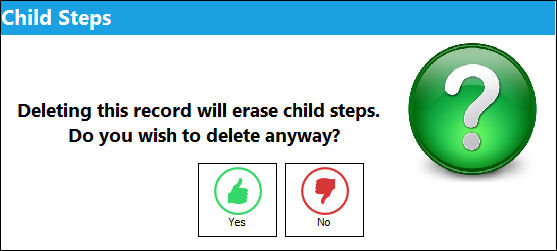
If the user selects Yes, then all Child Authorization Steps will also be deleted. If the user selects No, then no changes will be made.
If the user attempts to delete the Authorization Update Step, the following hard warning will appear:
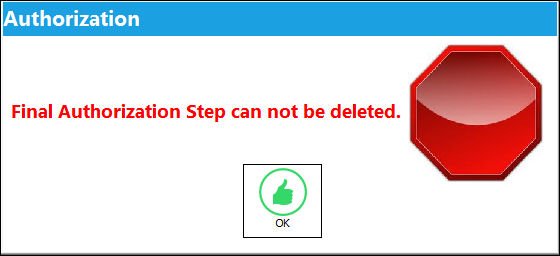
The user also has the option to change which Authorization Step is designated as the Authorization Update Step. The current Authorization Update Step can not be deselected first, or the following hard warning will appear:
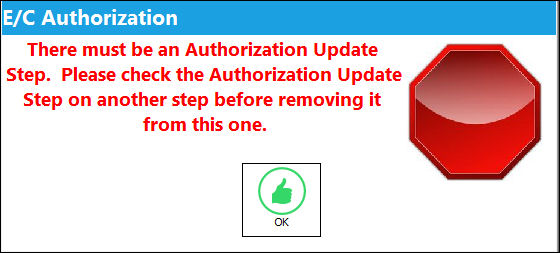
If the user attempts to create an Authorization Update Step on a Closed step, then the following hard warning will appear:
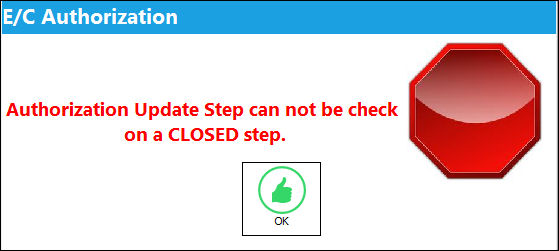
As noted above, Engineering Authorization Explorer Supervisor works in a similar way as Engineering Authorization Explorer, with the major exception that the Authorization Update Step can not be accepted in Engineering Authorization Explorer Supervisor, the Authorization Update Step is required to be accepted in Engineering Authorization Explorer.
For additional information, refer to Engineering Authorization Explorer regarding how an Authorization Update Step is accepted and the E/C Revision is processed.
Share
Print
|
©1997-2026 Trax USA Corp. All rights reserved. This manual may not be copied, photocopied, reproduced, translated, or converted to any electronic or machine-readable form, in whole or in part, without prior written approval from Trax USA Corp. |
 |