
 Share
Share
 Print
Print
|
|
|
|
|


Multi Task Card Sign Off, W/O Task Card Work (Work In Progress)
The Task Card work in progress option is used by technicians to sign-on and sign-off Task Cards in a Work Order.
The system will record the personnel that have worked on the Task Card and the amount of time that they took to carry out the task. This provides up-to-date analysis of the work in progress and the costs involved. For Third Party purposes, this will mean the ability to accurately bill the customer as required.
The Work Order Task Card Work In Progress, Multi Task Card Sign Off option allows one mechanic to sign off of many Task Cards at once.
From the Work Order Task Card Work in Progress window, select the Multi-Task Card button.
If there are Task Cards to stop, the W/O Task Card Work window appears with Task Cards that can be stopped as shown below.
The user has the option to stop, cancel, leave open, or complete multiple Task Cards.
In the following example, the user will stop the Task Cards below and save this transaction.
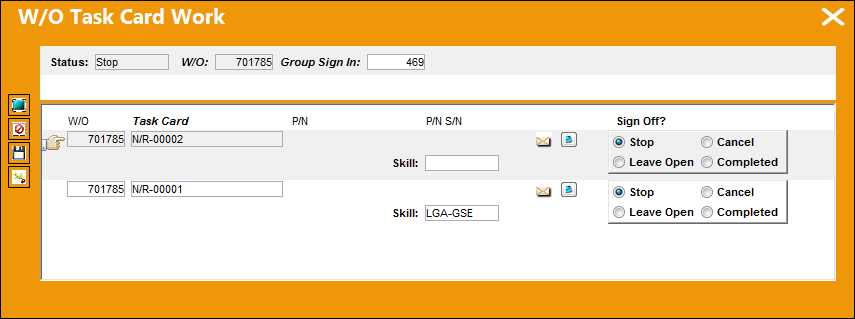
The "Completed" radio button will only appear if Switch  WOCHECKSK is set to Yes.
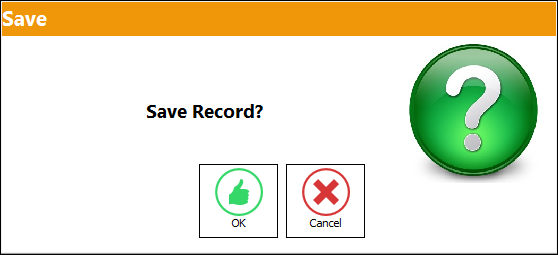
The Save prompt appears. Select 'OK.'
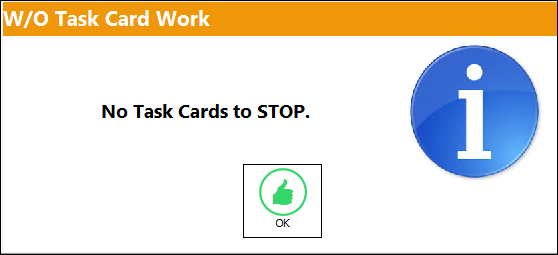
If there are no Task Cards to stop, TRAX will display the following window:
Share
Print
|
©1997-2026 Trax USA Corp. All rights reserved. This manual may not be copied, photocopied, reproduced, translated, or converted to any electronic or machine-readable form, in whole or in part, without prior written approval from Trax USA Corp. |
 |