
 Share
Share
 Print
Print
|
|
|
|
|


Manual Labor, W/O Task Card Work (Work In Progress)
The W/O Task Card Manual Labor window is user specific. Records can only be created and edited for a user who is logged into TRAX. This window also displays a Daily Summary for the user for the day of the last entry. This is broken down into different types of Work Orders. It also gives a complete history of all the users' labor activity for every Work Order Task Card.
This option is Wall protected. Employees must be added to the 'Users With Wall Security' section of the Wall By Program for their Wall Password to be accepted in the specified window.
From the Work Order Task Card Work In Progress window, select the Manual Labor option.
TRAX displays the W/O Task Card Manual Labor window. Select the Find  button.
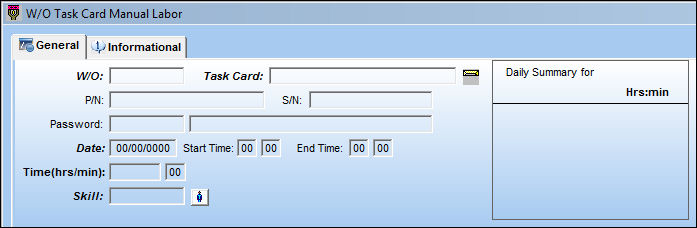
TRAX displays all Work Orders assigned to the user who is currently logged into the system:
From here, the user may add time to already existing Work Orders, and create new Work Orders.
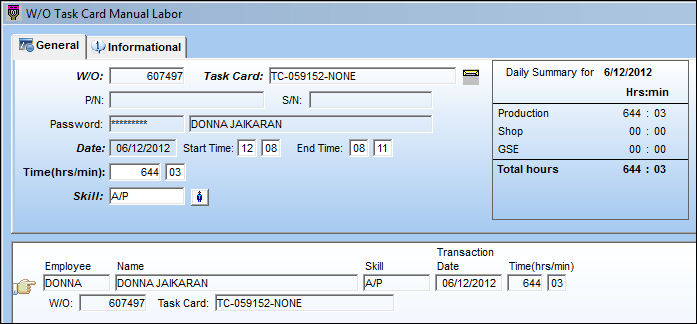
To view a record of every user that has logged time against a Work Order Task Card, refer to the Labor Manual Button, via Work Order of the Production Training Manual.
Share
Print
|
©1997-2026 Trax USA Corp. All rights reserved. This manual may not be copied, photocopied, reproduced, translated, or converted to any electronic or machine-readable form, in whole or in part, without prior written approval from Trax USA Corp. |
 |