
 Share
Share
 Print
Print
|
|
|
|
|


The N/R  button allows the user to create a Shop Non-Routine Task Card directly from the W/O Shop, P/N Information tab.
A Defect Report must be created or exist before a Non-Routine Task Card can be created. For information on how to create a Defect Report, go to the Defect Report section of the Technical Records Module.
Go to Shop/ Update/ Shop W/O. From the P/N Information Tab, Select the Create Non-Routine Task Card button.
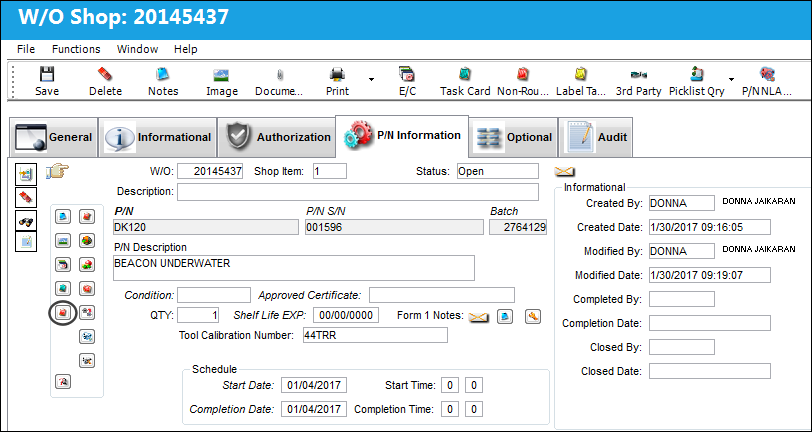
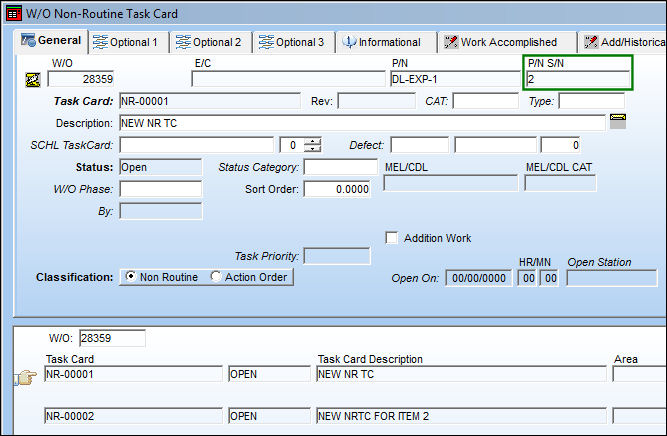
The user is taken to the W/O Non-Routine Task Card window, where the user may create a Non-Routine Task Card and link it to a Defect Report.
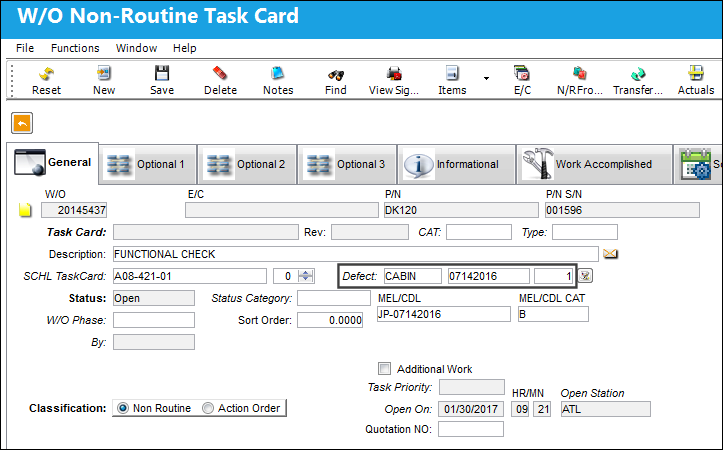
For more information regarding the Non-Routine Task Card button, please refer to the Non-Routine Task Card Button, via Shop Work Order Detail Buttons which can be found in the Shop Training manual.
P/N Non-Routine Task Card Shop Item:
Users can add Non-Routine Task Cards to non-serialized parts that have two or more Shop items associated to them. These N/R T/Cs can be added to each Shop item separately. Each T/C is linked to the Shop item it was created for.
For example, notice the following two Shop Items for the same non-serialized part.
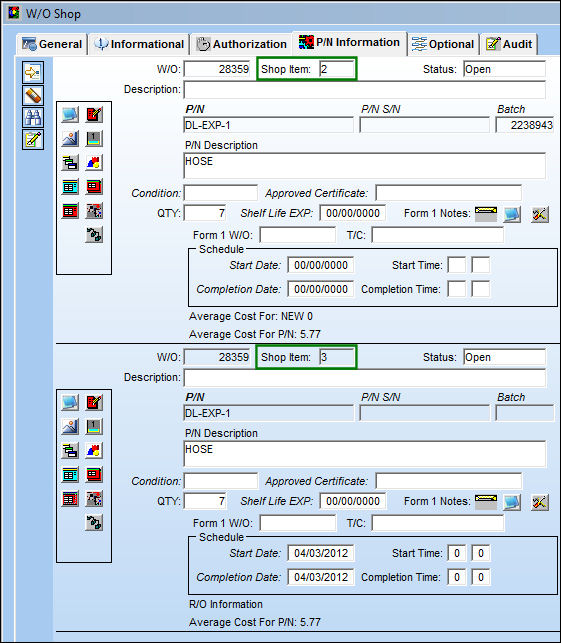
Non-Routine Task Cards can be added to each Shop Item.
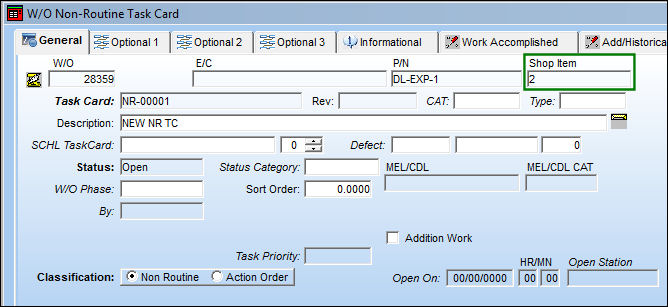
For the non-serialized parts, the P/N S/N field will contain the Shop Item number.
Share
Print
|
©1997-2026 Trax USA Corp. All rights reserved. This manual may not be copied, photocopied, reproduced, translated, or converted to any electronic or machine-readable form, in whole or in part, without prior written approval from Trax USA Corp. |
 |