
 Share
Share
 Print
Print
|
|
|
|
|


Select the Effectivity  button to set Effectivity for this Task Card Item by A/C Type/Series.
Note: Switch  TCEFFECT (A/C Effectivity At Task Card Level). This switch must be set to Yes in order for the button to appear at the Task Card Item level. If set to No, the button will not appear. The system will then allow only specific Task Card Items to appear on Work Orders, therefore building Task Cards from the existing deck of cards.
Effectivity to the Task Card Item is first at the Aircraft Type/Series level, then it can be overridden to a specific aircraft using the Override  button.
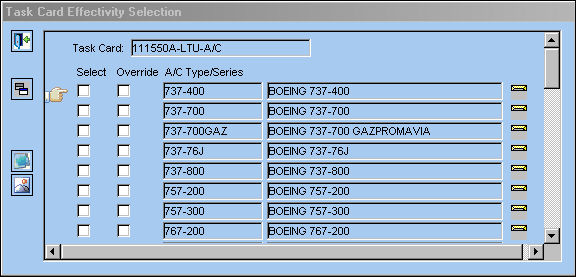
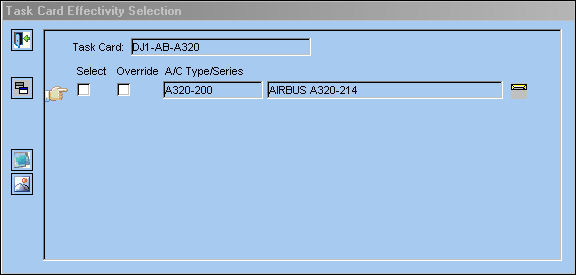
The following information/options are available in this window:
_____________________________________________________________________________________
Task Card
The Task Card / Job Card that details the scheduled maintenance work.
Item
The number of items in the Task Card
Select checkbox
Select if the Task Card is effective to this aircraft.
Override checkbox
Select this checkbox to override effectivity of an aircraft tail number.
Type/Series
The Aircraft Type and Series/Fleet assignment.
_____________________________________________________________________________________
The Task Card Item will display an alert message that indicates how Effectivity has been set up. If all aircraft are effective, "ALL" will be displayed on the General Tab of the Task Card. If only some aircraft are effective, "PARTIALLY" will be displayed and if none are effective, "NONE" will be displayed. “NONE” will also be displayed if Switch TCITMEFF (Task Card Item Effectivity) is set to No, indicating that all aircraft are effective.
If A/C Effectivity is set to Yes and the currently logged in user only has security access to specific aircraft, if that user applies effectivity then Effectivity will display as 'Partial'; as the user cannot edit/create Task Cards for the entire fleet.
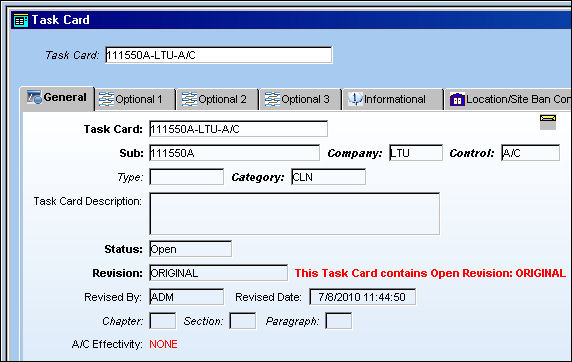
Additional Functionality:
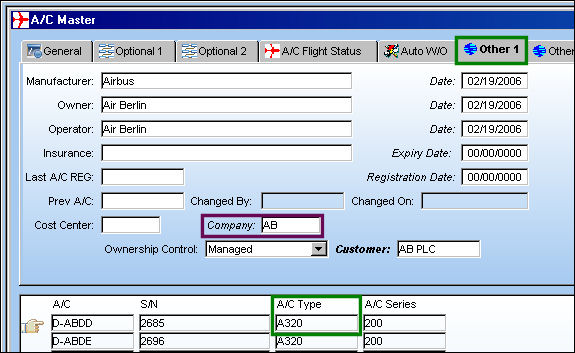
The effectivity for a Task Card will be determined by the Company and Control of the Task Card.
The Control field for the following Task Card is A/C. Select the Effectivity button.
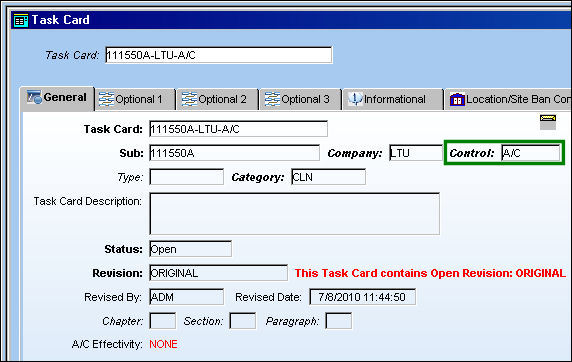
All A/C Type/Series are displayed as available for the specified Task Card:
Note: The also works if the Control is saved as P/N.
The Control field for the following Task Card is A320. Select the Effectivity button.
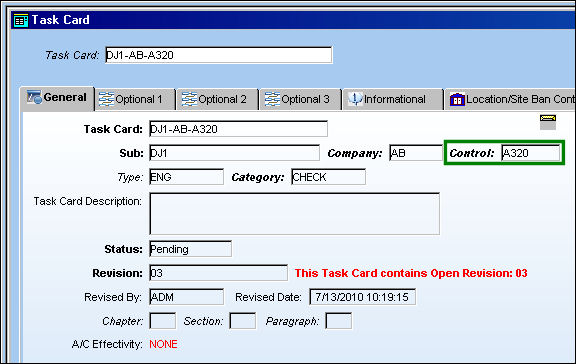
Only the A/C Type/Series effective to the Company specified in the above Task Card are available for selection:
This is set up in the A/C Master, Other 1 Tab:
Share
Print
|
©1997-2026 Trax USA Corp. All rights reserved. This manual may not be copied, photocopied, reproduced, translated, or converted to any electronic or machine-readable form, in whole or in part, without prior written approval from Trax USA Corp. |
 |