
 Share
Share
 Print
Print
|
|
|
|
|


View Type
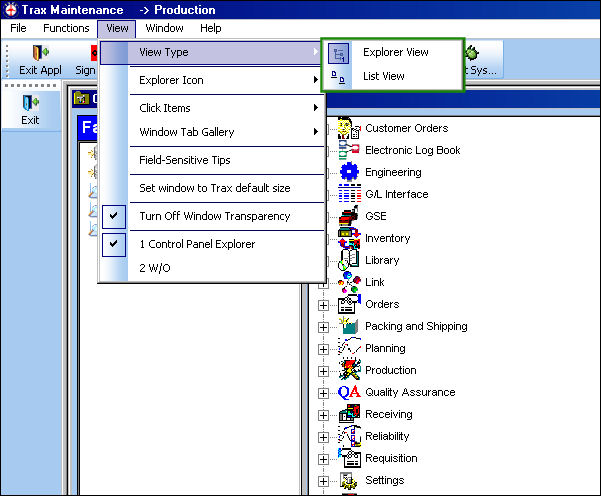
From the View dropdown menu users can choose between the Explorer View and the List View. These options provide two different methods for displaying the different modules and subcategories found in the Control Panel. These changes will be seen only by the user who assigns the view not by the other users operating within the same database.
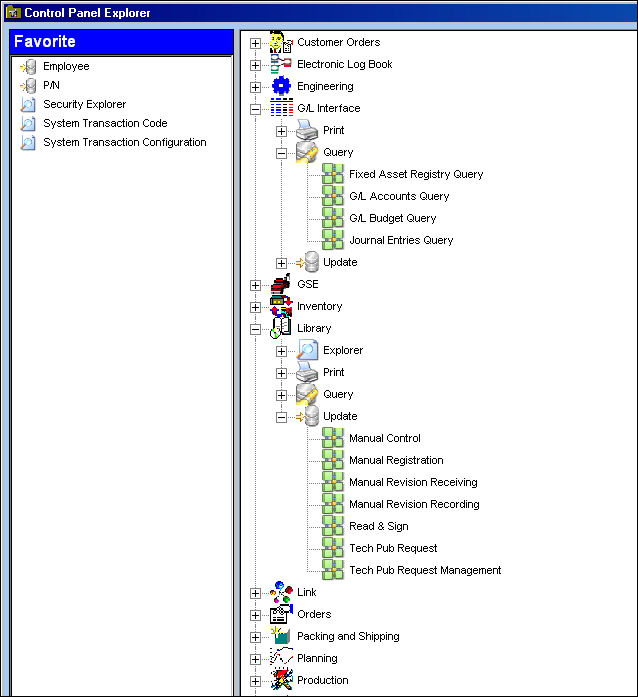
The Explorer View provides the classic Trax view. It displays the Modules in a vertical format with the subcategories listed in an outline form.
The List View displays the Modules and subcategories in two separate fields. The top portion lists the Modules and the bottom portion displays the subcategories. When a user selects one of the listed modules the corresponding subcategories will appear below.
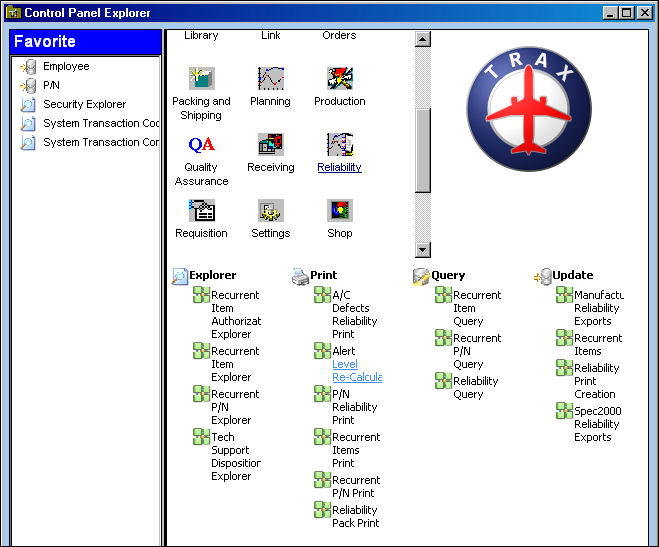
One of the main differences between the two views is that the Explorer View will display all open modules with their subcategories at the same time while the List View will only display the subcategories for the currently selected module.
Share
Print
|
©1997-2026 Trax USA Corp. All rights reserved. This manual may not be copied, photocopied, reproduced, translated, or converted to any electronic or machine-readable form, in whole or in part, without prior written approval from Trax USA Corp. |
 |