
 Share
Share
 Print
Print
|
|
|
|
|


Select a part number and click on the Find  button. Be sure the Hand
  pointer is next to the desired record. Double click, or select the Select
  button. Select the Warranty/No Warranty tab.
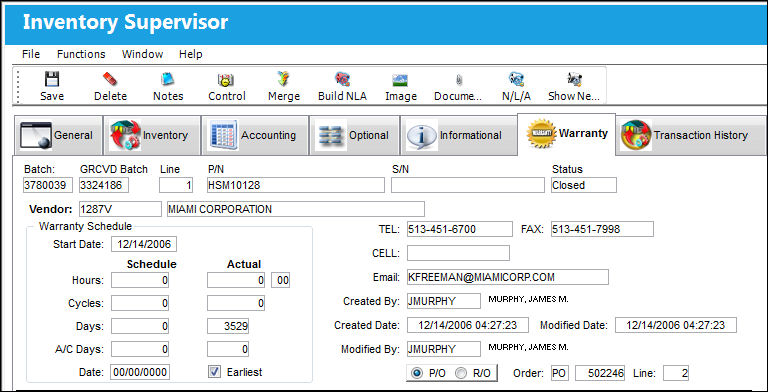
The Inventory Supervisor Detail, Warranty (or No Warranty Info) tab displays any Warranty information that is associated with the part.
If the part does not have any Warranty information, or the Warranty information has expired, the No Warranty Info Tab will appear.
The following screen displays the Warranty tab:
Share
Print
|
©1997-2026 Trax USA Corp. All rights reserved. This manual may not be copied, photocopied, reproduced, translated, or converted to any electronic or machine-readable form, in whole or in part, without prior written approval from Trax USA Corp. |
 |