
 Share
Share
 Print
Print
|
|
|
|
|


TraxMobile Sign On Method

Signing into TRAX Mobile is similar to the process for the main TRAX application as they both stem from the same server. From the Log On to TRAX window, users will have the same amount of features as found in the main application. (For more information refer to the System Administration topic Logging Into TRAX.) To access the TRAX Mobile application, the TRAX Mobile checkbox will need to be selected. Once selected users can carry out the same sign on steps they are use to performing.
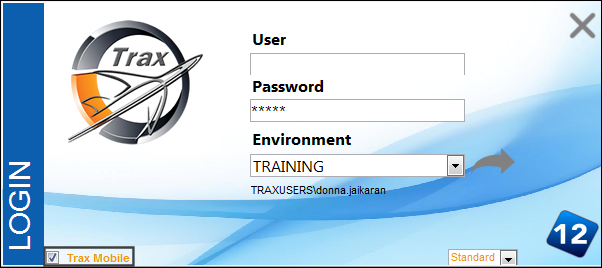
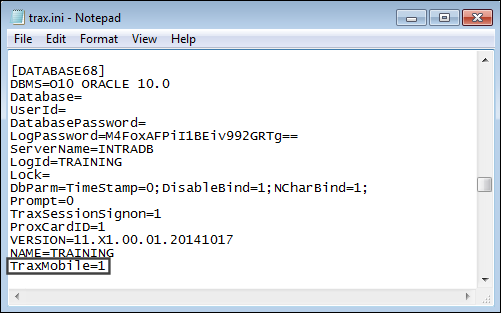
For the TRAX Mobile option to be available in the Log On to TRAX window, the following statement has to be added to the Trax.ini document:
- - The TRAX Mobile checkbox is visible and selected by default.
- - The TRAX Mobile checkbox is visible but not selected by default.
Share
Print
|
©1997-2026 Trax USA Corp. All rights reserved. This manual may not be copied, photocopied, reproduced, translated, or converted to any electronic or machine-readable form, in whole or in part, without prior written approval from Trax USA Corp. |
 |